
Introduction
At iSmartRecruit, we continue to enhance your recruitment experience by delivering meaningful updates that improve usability, streamline workflows, and introduce smarter integrations. This release focuses on better navigation, AI-powered pre-screening, and cleaner data presentation helping recruitment teams work more efficiently and with greater clarity.
1. New Bolna AI Pre-Screening Integration
Bolna is a leading AI-powered voice pre-screening and screening agent that helps recruiters automate candidate, client, and lead screening through intelligent voice calls.
Here is link to redirect bolna integration: Bolna Integration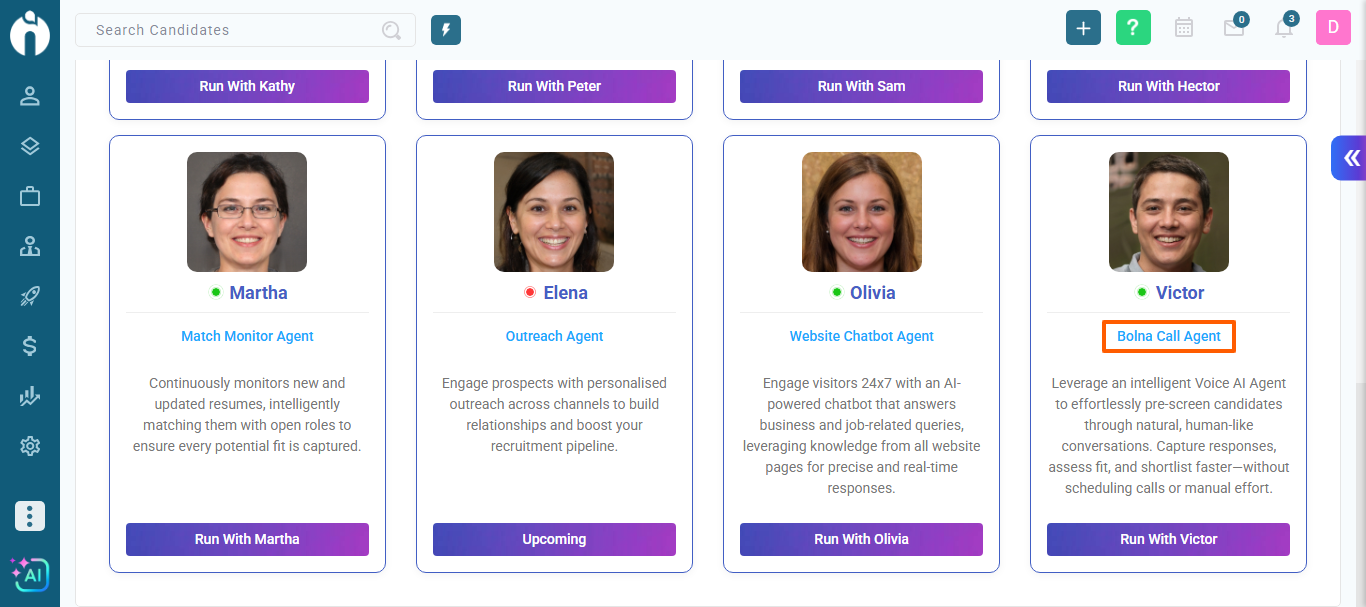
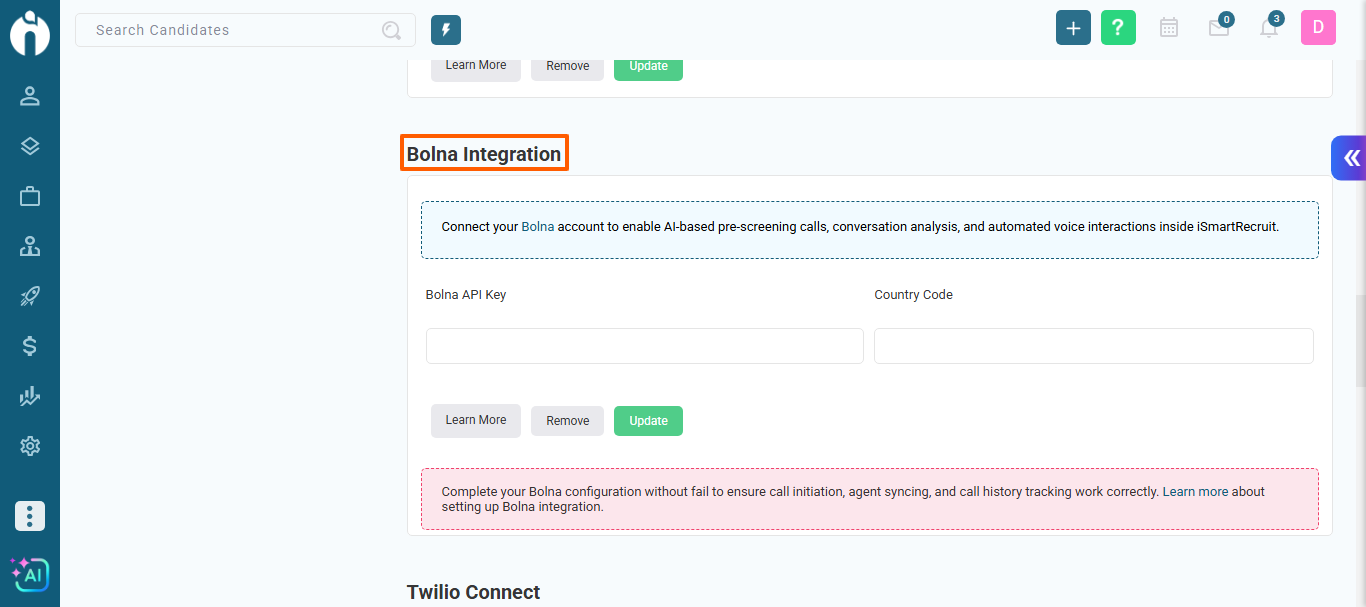
What’s New:
-
Bolna can be configured from Personal Settings > Integrations > Bolna.
-
Once connected, users can initiate Bolna VOIP calls for Candidates, Clients, and Leads.
-
Recruiters can select a Bolna Agent before starting a call.
-
Supports single and bulk call execution (up to 20 records at a time).
-
Bolna calls can be initiated from dialogs as well as List/Grid view > More Actions (only candidate).
-
Mandatory contact number validation ensures successful call initiation.
How Bolna Calls Work:
-
Configure Bolna integration using your Bolna API Key.
-
Open a Candidate / Client / Lead record.
-
Click Initiate Bolna Call from the action menu.
-
Select the desired Bolna Agent.
-
Choose the contact number (mandatory).
-
Click Initiate Call to start the AI voice screening.
The system automatically places the call using Bolna’s AI voice agent.
Call Recordings, Transcript & Summary:
-
After a call is completed, details are available under
Call History > Bolna Call History -
Users can view:
-
Call date & time
-
Agent name
-
Call status
-
Recording link
-
Call transcript
-
AI-generated call summary
-
-
Clicking the View option opens the transcript and summary in a dialog.
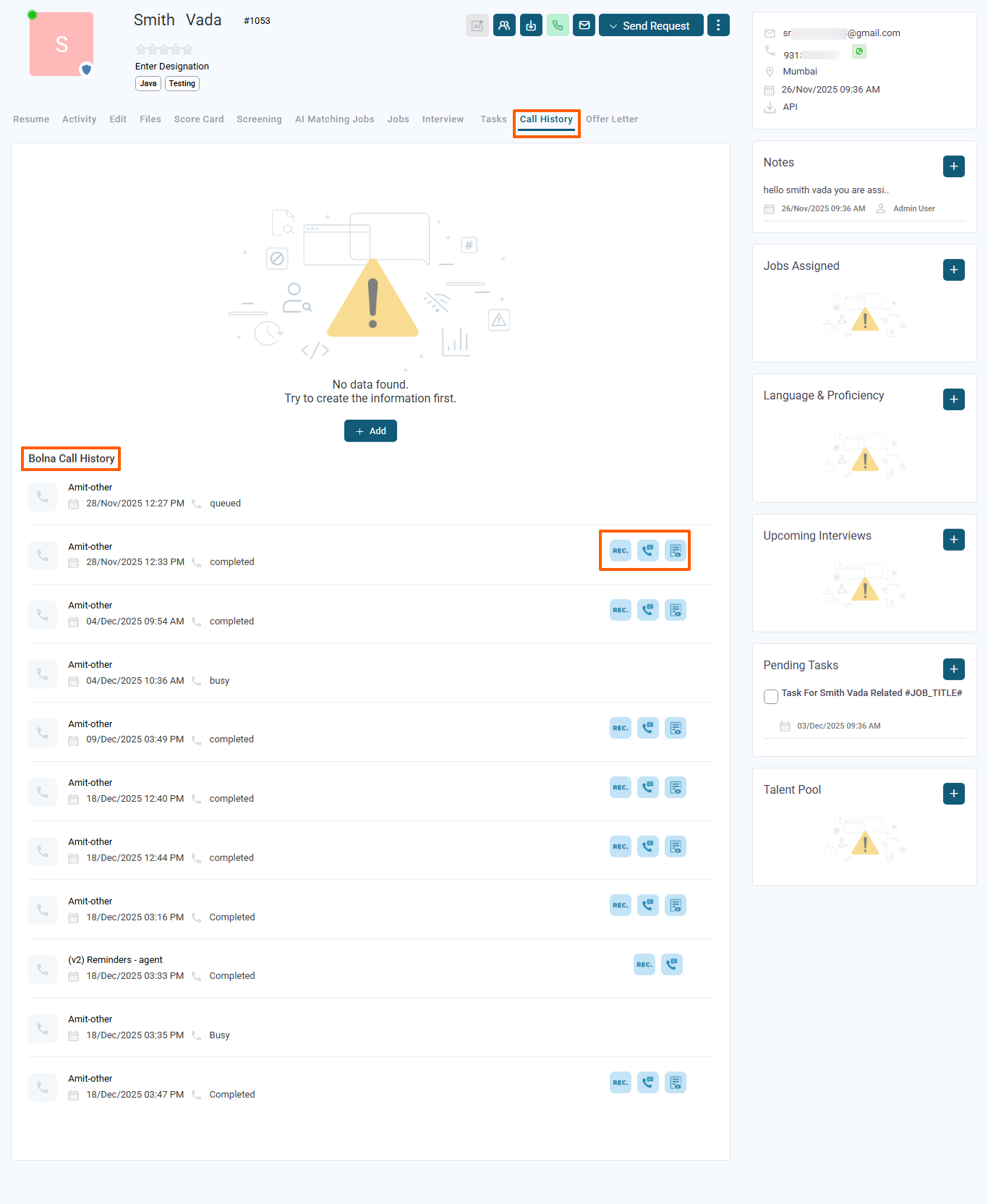 Refer to the screenshot below to see where call recordings and summaries are available in the system.
Why It Matters:
Bolna integration helps recruitment teams:
-
Automate pre-screening at scale
-
Reduce manual calling effort
-
Capture structured insights through AI summaries
-
Improve screening speed and consistency
2. New “Parse JD” Button in Job Form
We’ve added a Parse JD button in the Job Form to make job creation faster and more accurate through automatic data extraction.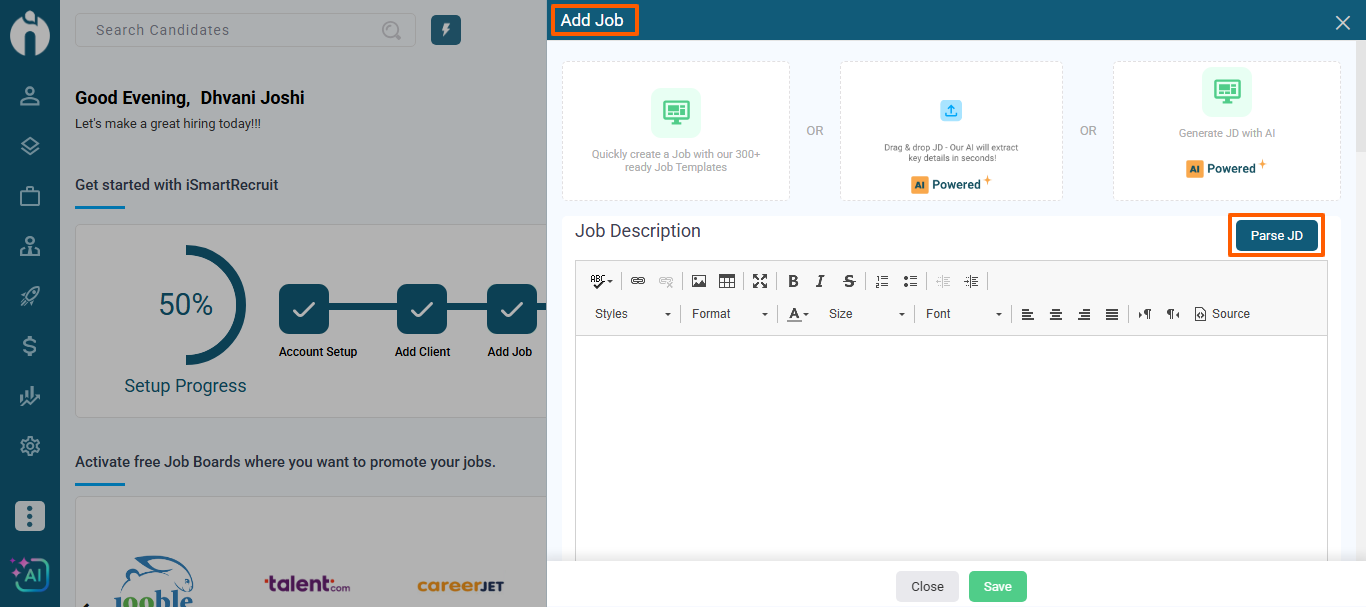
What’s New:
-
A new Parse JD button is now available in the Add Job Form.
-
Clicking this button automatically parses and extracts key job-related information from the Job Description.
-
Parsed details are auto-filled into relevant job fields, reducing manual input.
Why It Matters:
This enhancement enables better and faster job data structuring, improves data accuracy, and helps recruiters create and process jobs more efficiently.
3. Improved Client Notes Display
We’ve optimized how client notes are displayed to improve readability and performance.
What’s New:
-
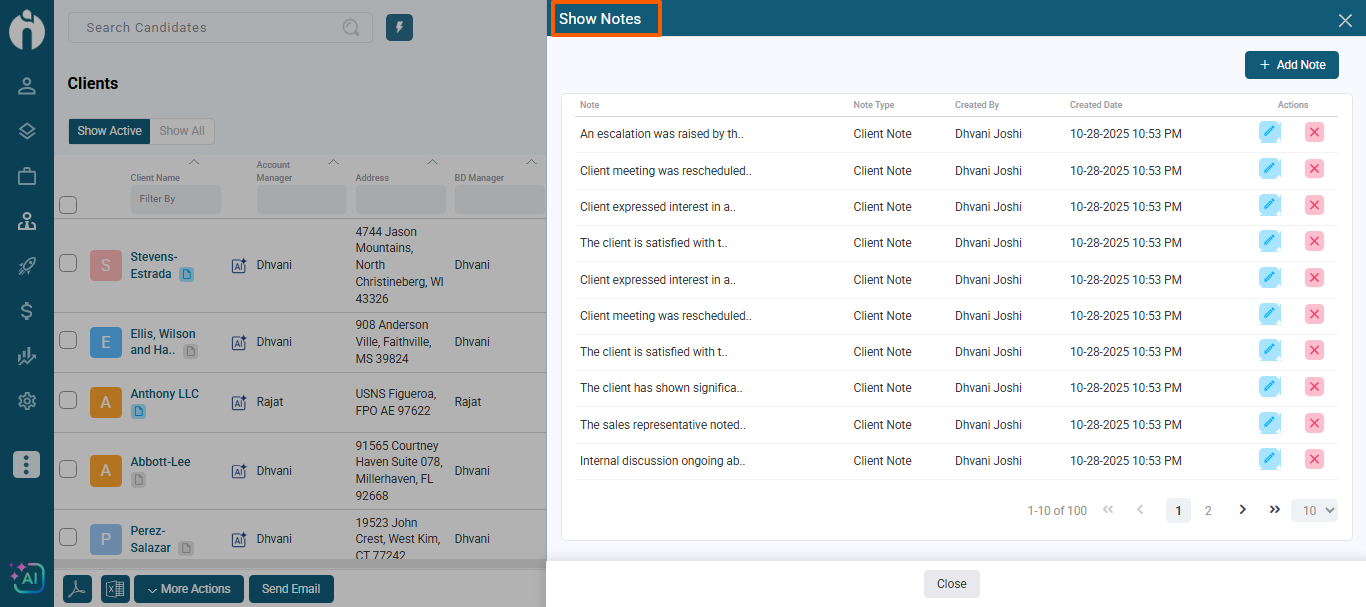
When a client has more than 10 notes, only the latest 10 notes are shown by default.
-
A “View All” option allows users to view the complete note history when needed.
Why It Matters:
This ensures a cleaner interface while still providing quick access to recent updates and full historical context when required.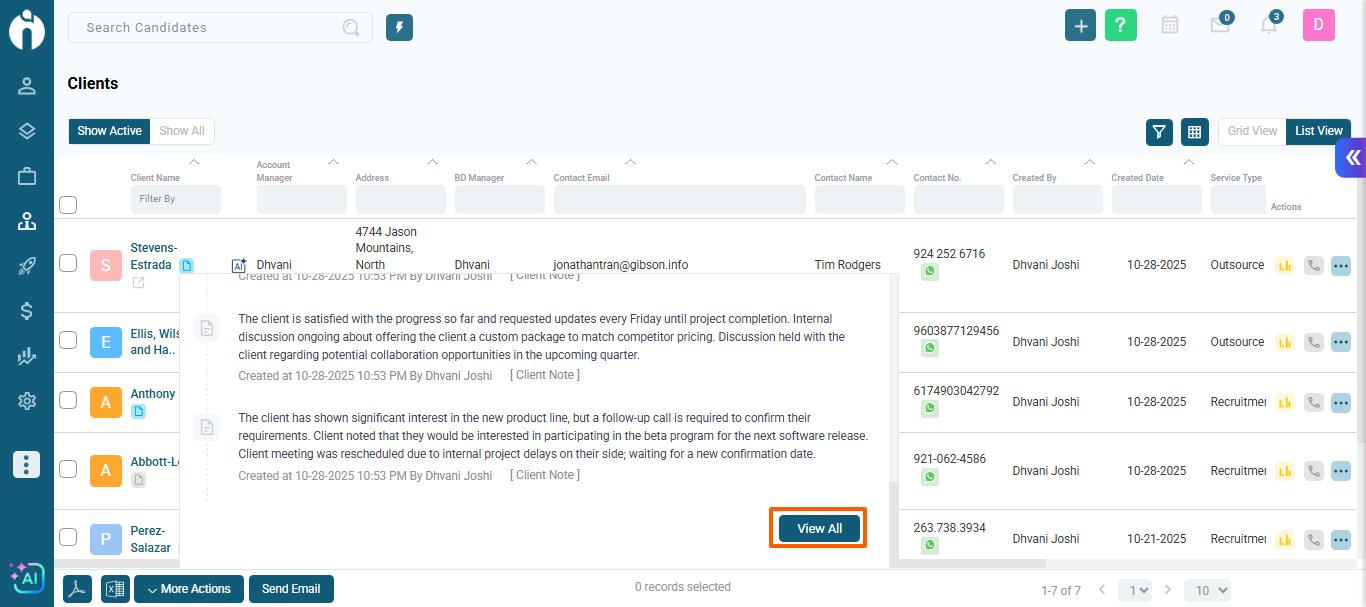
4. Job to Candidate Matching – Enhanced Accuracy
We’ve improved the AI-powered Job to Candidate matching to deliver more relevant results.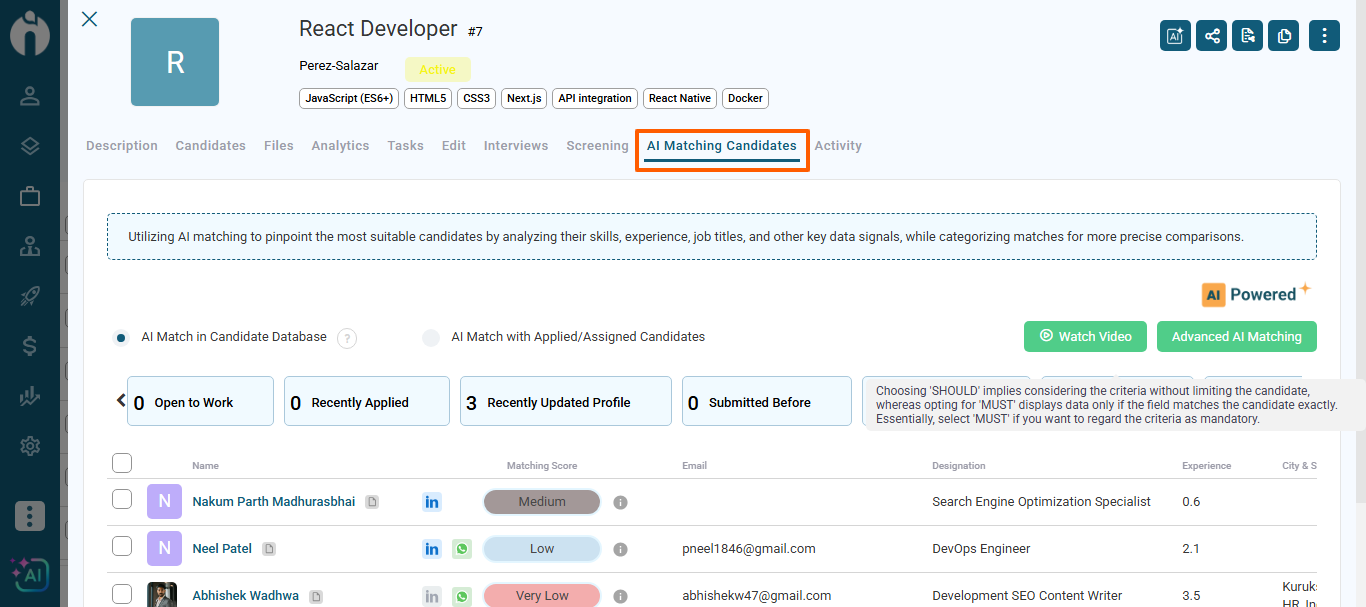
What’s New:
-
Enhanced matching logic evaluates job requirements and candidate profiles more accurately.
-
Better consideration of skills, experience, location, and designation.
-
Reduced irrelevant matches for faster and more effective shortlisting.
Why It Matters:
This helps recruiters identify the most suitable candidates quickly and improves overall hiring efficiency.
5. Similar Candidates – Smarter AI Recommendations
We’ve refined the Similar Candidates feature to provide more precise and useful suggestions.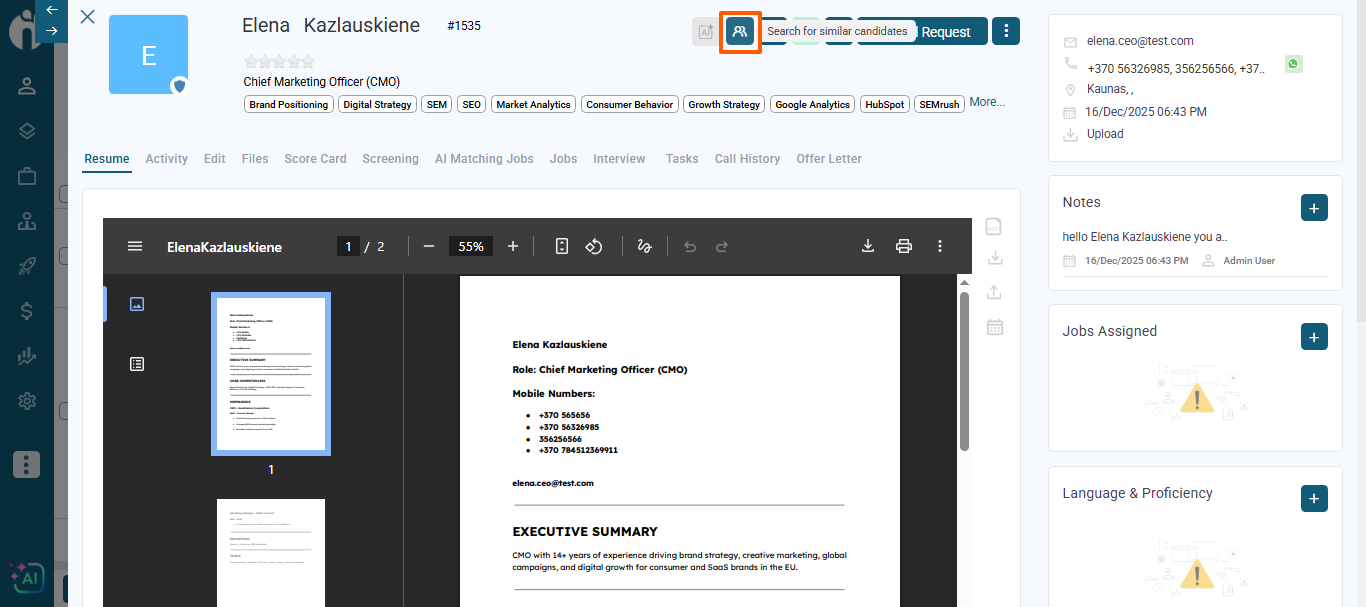
What’s New:
-
Improved AI logic identifies candidates with closely related skills, and designation.
-
More consistent similarity scoring for reliable recommendations.
Why It Matters:
Recruiters can easily discover alternative candidates without restarting the search process.
6. Duplicate Check Accuracy – Smart Multi-Field Identification
We’ve enhanced the duplicate detection system for cleaner and more reliable candidate data.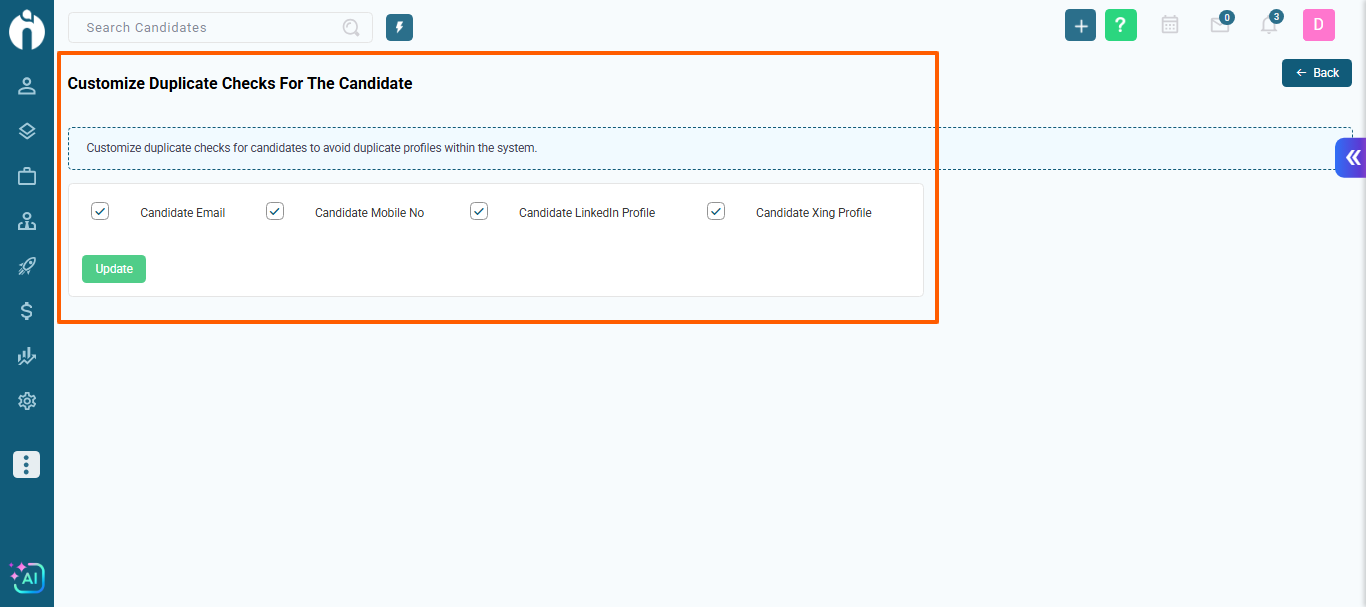
What’s New:
-
Duplicate checks now work intelligently across multiple values of field.
-
The system evaluates email, phone number, and other relevant identifiers together.
-
Improved logic minimizes false positives while identifying true duplicates accurately.
Why It Matters:
This ensures data integrity, prevents redundant records, and keeps the candidate record clean.
7. Usability Enhancements – Improved System Experience
We’ve introduced several refinements to make the system more intuitive and easier to use.
What’s New:
-
Simplified workflows across key recruitment actions.
-
Improved screen navigation and UI consistency.
-
Reduced manual effort through smarter defaults and validations.
Why It Matters:
These enhancements help users work more efficiently, reduce learning effort, and improve overall productivity.
8. Match Monitoring Agent (Martha) – Email Notification Enhancement
We’ve enhanced email notification behavior for the Match Monitoring Agent (Martha) to improve visibility and communication.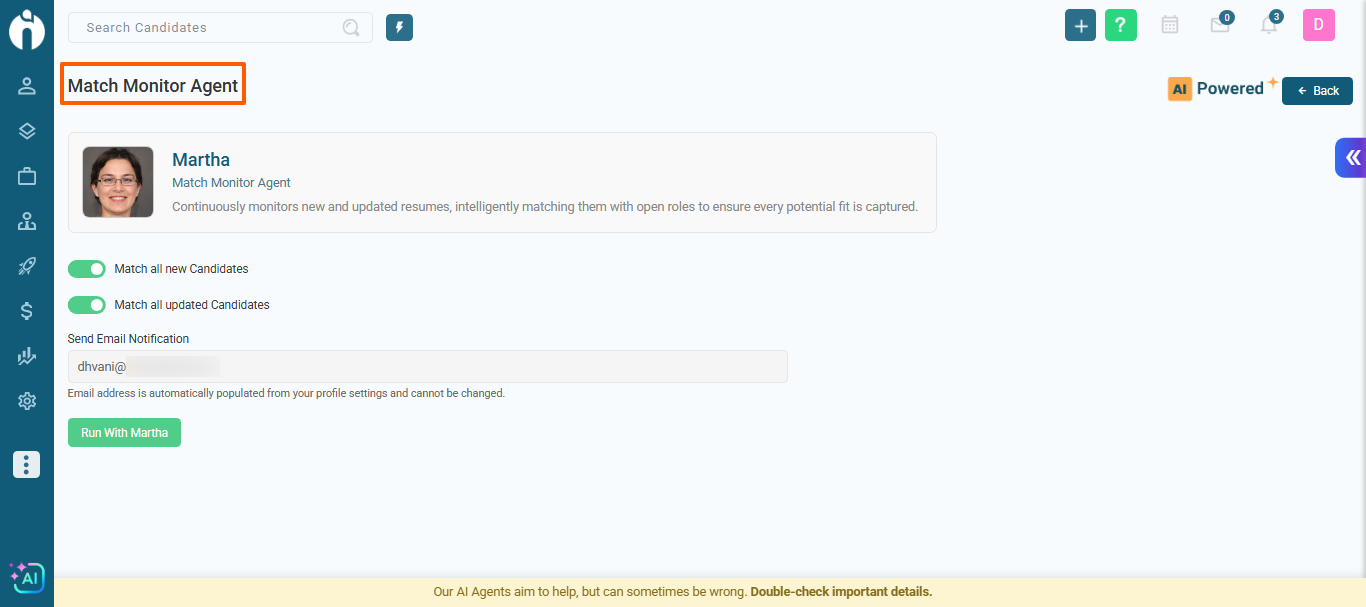
What’s New:
-
Admin users now also receive email notifications for the latest 25 jobs.
Why It Matters:
This enhancement ensures timely updates for both assigned users and admins, helping teams stay informed and manage job activities more effectively.
9. Enhanced “Create Support Ticket” Experience
We’ve improved the way support tickets are created to make the process smoother and more flexible.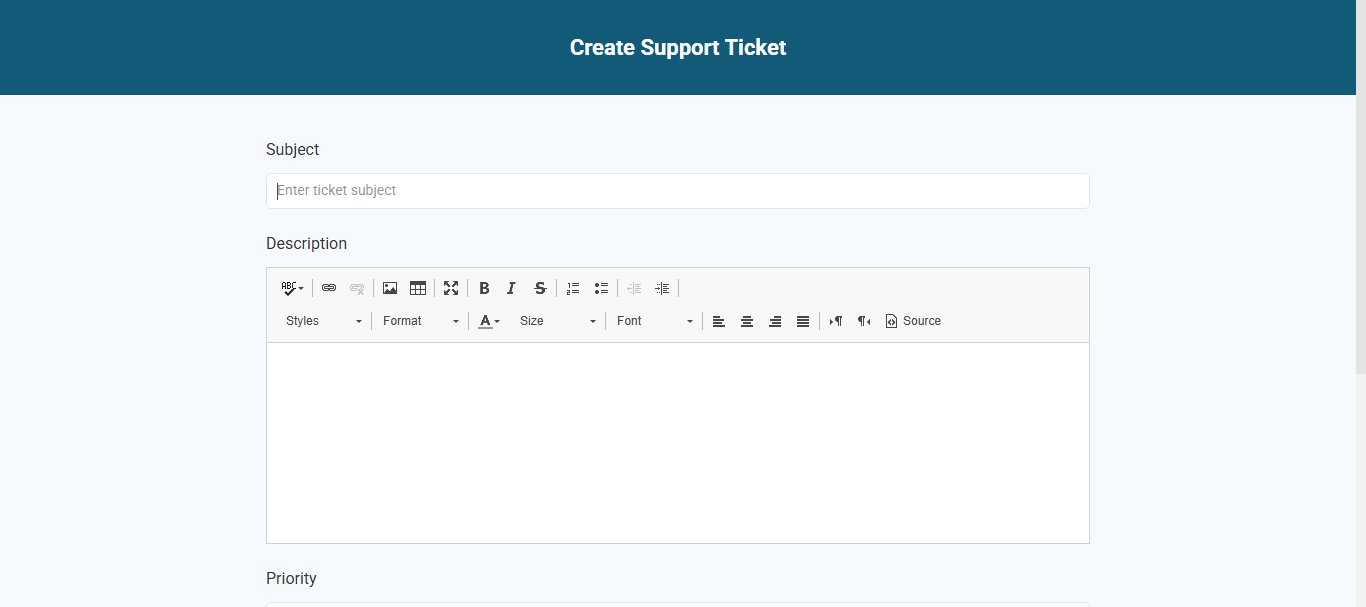
What’s New:
-
Clicking Create Support Ticket now opens a full-page view instead of a dialog box.
-
The ticket creation page opens in a new browser tab, allowing you to continue working without interruption.
Why It Matters:
This enhancement improves multitasking and usability, enabling users to raise support requests while maintaining their current workflow.
Conclusion
With this release, iSmartRecruit continues to focus on smarter workflows, AI-powered automation, and improved usability. These enhancements are designed to save time, reduce friction, and deliver a more seamless experience across your daily recruitment operations.
Thank you for your continued trust and partnership as we evolve iSmartRecruit to make hiring faster, smarter, and more effective.