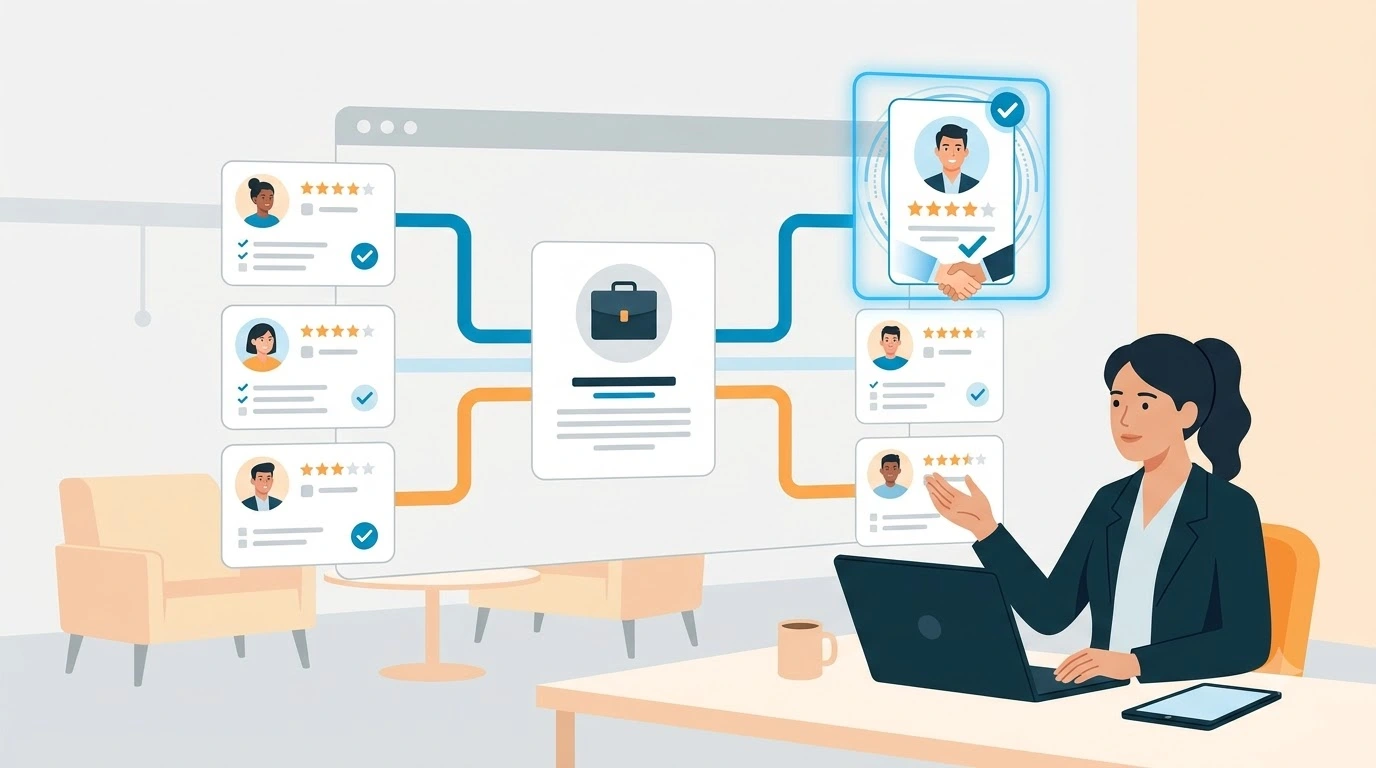
Finding and hiring suitable candidates involves more than publishing job vacancies and reviewing CVs. Recruitment teams need to source talent, manage applications, communicate with candidates, coordinate interviews and evaluate hiring performance. Handling these activities manually can create delays, inconsistent processes and poor candidate experiences.
Talent Recruitment Software helps organisations manage these activities through a centralised recruitment system. Depending on the solution, it may include applicant tracking, candidate sourcing, recruiting CRM, interview scheduling, workflow automation, AI-assisted recruitment and reporting.
In 2027, recruitment technology is also evolving towards skills-based hiring, AI-supported workflows, candidate engagement automation and more transparent hiring decisions. Understanding these capabilities can help businesses choose software that supports their recruitment needs without adding unnecessary complexity.
This guide explains what talent recruitment software is, how it works, its essential features and benefits, the latest trends, and what to consider when selecting a solution.
TL;DR
- Talent Recruitment Software centralises hiring with automation and data driven decision making
- Core features include applicant tracking, sourcing, interview scheduling and analytics
- Benefits cover reduced time to hire, better candidate experience and improved quality of hire
- Integration with HRIS and job boards is essential for a seamless workflow
- Prioritise user adoption, clean data and configurable workflows when choosing a system
- Measure success with time to hire, cost per hire and candidate satisfaction metrics
- Small pilots and staged rollouts reduce risk and accelerate ROI
What Is Talent Recruitment Software?
Talent Recruitment Software is a type of HR technology that helps organisations manage and improve the hiring process, from identifying potential candidates to evaluating applicants and making hiring decisions.
It brings recruitment activities together in one system, allowing recruiters and hiring managers to manage vacancies, maintain candidate records, communicate with applicants, schedule interviews and monitor recruitment performance.
Depending on the platform, it may include:
- Applicant Tracking System (ATS): Organises job vacancies, applications and candidate progress throughout the hiring process.
- Candidate Sourcing: Helps recruiters find potential candidates through job boards, professional networks, databases and other channels.
- Recruiting CRM: Manages relationships with candidates, clients and talent communities.
- Interview Management: Supports interview scheduling, feedback collection and candidate assessments.
- Recruitment Automation: Automates repetitive activities such as application notifications, follow-ups and workflow updates.
- AI Recruitment Tools: Assist with tasks such as CV screening, candidate matching, job description writing and recruitment research.
- Recruitment Analytics: Tracks hiring activity, recruitment costs, pipeline performance and other important metrics.
The exact combination of features varies between providers. Some solutions focus mainly on application tracking, while broader recruitment platforms support the entire talent acquisition process.
How Is Talent Recruitment Software Different From a Basic ATS?
An Applicant Tracking System is an important part of talent recruitment software, but the two terms do not always describe the same range of capabilities.
A basic ATS primarily helps recruiters organise job applications, manage candidate information and track applicants through different recruitment stages.
A broader talent recruitment platform may include additional capabilities such as candidate sourcing, recruiting CRM, recruitment marketing, AI-assisted matching, automated communication and workforce analytics.
| Basic ATS | Broader Talent Recruitment Software |
| Tracks job applications | Manages wider recruitment activities |
| Stores candidate records | Builds and manages long-term talent relationships |
| Organises recruitment stages | Supports configurable hiring workflows |
| Provides application tracking | May include sourcing and recruitment marketing |
| Offers basic recruitment reports | May provide broader hiring analytics |
| Focuses on active vacancies | Can support proactive talent pipeline management |
For example, an organisation hiring for a specialist position may use an ATS to manage applications. A broader recruitment platform can also help its recruiters identify passive candidates, maintain talent pools and reconnect with suitable people when new vacancies become available.
Learn more about how an applicant tracking system supports recruitment teams.
What Is New in Talent Recruitment Software for 2027?
Recruitment software is moving beyond basic application management. Organisations are increasingly evaluating how technology can support recruiter productivity, candidate relationships, hiring quality and responsible AI use.
The following developments are particularly relevant when evaluating recruitment software in 2027.
1. AI-Powered Recruitment Workflows
AI is becoming more closely integrated into everyday recruitment activities. Rather than using separate tools for individual tasks, recruitment teams can use AI-assisted capabilities within their hiring workflows.
Depending on the software, these capabilities may include:
- Drafting and improving job descriptions.
- Extracting relevant information from CVs.
- Identifying candidates based on job requirements.
- Summarising candidate profiles.
- Supporting recruitment research and sourcing.
- Drafting personalised candidate communications.
- Assisting with recruitment reports and administrative tasks.
AI agents are another developing area. These tools can support multi-step activities, such as researching potential candidates or assisting with recruitment workflows. Their capabilities and level of autonomy vary, so organisations should understand what an agent can access, what actions it can perform and where human approval is required.
AI should support recruiters rather than replace their judgement. Recruiters still need to review candidate information, assess suitability and make accountable hiring decisions.
Explore this guide to AI talent acquisition software to understand how AI can support modern hiring.
2. Skills-Based Hiring and Candidate Matching
Recruitment teams are increasingly looking beyond job titles, qualifications and years of experience when evaluating candidates.
Skills-based hiring focuses on the abilities and practical experience needed to perform a role. Recruitment software can support this approach through skills-based search, candidate matching, assessments and structured evaluation criteria.
For example, a recruiter hiring a software developer may search for experience with specific programming languages, frameworks and project responsibilities rather than relying only on previous job titles.
When evaluating matching features, check whether the software explains why a candidate matches a role. Recruiters should be able to review the underlying skills and experience rather than relying entirely on an automated score.
3. Candidate Fraud Detection and Verification
The growing use of AI-generated content and remote interviews has made candidate verification an important consideration for some recruitment teams.
Potential risks include misleading CV information, impersonation, manipulated documents and proxy interview participation.
Recruitment software may support parts of the verification process through identity checks, document verification, assessment controls and integrations with specialist verification providers. However, these capabilities are not available in every platform and should not be assumed to guarantee fraud prevention.
Recruiters should establish clear verification procedures for roles where identity, qualifications or professional credentials require additional checks.
Read more about protecting recruiters from CV fraud and fake candidates.
4. Conversational AI and Automated Candidate Engagement
Candidates expect timely information throughout the application process. Delayed responses and unclear communication can make it harder for organisations to keep applicants engaged.
Conversational AI, chatbots and messaging assistants can help recruitment teams respond to common questions, collect initial information, guide candidates through applications and support interview scheduling.
For example, a candidate visiting a careers page may use a chatbot to understand job requirements or ask about the application process. The assistant can provide relevant information and direct the candidate to the appropriate vacancy.
These tools are most useful when they provide accurate answers and make it easy for candidates to contact a recruiter when human assistance is needed.
Explore how conversational AI can support candidate engagement.
5. Responsible AI, Transparency and Recruitment Compliance
As organisations use AI in hiring, they must pay closer attention to how automated tools influence employment decisions.
Recruiters should understand how candidate information is processed, what criteria are used, whether automated recommendations can be reviewed and how decisions are documented.
For example, New York City's Local Law 144 requires covered employers and employment agencies using certain automated employment decision tools to meet requirements involving independent bias audits, public audit summaries and candidate notices.
When evaluating recruitment software, ask vendors about:
- Data privacy and access controls.
- Candidate consent and data retention.
- Audit logs and decision records.
- Bias testing and assessment procedures.
- Transparency around AI-generated recommendations.
- Human review and override options.
- Regional regulatory requirements.
Compliance responsibilities depend on the organisation, the technology being used and the jurisdictions involved. Software features alone do not guarantee compliance.
6. Recruitment Marketing and Talent Relationship Management
Recruitment does not always begin when a vacancy is published. Organisations often need to build relationships with potential candidates before a suitable position becomes available.
Recruitment marketing tools support this process through career websites, talent communities, recruitment campaigns and personalised communication.
A recruiting CRM can help teams organise candidate relationships, record previous interactions and maintain talent pools for future vacancies.
For example, a company recruiting for similar roles throughout the year can maintain a database of interested candidates and reconnect with suitable people when new opportunities arise.
Learn more about recruitment marketing and how it supports talent engagement.
7. Global and Distributed Recruitment
Organisations hiring across different countries need recruitment processes that can accommodate different languages, locations, time zones and local hiring requirements.
Talent recruitment software can help centralise candidate information and provide consistent workflows across recruitment teams.
When hiring internationally, evaluate whether a solution supports:
- Multiple languages and regional date formats.
- Location-specific job postings.
- Configurable recruitment workflows.
- Localised candidate communication.
- Role-based access for distributed teams.
- Integrations with relevant regional job boards.
- Data protection requirements in the countries where you operate.
Do not assume that a platform supports every country or local job board. Confirm regional coverage and available integrations with the vendor.
Core features to look for in Talent Recruitment Software
Not all solutions are created equal. When evaluating options consider these essential features.
Applicant tracking and workflow automation
An ATS organises job requisitions, applications and candidate records. Automated workflows route candidates through screening steps, notify hiring managers and generate offer documents. Recruiters save hours per week when manual tasks are automated.
Candidate sourcing and talent pool management
Quality hiring starts with sourcing. Look for tools that allow multi-channel posting, social sourcing and passive candidate outreach. Talent pools let you re-engage prior applicants and reduce time to fill for recurring roles.
Interview scheduling and assessment
Integrated interview scheduling synchronises with calendars and reduces the back and forth with hiring teams. Built in assessments and structured interview templates support objective evaluation of candidates and reduce bias in decision making.
Communication and candidate experience
Automated emails, SMS updates and career site branding create a consistent candidate journey. Candidates expect timely updates and a professional experience. Good talent recruitment software centralises communications and records every touchpoint.
Analytics and hiring metrics
Reporting dashboards show time to hire, source effectiveness and pipeline health. These insights help recruiters focus on channels delivering the best candidates and identify bottlenecks in the process. A data informed approach improves outcomes over time.
Integrations and ecosystem
Seamless integration with HRIS, payroll, background check providers and job boards reduces duplicate data entry and speeds up onboarding. Open APIs and pre built connectors are a major plus when you need flexibility.
Benefits of Talent Recruitment Software
Talent recruitment software can improve recruitment operations by centralising information, supporting consistent processes and reducing repetitive work. The actual results depend on the organisation's hiring volume, existing processes, software configuration and adoption.
1. Faster Recruitment Processes
Centralised candidate records and automated workflows can reduce the time recruiters spend on administrative tasks.
Recruiters can manage applications, review candidate progress and coordinate interviews without relying on separate spreadsheets or disconnected tools.
This can help teams move suitable candidates through the recruitment process more efficiently.
2. Improved Recruiter Productivity
Recruiters often manage several vacancies, candidates and hiring managers at the same time.
Recruitment software provides a central place to organise these activities. Automation can handle routine notifications, task assignments and follow-ups, allowing recruiters to spend more time on sourcing, candidate evaluation and relationship building.
3. Better Candidate Management
A centralised recruitment database helps teams maintain consistent candidate records and track previous interactions.
Recruiters can review application history, communication records, interview feedback and relevant experience without searching through multiple systems.
This also makes it easier to reconnect with suitable candidates for future vacancies.
4. More Consistent Candidate Experience
Candidates want clear information about job requirements, application progress and interview schedules.
Automated confirmations, timely updates and organised interview processes can make the experience more consistent.
A mobile-friendly application process and accessible career page can also make it easier for candidates to explore and apply for opportunities.
5. Data-Informed Hiring Decisions
Recruitment analytics help hiring teams understand which sourcing channels produce suitable candidates, where applications are delayed and how efficiently vacancies are being filled.
These insights allow organisations to identify process issues and make changes based on recruitment data rather than assumptions.
6. Better Collaboration Between Recruiters and Hiring Managers
Recruitment often involves several stakeholders, including recruiters, department managers, interviewers and HR teams.
Shared candidate records, interview feedback and recruitment dashboards help stakeholders access relevant information and coordinate decisions.
This can reduce communication gaps and make responsibilities clearer.
7. More Effective High-Volume Hiring
Organisations hiring for multiple locations or large numbers of similar positions need consistent processes.
Recruitment software can support bulk application management, automated communication, candidate filtering and configurable workflows.
These features can help recruitment teams manage high application volumes while maintaining visibility over individual candidates.
For more practical guidance, read about prioritising tasks in high-volume hiring.
Practical Examples of Talent Recruitment Software in Use
The following examples illustrate how recruitment software can support different hiring situations. They are hypothetical workflows, not claims about measured customer results.
Example 1: High-Volume Retail Recruitment
A retail organisation needs to recruit employees for several store locations.
Without a centralised system, recruiters may receive applications through different channels, maintain separate spreadsheets and manually update hiring managers.
With talent recruitment software, the team can manage vacancies centrally, organise applications by location, apply consistent screening criteria and automate routine candidate updates.
Recruiters can also monitor application volumes and identify locations where additional sourcing support is needed.
Example 2: Specialist Recruitment
A professional services firm regularly hires candidates with specialised technical experience.
Instead of starting the sourcing process from scratch for every vacancy, recruiters can use candidate sourcing tools and talent pools to maintain records of relevant professionals.
When a suitable role becomes available, recruiters can search existing records, review previous interactions and reconnect with candidates who match the requirements.
Example 3: Recruitment Agency Operations
A recruitment agency manages multiple clients and vacancies simultaneously.
A combined ATS and recruiting CRM can help its recruiters track job requirements, manage candidate pipelines, maintain client records and organise communication.
The agency can also review recruitment activity across clients, recruiters and vacancies to identify bottlenecks.
Key insight: The value of recruitment software is not limited to automating individual tasks. Its broader purpose is to connect recruitment activities, improve visibility and help teams manage candidate relationships throughout the hiring lifecycle.
Key Metrics to Measure Talent Recruitment Software ROI
Organisations should measure whether their recruitment software is improving hiring operations. Establishing baseline figures before implementation makes it easier to evaluate changes over time.
| Recruitment Metric | What It Measures |
| Time to Hire | Time between a candidate entering the hiring process and accepting an offer, using a consistent definition |
| Time to Fill | Time between opening a requisition and filling the position |
| Cost per Hire | Total recruitment costs divided by the number of hires |
| Source Effectiveness | Number and quality of candidates generated by each recruitment channel |
| Application-to-Interview Rate | Percentage of applicants who progress to the interview stage |
| Offer Acceptance Rate | Percentage of offers accepted by candidates |
| Quality of Hire | Hiring outcomes measured through agreed performance, retention or manager feedback indicators |
| Recruiter Productivity | Recruitment workload and hiring activity managed by each recruiter |
| Candidate Satisfaction | Candidate feedback about the application and interview experience |
| Automation Rate | Percentage of eligible recruitment tasks handled through automated workflows |
For a more useful ROI assessment, compare these metrics before and after implementation. Consider changes in hiring volume, role difficulty, recruitment team size and seasonal demand before attributing improvements to the software.
For further guidance, explore how to maximise staffing software ROI.
How to Choose the Right Talent Recruitment Software
Choosing software based only on the number of features can lead to unnecessary complexity. Start by understanding your recruitment requirements and then compare solutions against those needs.
1. Identify Your Recruitment Requirements
List the challenges your team currently faces.
For example:
- Are recruiters spending too much time managing applications?
- Is candidate sourcing difficult for specialist roles?
- Do hiring managers struggle to provide interview feedback?
- Are candidate records spread across different systems?
- Does the team need better recruitment reporting?
- Are you hiring across multiple countries or locations?
Prioritise the problems that have the greatest impact on your recruitment operations.
2. Evaluate the ATS and CRM Capabilities
Consider whether you need basic application tracking or a broader platform that also supports sourcing, candidate relationship management and recruitment marketing.
Recruitment agencies may place greater importance on client management and candidate pipelines, while corporate HR teams may prioritise requisition approvals, hiring manager collaboration and internal workflows.
3. Review AI Features Carefully
AI capabilities can support candidate matching, CV screening, recruitment research and communication.
However, do not evaluate AI based only on marketing claims. Ask vendors to demonstrate the features using realistic recruitment scenarios.
Check how recommendations are generated, what information is processed, whether recruiters can review the results and what safeguards are available.
4. Check Integrations and Data Compatibility
Confirm that the software connects with the tools your organisation already uses.
Review available integrations, API capabilities, data migration options and ongoing maintenance requirements.
A system that cannot exchange information reliably with your existing HR technology may create additional administrative work.
5. Assess User Experience and Scalability
Recruiters and hiring managers should be able to use the system without unnecessary complexity.
Consider the interface, mobile accessibility, reporting, workflow configuration and training requirements.
Also check how pricing, permissions, storage and support change as your recruitment team or hiring volume grows.
6. Understand Pricing and Total Cost of Ownership
Software costs may include more than the subscription fee.
Consider:
- Licence or subscription charges.
- Number of users and access levels.
- Implementation and configuration.
- Data migration.
- Training and onboarding.
- Premium features and integrations.
- Technical support.
- Future upgrades and additional usage costs.
Request a clear pricing breakdown and compare the total expected cost against the value the software is intended to deliver.
Review talent acquisition software pricing before making a decision.
7. Request a Product Demonstration
A product demonstration helps you understand how the software works in practice.
Prepare a few realistic scenarios before the demonstration, such as creating a vacancy, reviewing applications, finding candidates, scheduling interviews and generating a recruitment report.
Ask the vendor to show how each process works rather than relying only on feature descriptions.
Talent Recruitment Software Implementation Best Practices
Successful implementation requires more than installing software. Recruitment teams need clear processes, reliable data and appropriate training.
1. Set Clear Implementation Objectives
Decide what the organisation wants to improve.
Objectives may include reducing manual administration, improving candidate communication, centralising recruitment records or increasing visibility into hiring performance.
Set measurable targets so that progress can be evaluated after implementation.
2. Start With a Pilot
Begin with one recruitment team, department or role category.
A pilot helps identify configuration issues, workflow gaps and integration requirements before the software is introduced across the organisation.
Collect feedback from recruiters and hiring managers and make necessary adjustments.
3. Involve Relevant Stakeholders
Recruiters, HR leaders, hiring managers and IT teams may have different requirements.
Involve them early to understand their responsibilities, data access needs and reporting expectations.
This can reduce resistance and make the system more practical for everyday use.
4. Clean Candidate and Job Data
Review existing candidate records, job information and recruitment databases before migration.
Remove unnecessary duplicates, standardise important fields and agree on naming conventions.
Poor-quality data can affect search results, reporting and workflow accuracy.
Understand how data migration works before transferring information into a new system.
5. Provide Role-Based Training
Recruiters, hiring managers and administrators may use different parts of the software.
Provide training that reflects each user's responsibilities. Include practical demonstrations, reference materials and a process for reporting problems.
Review adoption after launch and provide additional support where needed.
6. Establish AI Usage Guidelines
If the software includes AI features, define which activities can be automated and which require human review.
Document how recruiters should review recommendations, handle candidate data and respond to inaccurate or unexpected outputs.
AI governance should be part of implementation planning rather than an afterthought.
Common Mistakes to Avoid When Selecting Recruitment Software
Even a feature-rich platform may fail to deliver value if it does not fit the organisation's recruitment processes.
Choosing Features Instead of Business Fit
A long feature list does not necessarily mean a solution is suitable.
Focus on the problems your team needs to solve. Prioritise usability, relevant functionality, integration capabilities and vendor support.
Ignoring Integration Requirements
Disconnected systems can create duplicate records and manual work.
Check how candidate and employee information will move between recruitment software, HRIS, payroll and other business applications.
Over-Automating Candidate Communication
Automated messages can improve response times, but excessive or generic communication may frustrate candidates.
Use automation for routine updates while retaining personalised communication at important stages.
Relying Entirely on AI Recommendations
AI-generated scores and candidate matches should not replace recruiter judgement.
Review the information behind recommendations, check for potential errors and ensure that hiring decisions follow relevant policies and legal requirements.
Overlooking Candidate Verification
Do not assume that a detailed CV or convincing online profile proves a candidate's identity or qualifications.
Where appropriate, establish verification steps and use suitable checks for the role and location.
Underestimating Total Costs
Subscription fees may not include implementation, integrations, training or additional features.
Compare the full cost of ownership rather than choosing software based only on its starting price.
Checklist for Selecting Talent Recruitment Software
Use this checklist when comparing recruitment software providers:
- Does the solution manage the recruitment stages your team needs?
- Can recruiters create and manage job vacancies centrally?
- Does it support candidate sourcing and talent pool management?
- Are ATS and recruiting CRM capabilities available where required?
- Can workflows be configured to match internal hiring processes?
- Does it support interview scheduling and feedback collection?
- Are AI features transparent and subject to appropriate human oversight?
- Can the system integrate with your HRIS, payroll and job boards?
- Does it provide useful recruitment analytics and reporting?
- Is the candidate application experience mobile-friendly?
- Does it support the languages and regions where you recruit?
- Are data protection and access controls appropriate for your requirements?
- What implementation, migration and training support is available?
- How does pricing change as the team and hiring volume grow?
Compare the answers against your priorities before making a final decision.
Security and Compliance Considerations
Recruitment software processes personal information, including CVs, contact details, employment history, interview feedback and sometimes assessment results.
Organisations should understand how this information is collected, stored, accessed, retained and deleted.
Before selecting a provider, review the following areas:
- Data protection: Understand where candidate information is stored and which privacy requirements apply to your organisation.
- Access controls: Check whether permissions can be assigned according to user roles and responsibilities.
- Data retention: Confirm how long candidate information is retained and how deletion requests are handled.
- Audit records: Check whether the system records important user activities and changes to candidate information.
- AI transparency: Ask how AI-assisted features use candidate data and whether their recommendations can be reviewed.
- Bias and fairness: Understand what testing, monitoring and documentation are available for automated recruitment tools.
- Vendor security: Request relevant information about security practices, incident management and third-party integrations.
Requirements vary by country and the type of recruitment activity. Organisations hiring internationally should review applicable local regulations rather than relying on a single global compliance assumption.
Making the Business Case for Talent Recruitment Software
To justify an investment in recruitment software, connect the platform's capabilities to measurable business requirements.
Start by documenting the current recruitment process. Record the time spent on administrative work, recruitment costs, vacancy timelines, candidate communication gaps and reporting limitations.
Then identify which software capabilities could address these challenges.
For example, if recruiters spend considerable time sending manual interview reminders, workflow automation may reduce that administrative workload. If candidate information is spread across several databases, a centralised recruitment system may improve access and visibility.
A practical business case should include:
- Current challenges: Document the recruitment problems and their operational impact.
- Expected improvements: Identify the processes the software is intended to improve.
- Implementation costs: Include subscriptions, migration, configuration, training and integrations.
- Success measures: Select relevant metrics such as time to hire, cost per hire and recruiter productivity.
- Pilot results: Use actual results from an initial rollout to assess whether the investment is delivering value.
Avoid relying on estimated savings without supporting data. A realistic business case should distinguish expected benefits from results that have already been measured.
Conclusion
Talent Recruitment Software helps organisations manage hiring activities through a more connected and organised process. By combining applicant tracking, candidate sourcing, recruiting CRM, interview management, automation and analytics, it can support recruiters throughout the recruitment lifecycle.
In 2027, AI-assisted workflows, skills-based hiring, candidate verification and responsible AI governance are important considerations when evaluating recruitment technology. However, the right solution depends on an organisation's hiring requirements, team structure, existing systems and compliance obligations.
Before selecting a platform, assess its core features, integrations, usability, scalability and total cost. Test important workflows through a product demonstration or pilot, and measure the results against clear recruitment objectives.
The most suitable software is not necessarily the one with the longest feature list. It is the solution that helps your team manage candidates effectively, improve recruitment processes and make better-informed hiring decisions.
FAQs - Frequently Asked Questions
1. What is the difference between an ATS and talent recruitment software?
An ATS is a core component focused on application tracking and workflow. Talent recruitment software includes ATS capabilities plus sourcing, CRM, assessment and analytics to support proactive hiring and deeper insight.
2. How quickly can we expect results after implementation?
Initial efficiency gains often appear within weeks for administrative tasks. Broader outcomes such as improved quality of hire and reduced agency spend may take several months as processes stabilise and data accumulates.
3. Will talent recruitment software replace recruiters?
No. The technology automates routine tasks and surfaces insights. Recruiters remain essential for relationship building, candidate assessment and strategic hiring decisions.
4.What size of organisation benefits most?
Any organisation that hires regularly benefits. Small teams gain from automation and better candidate experience while larger organisations scale processes and reporting across many hiring managers.
5. How should we measure success?
Track time to hire, cost per hire, candidate satisfaction and quality of hire. Combine operational metrics with business outcomes to show true ROI.
6. Can systems integrate with our existing HR software?
Most modern platforms offer APIs and pre built connectors for common HRIS, payroll and background check providers. Verify integration points early in procurement.
7. How do we ensure candidate data privacy?
Choose vendors with strong security practices, clear data residency options and features for consent management and data deletion. Ask for documentation during the selection process.
About the Author