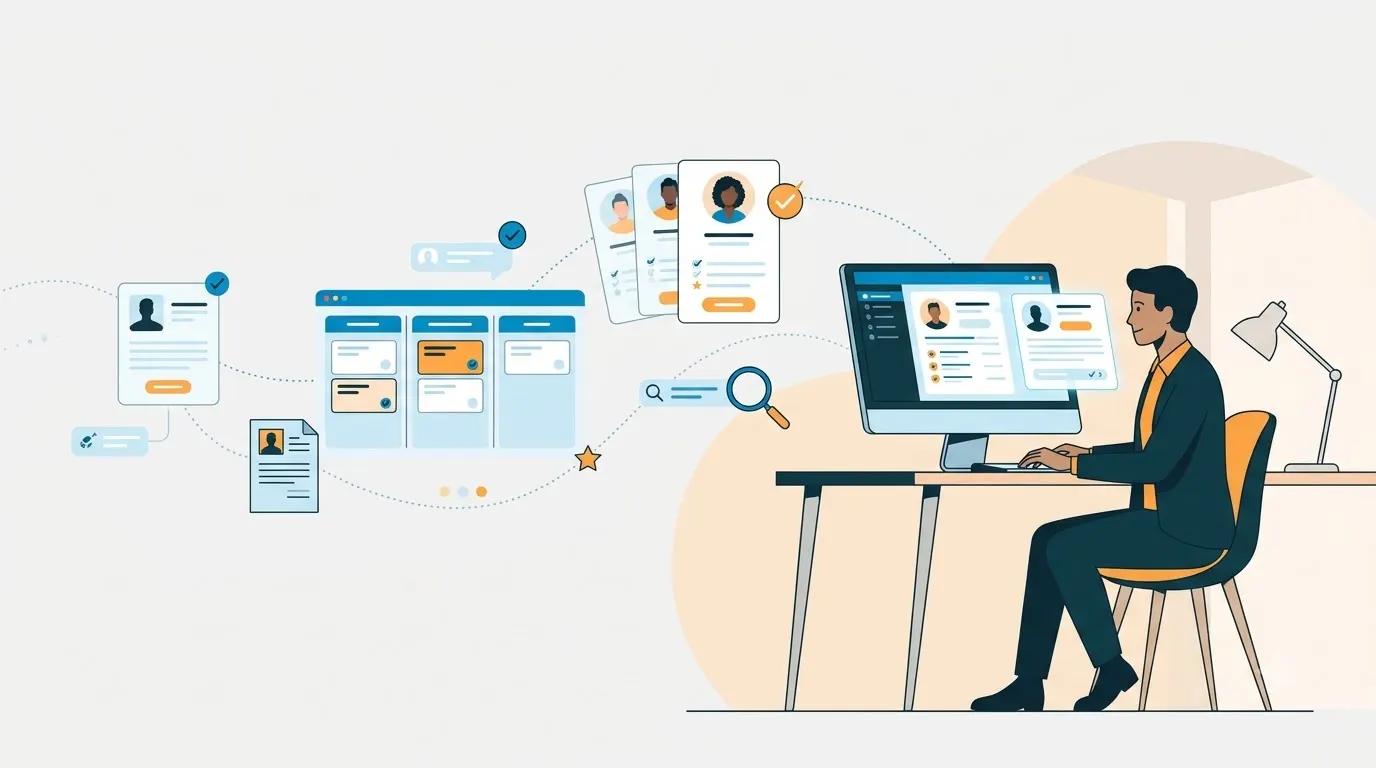
Recruitment teams in 2027 face a common challenge: finding the right talent while keeping hiring costs, processes and candidate expectations under control. As organisations expand their talent acquisition strategies, many are comparing in-house recruitment software with agency recruitment software to determine which approach delivers better results.
Both options support recruitment, but they serve different business needs. In-house recruitment software gives internal HR and talent acquisition teams greater control over hiring activities, candidate relationships and employer branding. The decision is no longer simply about choosing between internal hiring and outsourcing. Businesses must also consider AI-powered recruitment, automation, data ownership, integration capabilities, scalability and the changing expectations of candidates.
This guide explores the differences between in-house and agency recruitment software, their features, benefits, limitations and costs. It also explains when a hybrid recruitment model makes sense and how to select the right technology for your organisation in 2027.
TL;DR
- Choose in-house when you need control, branding and deep integration with HR systems.
- Choose agency software if you require speed, specialised talent pools and flexible spend.
- Hybrid models combine ATS for internal teams and agency portals for partners.
- Evaluate cost, time to hire, compliance and data ownership before deciding.
- Automation and AI improve outcomes in both in-house and agency setups.
- Measure success with time to hire, cost per hire, quality of hire and candidate experience.
- Start with a pilot, use metrics and scale the approach that aligns with talent strategy.
Recruitment technology is no longer optional. Industry studies show applicant tracking systems and recruitment automation can reduce time to hire by up to 40 percent and improve candidate engagement when implemented well. The difference between in-house and agency recruitment software is about more than tools. It is about who controls the process, who owns the data and how recruitment partners collaborate.
What Is Changing in Recruitment Software in 2027?
Recruitment technology is moving beyond basic application tracking. Employers, staffing firms and recruitment agencies are looking for systems that connect sourcing, candidate engagement, workflow management and reporting.
Several developments are influencing how businesses evaluate recruitment software.
- AI agents and matching: Both employers and agencies now use AI to screen, match and draft outreach. See AI agents and AI matching,
- Fraud and fake candidates: AI-written resumes and spoofed identities affect agencies and employers alike.
- Data ownership and AI rules: New York City's Local Law 144 already covers automated employment decision tools, and the EU AI Act treats many recruitment uses of AI as high-risk. Confirm the rules for each region you hire in, because details and deadlines may change.
- Skills-based hiring: Matching increasingly looks at skills rather than titles, which helps both direct hiring and agency submissions.
- Connected tools: Open integrations and connectors make shared workflows between employers and agencies more realistic. Explore the MCP Connector as one example.
Understanding the Two Recruitment Software Options
Before comparing the systems, it is important to understand what each one is designed to do.
What Is In-House Recruitment Software?
In-house recruitment software is used by an organisation's internal HR and talent acquisition teams to manage its own hiring activities.
It provides a central system for creating job vacancies, publishing job advertisements, collecting applications, screening candidates, scheduling interviews and managing recruitment workflows.
A modern in-house recruitment system may include:
- Applicant tracking and candidate database management.
- Job posting and career page management.
- CV parsing and candidate screening.
- Interview scheduling and feedback.
- Candidate relationship management.
- Recruitment automation.
- Hiring reports and analytics.
- Integration with HRIS and other business systems.
An applicant tracking system is often a core part of this setup. It helps internal recruiters manage candidates from application through to the later stages of the hiring process.
Example: A technology company hiring software developers, project managers and support specialists can use an in-house system to manage vacancies, search its existing candidate database, coordinate interviews and monitor hiring progress.
What is agency recruitment software?
Agency recruitment software is designed for recruitment agencies, staffing companies and executive search firms that manage hiring requirements for multiple clients.
Unlike employer-focused systems, agency software needs to support both candidate management and client relationships. It helps consultants manage job orders, maintain candidate databases, track submissions and coordinate placements.
Common capabilities include:
- Candidate database and talent pool management.
- Client and contact management.
- Job order and vacancy management.
- Candidate sourcing and matching.
- CV parsing and profile management.
- Candidate submission tracking.
- Interview and placement management.
- Sales pipeline and business development tracking.
- Recruitment reports and performance analytics.
A recruiting CRM is an important part of many agency workflows because it helps consultants manage candidate and client relationships.
For a closer look at the value of this technology, read about the benefits of a recruiting CRM for agencies.
Example: A recruitment agency handling vacancies for several clients can use agency software to manage candidate profiles, associate candidates with relevant job orders, submit profiles to clients and track placement progress.
In-House vs Agency Recruitment Software: Side-by-Side Comparison
The main difference is the type of organisation using the software and the recruitment activities it needs to manage.
| Comparison Factor | In-House Recruitment Software | Agency Recruitment Software |
| Primary users | Internal HR and talent acquisition teams | Recruitment agencies and staffing consultants |
| Main purpose | Manage the organisation's own hiring | Manage recruitment for multiple clients |
| Candidate management | Applicants and potential employees | Candidates across multiple client requirements |
| Client management | Usually focused on internal hiring managers | Supports multiple client accounts and contacts |
| Job management | Internal vacancies and requisitions | Client job orders and vacancies |
| Employer branding | Direct control over career pages and communication | Supports agency branding and client representation |
| Candidate sourcing | Supports internal sourcing and talent pools | Supports sourcing across different client requirements |
| Recruitment pipeline | Tracks candidates through internal hiring stages | Tracks candidates, submissions, interviews and placements |
| Reporting | Hiring performance and workforce recruitment data | Consultant, client, job order and placement performance |
| Integration priorities | HRIS, payroll, career sites and internal tools | Job boards, sourcing tools, email and client systems |
| Cost structure | Software, implementation and internal recruitment costs | Software, operating costs and agency business expenses |
| Best suited for | Organisations with internal recruitment teams | Agencies managing recruitment for multiple clients |
Neither option is automatically better. The right system depends on the organisation's business model, recruitment responsibilities and operational requirements.
Key Differences Between In-House and Agency Recruitment Software
The comparison table provides an overview, but several factors deserve a closer look before choosing a system.
1. Recruitment Process Control and Branding
In-house recruitment software gives employers direct control over their recruitment processes. Internal teams can configure job approval workflows, application stages, interview processes and candidate communication according to company policies.
It also helps maintain a consistent employer brand across career pages, job advertisements and candidate interactions.
Agency recruitment software focuses on helping consultants manage recruitment activities for different clients. Agencies may need to represent several employer brands, follow different client requirements and manage separate recruitment workflows.
Which is more suitable?
In-house software is generally more suitable when employer branding and internal process control are priorities. Agency software is more appropriate when consultants need to manage recruitment for multiple clients.
2. Candidate Sourcing and Access to Specialist Talent
Both systems can support candidate sourcing, but their use cases are different.
Internal recruiters typically source candidates for their organisation's vacancies. They may use career pages, job boards, referrals, professional networks and existing talent pools.
Recruitment agencies source candidates for multiple clients. Their consultants may maintain specialised databases and develop talent networks across industries, locations and job categories.
Agencies can be particularly useful for hard-to-fill positions, senior appointments and roles requiring specialist market knowledge.
Which is more suitable?
In-house software works well when an organisation has an established internal sourcing team and recurring hiring requirements. Agency software supports consultants who need to manage candidate networks across multiple client requirements.
3. Cost Structure and Recruitment Spending
The cost comparison depends on how frequently an organisation hires and how much recruitment work it can manage internally.
In-house recruitment software generally involves:
- Software subscription or licence fees.
- Implementation and configuration.
- Data migration.
- Internal recruiter salaries.
- Training and ongoing support.
- Integration and maintenance costs.
Agency recruitment software involves costs associated with running the agency's recruitment operation, such as:
- Software subscriptions and licences.
- Consultant and administrative salaries.
- Job board and sourcing subscriptions.
- Implementation and training.
- Integrations and ongoing support.
For an employer, working with an external agency also introduces placement fees, retainers or other agreed service charges. These are separate from the cost of agency software.
For predictable, recurring recruitment, building internal capabilities may offer better long-term value. For occasional specialist hiring, using an agency may be more practical than maintaining a large internal sourcing operation.
4. Candidate Data Ownership and Compliance
Candidate information may include contact details, employment history, CVs, interview notes and communication records. Organisations need clear processes for managing this information.
With in-house recruitment software, employers can manage candidate records within their own recruitment environment and establish access permissions, retention policies and data handling procedures.
Agency recruitment software stores candidate and client information for the agency's business operations. When an agency shares candidate information with an employer, both parties need to understand their respective responsibilities.
Data protection arrangements should cover:
- The purpose of collecting candidate information.
- Appropriate access permissions.
- Candidate notices and consent where required.
- Data retention and deletion.
- Secure candidate submissions.
- Data sharing agreements.
- Audit records and security controls.
The responsibilities of employers and agencies depend on the applicable privacy laws and their specific roles in processing candidate data.
You can review your organisation's data protection practices through the GDPR assessment. Some organisations may also evaluate an on-premise ATS and CRM option when reviewing hosting and infrastructure requirements.
5. Integration and Recruitment Automation
In-house recruitment systems commonly need to connect with HRIS, payroll, onboarding, career websites, background verification providers and internal communication tools.
Agency recruitment software may prioritise integrations with job boards, sourcing applications, email, calendars, assessment tools and client systems.
Both types of software can use automation to reduce repetitive tasks.
Examples include:
- Application confirmation emails.
- Candidate status notifications.
- Interview scheduling and reminders.
- Recruiter task assignments.
- Candidate follow-up reminders.
- CV parsing and profile updates.
- Recruitment pipeline notifications.
In a hybrid setup, employers can maintain their internal ATS while allowing approved agencies to submit candidates through secure portals or integrations.
AI-powered staffing tools can also support parts of these workflows.
6. Scalability and International Recruitment
The software should support the organisation's recruitment activity as it grows.
An employer expanding into new countries may need multilingual career pages, regional job board integrations, localised recruitment workflows and appropriate data handling arrangements.
Recruitment agencies operating internationally may need to manage different clients, currencies, markets, candidate databases and consultant teams.
External agencies can also provide local market knowledge for employers entering unfamiliar regions. However, internal teams can manage international recruitment through a central system when they have the required expertise and local support.
For more guidance, explore global hiring and onboarding for distributed teams.
When Does a Hybrid Recruitment Model Make Sense?
A hybrid recruitment model combines an employer's internal recruitment process with support from external recruitment agencies.
It can be useful when an organisation has regular hiring requirements but occasionally needs external sourcing expertise or additional recruitment capacity.
In this model:
- The employer uses an internal ATS as the central recruitment system.
- Internal recruiters manage regular vacancies and candidate relationships.
- Selected agencies receive approved job requirements.
- Agencies submit candidates through agreed channels.
- Hiring managers and recruiters review candidate submissions.
- Recruitment teams monitor progress and outcomes through defined reporting processes.
A hybrid model can help organisations maintain control over core recruitment activities while using external agencies for specialist or urgent positions.
However, it needs clear rules for candidate ownership, duplicate submissions, communication, data sharing and agency performance.
Benefits of a Hybrid Recruitment Model
More flexible sourcing: Internal recruiters can manage recurring roles while agencies support vacancies that require specialist networks.
Consistent recruitment records: Candidate submissions and hiring progress can be recorded in a central system when integrations or submission processes are configured properly.
Better control over spending: Employers can decide which vacancies should be handled internally and which require external support.
Access to specialist expertise: Agencies can provide market knowledge and sourcing capacity for selected positions.
Clearer performance tracking: Organisations can compare internal and agency-supported recruitment using consistent metrics.
A hybrid model works best when responsibilities, service expectations and data-sharing processes are agreed upon before recruitment begins.
Practical examples
Example 1: A fast-growing software business
A mid-sized technology company used an in-house ATS for campus hiring and core engineering roles, and brought in specialist agencies for senior security hires. The in-house platform kept employer branding and onboarding consistent, while agencies delivered hard-to-source talent quickly. This hybrid approach shortened time to hire for senior roles while keeping cost per hire low for volume roles.
Example 2: A retail chain scaling seasonally
A national retailer with seasonal peaks relied on agency software and staffing partners to fill large numbers of temporary roles. Agencies used their own platforms to manage shifts and availability. The retailer kept its in-house system for permanent hires and performance tracking. This split gave flexible spend during peaks and stable costs off-peak. Volume-heavy teams can also learn how to prioritise tasks in high-volume hiring.
How to Choose the Right Recruitment Software
Selecting recruitment software requires an understanding of your hiring model, business requirements and future plans.
Use the following steps to evaluate the options.
Step 1: Define Your Recruitment Strategy and Hiring Volume
Start by reviewing your current and expected recruitment activity.
Consider:
- How many vacancies do you manage each month?
- Which roles are recurring?
- How many recruiters and hiring managers use the system?
- Do you recruit mainly for your own organisation or for external clients?
- How frequently do you need specialist sourcing support?
- Are you planning to expand into new locations?
An employer with regular internal hiring requirements may benefit from an ATS-focused system. An agency managing multiple clients needs software designed around candidate, client and job order management.
Step 2: Map Your Recruitment Processes and Data Flows
Document how recruitment information moves through your organisation.
For employers, this may include job requisitions, candidate applications, interview feedback, approvals and onboarding handovers.
For agencies, it may include client requirements, candidate sourcing, submissions, interview coordination and placement updates.
Identify which users need access to each type of information and how data should be shared between systems.
Step 3: Identify Essential Features
Do not select software simply because it offers the largest feature list.
Prioritise the capabilities that support your actual workflows.
| Requirement | Features to Evaluate |
| Candidate management | Searchable database, CV parsing and talent pools |
| Job management | Vacancy creation, job orders and approval workflows |
| Relationship management | Candidate and client CRM |
| Recruitment coordination | Interview scheduling and feedback |
| Automation | Notifications, reminders and workflow automation |
| Integrations | HRIS, job boards, email, calendars and APIs |
| Reporting | Pipeline, source, cost and performance analytics |
| AI capabilities | Matching, research, screening assistance and transparency |
| Security | Permissions, retention, audit records and data protection |
Step 4: Compare Total Cost of Ownership
Compare the full cost of each option rather than looking only at the subscription price.
For an employer, include software, internal staffing, implementation, integrations, training and any external agency fees.
For an agency, include software, consultant licences, sourcing subscriptions, job board costs, implementation and ongoing support.
Build cost scenarios using your expected recruitment activity over several hiring cycles. This can help identify which option is financially practical.
Step 5: Review Integrations and Data Migration
Check whether the system connects with the applications your team already uses.
Ask vendors about:
- Available pre-built integrations.
- API access and documentation.
- Data migration support.
- Duplicate candidate handling.
- Data export options.
- Integration maintenance.
- Access controls for external partners.
Test important data flows before moving the system into full production.
Step 6: Evaluate AI Transparency and Human Oversight
If AI features are included, understand what they do and how they use candidate information.
Ask whether the system explains candidate recommendations, allows recruiters to review outputs and provides controls for automated actions.
AI-generated scores and matches should support professional judgement rather than automatically determine who gets hired.
Step 7: Run a Pilot Before Full Implementation
Test the software with a small group of users and a defined set of vacancies or job orders.
Measure whether it improves the workflow, reduces unnecessary manual work and provides the information users need.
Collect feedback from recruiters, hiring managers or agency consultants before deciding whether to expand the rollout.
Technology Features to Prioritise in 2027
Whether you are selecting in-house or agency recruitment software, consider the following capabilities.
-
Centralised candidate database: Search and organise candidate records efficiently.
-
Flexible recruitment pipelines: Configure stages to match different hiring requirements.
-
Candidate and client CRM: Manage relationships and communication history.
-
CV parsing and search: Extract relevant candidate information and support profile discovery.
-
Recruitment automation: Reduce repetitive administrative tasks.
-
AI-assisted matching: Support candidate discovery based on relevant skills and experience.
-
Interview management: Coordinate schedules, feedback and hiring manager collaboration.
-
Integrations and APIs: Connect recruitment software with other business applications.
-
Reporting dashboards: Monitor recruitment activity, costs and outcomes.
-
Security and data controls: Manage permissions, retention and candidate information responsibly.
-
Scalability: Support additional users, vacancies, clients or locations as requirements change.
-
Migration and vendor support: Make implementation and ongoing system management practical.
The importance of each feature will vary. For example, client and placement management may be essential for an agency, while HRIS integration and internal approval workflows may be more important to an employer.
Common Pitfalls and How to Avoid Them
Choosing the right software is only part of the process. Poor implementation or unclear responsibilities can limit its value.
1. Underestimating Integration Requirements
A system may appear suitable during a demonstration but create additional manual work if it does not connect with essential applications.
How to avoid it: Document integration requirements before selecting a provider. Confirm which integrations are available and test the important data flows.
2. Treating Every Recruitment Agency as the Same
Different agencies specialise in different industries, job levels and recruitment models. Their sourcing capabilities and service quality can vary.
How to avoid it: Assess agencies based on relevant expertise, candidate quality, communication, agreed service levels and past performance.
3. Ignoring Candidate Experience
Candidates may receive inconsistent updates when employers, internal recruiters and agencies use disconnected processes.
How to avoid it: Establish clear communication responsibilities, feedback timelines and approved candidate messaging across all recruitment channels.
4. Overlooking Candidate Data Governance
Sharing candidate information across multiple systems without clear processes can create privacy and access issues.
How to avoid it: Define data-sharing arrangements, user permissions, retention periods and secure submission processes.
5. Relying on AI Without Human Review
AI-generated candidate matches and summaries may contain errors or reflect limitations in the underlying information.
How to avoid it: Keep recruiters involved in reviewing recommendations and making employment decisions. Document how AI features are used.
6. Choosing Software Based Only on Price
A lower subscription price does not necessarily mean a lower total cost. Missing integrations, limited support or manual work can create additional expenses.
How to avoid it: Compare total cost of ownership, including implementation, training, support and operational requirements.
7. Skipping User Training
Recruiters and hiring managers may continue using spreadsheets and email if they do not understand the new system.
How to avoid it: Provide role-based training, practical demonstrations and clear guidance for everyday tasks.
Decision Checklist: Which Recruitment Software Should You Choose?
Use this checklist to identify the recruitment model that best fits your requirements.
| Your Requirement | Recommended Direction |
| You manage recruitment for your own organisation | In-house recruitment software |
| You manage multiple client accounts and job orders | Agency recruitment software |
| You need consistent employer branding and internal approvals | In-house recruitment software |
| You need candidate, client and placement management | Agency recruitment software |
| You hire regularly across departments | In-house recruitment software |
| You recruit for multiple businesses and industries | Agency recruitment software |
| You manage regular hiring but need specialist sourcing support | Hybrid recruitment model |
| You recruit across several countries | Evaluate global capabilities and consider local agency support |
| You need strict control over candidate data | Review data ownership, permissions and sharing arrangements across all systems |
| You want to reduce manual recruitment work | Prioritise automation and integration capabilities |
The checklist is a starting point. Your final decision should also consider budget, internal expertise, system compatibility and future hiring plans.
Conclusion
Choosing between in-house and agency recruitment software depends on who manages the recruitment process and what the organisation needs the system to accomplish.
In-house recruitment software is designed for employers that want to manage their own vacancies, candidate relationships, hiring workflows and recruitment reporting. Agency recruitment software supports recruitment agencies and staffing firms that manage multiple clients, candidate pipelines, job orders and placements.
For organisations with regular hiring needs and occasional specialist requirements, a hybrid model can provide a practical balance between internal control and external sourcing support.
The right recruitment technology should support better candidate management, more organised processes and informed hiring decisions, rather than simply adding another tool to your recruitment stack.
FAQs - Frequently Asked Questions
1. Can organisations use both in-house and agency recruitment software at the same time?
Yes. A hybrid approach is common. Use an in-house ATS for core hiring and employer brand control while offering agencies a secure portal or API to submit candidates. This hybrid model gives control and speed where needed.
2. How do I compare costs between in-house and agency options?
Build a total cost of ownership model for in-house platforms including licences, implementation, support and staffing. For agencies, model fees per placement, retainer costs and any premium for guarantees. Compare scenarios across expected hiring volumes to see when each option becomes economical.
3. What metrics should I track to evaluate effectiveness?
Track time to hire, cost per hire, quality of hire, source of hire, conversion rates at each funnel stage and candidate experience scores. Use consistent definitions so internal teams and agencies report comparable data.
4. How do I handle data protection when agencies are involved?
Include data handling clauses in agency contracts, require clear consent capture, define retention periods and use secure portals or APIs to avoid uncontrolled data copies. Regular audits help ensure compliance.
5. Which approach is better for employer branding?
In-house recruitment software gives maximum control over branding. However, well managed agencies can also represent your brand professionally. The key is to provide agencies with approved templates, training and feedback so candidate experience remains consistent.
6. How does a hybrid recruitment model work?
A hybrid model combines internal recruitment with external agency support. The employer's internal team manages regular vacancies through its ATS, while selected agencies help source candidates for specialist, urgent or hard-to-fill roles. Clear responsibilities and candidate data-sharing processes are important.
7. How can businesses compare the ROI of in-house and agency recruitment?
Businesses can compare software and internal recruitment costs with agency fees, recruiter time, implementation expenses and other relevant operating costs. Useful performance measures include time-to-fill, cost-per-hire, quality of hire, offer acceptance and source effectiveness.
About the Author