

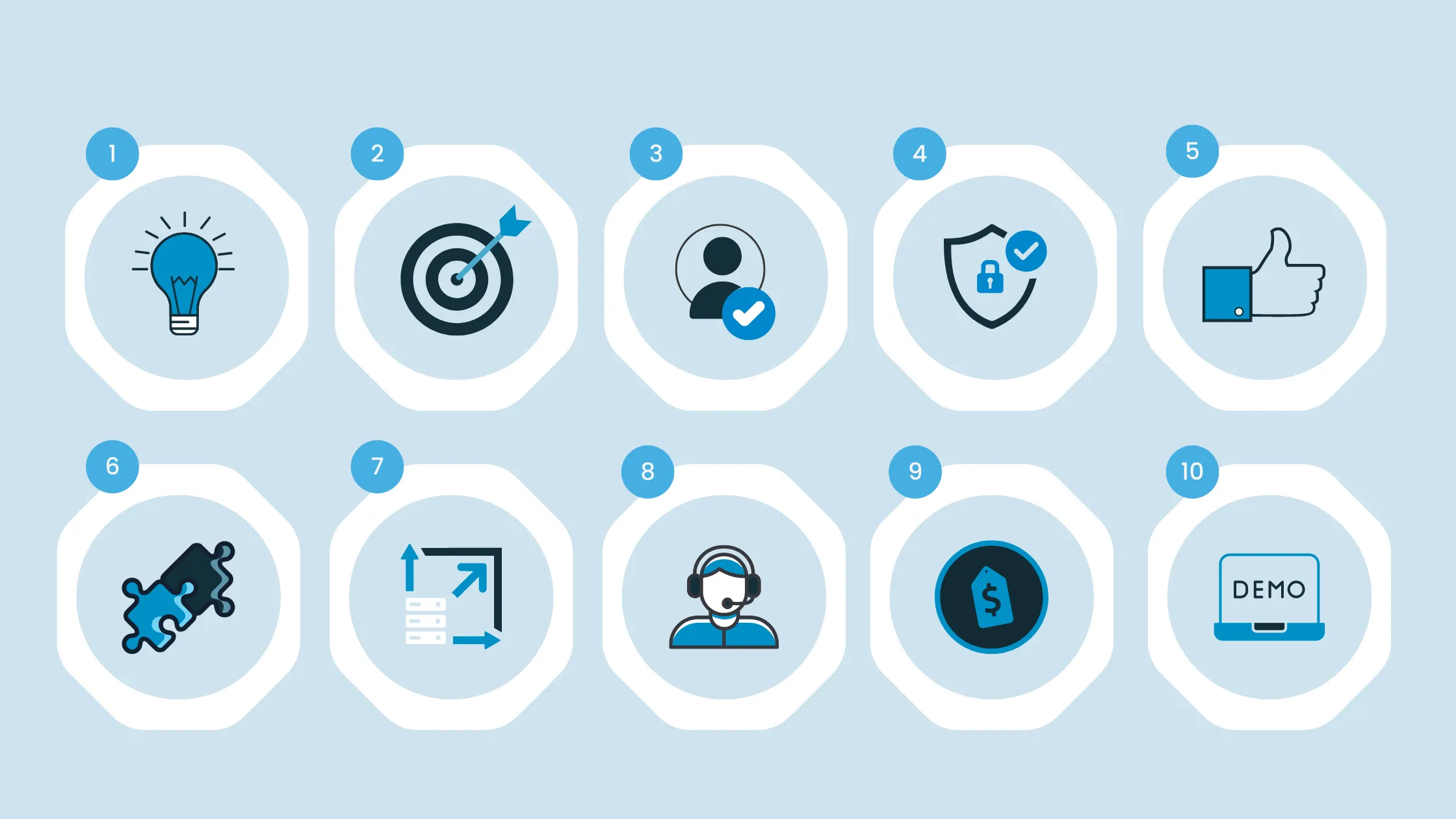
Choosing recruiting CRM software involves more than comparing feature lists or subscription prices. The right system should fit your recruitment workflow, help you build lasting candidate relationships, connect with your existing tools and give your team a clear view of its talent pipeline.
Before selecting a CRM, consider your hiring goals, candidate management requirements, automation needs, integrations, reporting, security and long-term costs. Recruitment agencies may prioritise candidate sourcing, client relationships and placement workflows, while in-house talent acquisition teams may focus on candidate engagement and coordination with hiring managers.
This guide explains 10 key factors to consider when choosing recruiting CRM software, along with practical questions you can use to evaluate vendors and make a more informed decision.
TL;DR
-
Recruiting CRM software helps recruiters manage candidate relationships, organise talent pools, automate repetitive tasks, and build a more efficient, relationship-driven hiring process.
-
When choosing a recruiting CRM in 2026, evaluate your recruitment goals, essential features, ease of use, integration capabilities, and automation to ensure the software aligns with your hiring workflow.
-
Prioritise scalability, data security, reporting and analytics, customer support, transparent pricing, and verified user reviews to find a solution that supports long-term recruitment needs.
-
Before making a decision, compare shortlisted solutions through free trials or personalised demos to assess their features, usability, and suitability for your recruitment processes.
What Is Recruiting CRM Software?
Recruiting CRM software, or candidate relationship management software, helps recruitment teams organise candidate information, manage interactions and maintain relationships with potential candidates over time.
It supports activities such as maintaining talent pools, recording candidate interactions, managing follow-ups and coordinating recruitment communications. These capabilities can help recruiters reconnect with suitable candidates instead of starting every search from scratch.
A recruiting CRM differs from an applicant tracking system (ATS). An ATS primarily manages applicants and hiring workflows for open positions, while a recruiting CRM focuses on candidate relationships and longer-term talent engagement. Some recruitment platforms combine both capabilities.
Before choosing a solution, decide whether your team needs candidate relationship management alone or a system that also supports application tracking and other recruitment workflows.
10 Key Factors to Consider When Choosing Recruiting CRM Software
1. Identify Your Recruitment Needs
Start by identifying the common recruiting CRM challenges you want the software to solve. A system that works well for a small recruitment agency may not meet the requirements of a large staffing business or an in-house talent acquisition team.
Consider how your team maintains large candidate pools, communicates with candidates, manages client requirements and tracks recruitment activity.
Ask yourself:
-
Do you need to manage a large candidate database or specialised talent pools?
-
Do recruiters regularly revisit previous candidates for new vacancies?
-
Do you need to manage candidate and client relationships in the same workflow?
-
Which manual tasks take the most time?
-
What reports do recruiters and managers need?
-
How many users, teams and recruitment processes will the system support?
For example, an executive search firm may need to maintain detailed candidate histories and confidential search records. A staffing agency may place greater emphasis on candidate availability, client requirements and submission tracking.
Write down your essential requirements before arranging vendor demonstrations. This will help you compare solutions against actual business needs rather than being distracted by features your team may not use.
2. Check User-Friendliness and Ease of Use
A recruiting CRM should make everyday recruitment work easier, not introduce unnecessary administrative steps. Even a feature-rich system can be a poor fit if recruiters find it difficult to navigate or update candidate records.
Assess the interface by completing common tasks, such as searching for a candidate, adding interaction notes, creating a talent pool and scheduling a follow-up.
During a demonstration or trial, check:
-
How quickly can a recruiter find the information they need?
-
Can users update candidate records without repeating data entry?
-
Are search filters and talent-pool categories easy to understand?
-
Can new users learn the main workflows without extensive assistance?
-
Does the system work well for the team's actual working practices?
Ask several people who will use the software to test it, including recruiters and managers. Their feedback can reveal usability issues that may not be obvious during a sales demonstration.
3. Review Integration with Existing Recruitment Tools
Recruitment teams often rely on email, calendars, job boards, sourcing tools, HR systems and applicant tracking software. Your recruiting CRM should work with the tools your team needs and support a reliable flow of information between them. When comparing vendors, review the essential recruiting CRM features that support your team's daily activities, including the integrations you need.
Do not assume that every advertised integration supports all the functions you require. An integration may have limitations, require additional configuration or involve a separate subscription.
Before choosing a vendor, check:
-
Which of your essential tools are supported?
-
Does information sync in one direction or both directions?
-
Are candidate records, notes and communication histories synchronised where required?
-
How are duplicate records and conflicting updates handled?
-
Are integrations included in the quoted price?
-
Who is responsible for setup, maintenance and troubleshooting?
For example, if recruiters use email to communicate with candidates, test whether the CRM can associate relevant correspondence with the correct candidate record. Confirm the actual integration behaviour with the vendor rather than relying on a feature description alone.
For instance, choose a recruitment CRM that integrates with popular job sites like LinkedIn, Indeed, or Glassdoor or tools like Slack, Gmail, or Outlook. Keeping all candidate information in one place without switching between systems will save your team time and reduce mistakes.
4. Look for Data-Driven Recruitment Features
Recruitment data is one of the most essential tools in your hiring process. A good Recruiting CRM should provide clear and helpful information about your recruitment efforts. Whether it’s tracking time-to-hire, cost-per-hire, or the source of hire, having recruitment analytics at your fingertips will help you make smarter, data-driven decisions.
When evaluating recruiting CRM tools, identify the measures your team needs to monitor. Depending on your recruitment model, these may include:
-
Candidate engagement and response rates.
-
Talent-pool activity and candidate re-engagement.
-
Candidate sources and the performance of sourcing channels.
-
Time-to-fill and time-to-hire, where the system records the necessary data.
-
Recruitment pipeline progress and conversion between stages.
-
Placements, where relevant to agency workflows.
Ask whether reports can be filtered by recruiter, role, department, client or recruitment source. Check how metrics are defined, which records they include and whether the underlying data can be exported.
For example, if a team receives responses from several candidate outreach campaigns, reporting should help it compare engagement across those campaigns. The team can then investigate which approaches are working and adjust its communication strategy.
5. Evaluate Scalability and Customisation Options
Your recruitment requirements may change as your organisation grows, enters new markets or adds different types of recruitment services. The CRM should support these changes without creating unnecessary complexity.
Scalability is not simply about adding more users. It can also involve managing larger candidate databases, supporting multiple teams, maintaining access controls and handling more complex workflows.
Check whether the system allows you to:
-
Add users and manage permissions appropriately.
-
Create or adjust recruitment workflows.
-
Configure candidate fields, tags and talent-pool categories.
-
Support different processes for different teams or clients.
-
Manage growing data volumes and reporting requirements.
Also ask which changes administrators can make themselves and which require vendor assistance or additional fees.
Avoid paying for complexity you do not currently need. Instead, choose a system that meets your essential requirements today and offers a practical route to supporting foreseeable future needs.
6. Check Security and Compliance Standards
Recruiting CRM software stores personal information, including candidate contact details, CVs, employment histories and communication records. Protecting this information should be part of the vendor evaluation process.
The appropriate requirements depend on where your organisation operates, where candidates are located, the information collected and how it is processed. Relevant privacy obligations may include the General Data Protection Regulation (GDPR), the California Consumer Privacy Act (CCPA), where applicable, and other relevant local laws.
Ask vendors about:
-
Role-based access controls and user permissions.
-
Data encryption and security safeguards.
-
Authentication options and access monitoring.
-
Data retention, deletion and candidate data requests.
-
Data export, backup and recovery arrangements.
-
Hosting locations and any relevant subprocessors.
-
Security certifications or independent assessments, where applicable.
-
Incident response procedures and contractual responsibilities.
Request documentation to support the vendor's answers. Do not assume that using a CRM automatically makes your recruitment activities compliant. Your organisation remains responsible for assessing its legal obligations and configuring its processes appropriately.
7. Assess Customer Support and Training
A recruiting CRM is more likely to be adopted successfully when users receive suitable onboarding, clear guidance and help when problems arise.
Support arrangements differ between vendors and pricing plans. Check the actual service offered rather than assuming that every provider supplies round-the-clock assistance.
Evaluate the following:
-
What onboarding and implementation assistance is included?
-
Are training sessions available for recruiters and administrators?
-
Is documentation available for common tasks?
-
Which support channels can customers use?
-
What are the support hours and expected response times?
-
Is dedicated assistance available for complex issues?
-
Are training and ongoing support included in the subscription?
If possible, ask how the vendor handles a typical support request and whether additional assistance incurs a fee.
A well-supported implementation can help your team learn the system, establish consistent processes and make better use of the capabilities it has purchased.
8. Compare Pricing Structure and ROI
When choosing any software, the budget is always an important factor to think about. The cost of a Recruiting CRM can differ significantly based on the features, the number of users, and your company's size. It’s crucial to know how the CRM’s pricing works whether you pay per user, per month, or if it’s a tiered pricing system.
Subscription price is only one part of the cost of recruiting CRM software. A fair comparison should account for the full cost of adopting and operating the system.
Depending on the vendor, costs may include:
-
Subscription fees and user licences.
-
Implementation and configuration.
-
Candidate data migration and cleaning.
-
Integration setup or additional connectors.
-
Training and onboarding.
Ask vendors to provide a clear breakdown of recurring and one-off costs. Confirm billing terms, renewal conditions, minimum commitments and any additional charges that could affect your budget.
You should also define how you will assess value. For example, a recruitment agency might monitor time spent on administrative tasks, candidate re-engagement, placements and cost per placement.Compare the expected value against the total cost, but avoid assuming that a new CRM will automatically deliver a particular financial return. Establish a baseline before implementation and measure actual results afterwards.
Where available, use a trial or demonstration to assess whether the software addresses the problems that justified the investment.
9. Read Reviews and Customer Recommendations
Customer reviews can help you understand how a recruiting CRM performs in everyday use. They are most useful when you look beyond an overall rating and examine experiences that resemble your own requirements.
Look for feedback about:
-
Ease of use and implementation.
-
Candidate search and record management.
-
Integration reliability.
-
Reporting and workflow flexibility.
-
Customer support and issue resolution.
-
Limitations that could affect your team's work.
Consider the reviewer's organisation size, recruitment model and requirements. A solution that works well for a small staffing agency may not be suitable for an executive search firm with different confidentiality and research needs.Compare feedback from multiple sources and distinguish verified experiences from unsupported promotional statements.
Use customer feedback alongside a structured comparison of recruiting CRM software options to identify which solutions deserve a closer evaluation.
10. Request a Trial Period or Product Demo
A trial or product demonstration is an opportunity to check whether a recruiting CRM meets your requirements in practice. Use the same scenarios to evaluate every shortlisted vendor so you can make a fair comparison.
Before the session, prepare a shortlist of essential features and tasks. Ask the vendor to demonstrate the workflows that matter most to your team rather than relying on a general product presentation.
During the evaluation, test whether you can:
-
Find and organise relevant candidate records.
-
Create and manage talent pools.
-
Record interactions and plan follow-ups.
-
Search, filter and retrieve candidate information.
-
Generate the reports your team needs.
-
Configure workflows and permissions.
Where possible, invite recruiters who will use the software daily to participate in the evaluation. Record any missing features, additional costs or implementation dependencies.
Compare vendors against the same requirements and give greater weight to essential business needs than optional features. Before committing, confirm the commercial terms, implementation plan and arrangements for accessing or exporting your data.
Why Consider iSmartRecruit for Recruiting CRM Software?
iSmartRecruit offers recruiting CRM capabilities alongside applicant tracking and other recruitment technology functions. This may be relevant for teams looking to manage candidate relationships and recruitment workflows within a connected system.
When evaluating recruiting CRM software, assess its current capabilities against the requirements you established earlier in this guide.
Consider whether the available candidate management, workflow, reporting and integration options meet your team's needs. Confirm specific functionality, configuration requirements, security documentation, support arrangements and commercial terms directly with the company.
For recruitment agencies, staffing businesses, executive search firms and in-house recruitment teams, the most important question is whether the system fits the way the organisation actually recruits. A demonstration based on your team's workflows can help you determine whether iSmartRecruit is an appropriate option for your shortlist.
Conclusion
Choosing recruiting CRM software starts with understanding your recruitment needs and identifying the capabilities that matter most. Evaluate usability, candidate management, integrations, analytics, scalability, security, support and total cost before making a decision.
Use consistent requirements and realistic demonstrations to compare vendors. The right choice should address your current recruitment challenges, support your team's workflows and provide a practical way to measure value over time.
If iSmartRecruit matches your requirements, request a demo to discuss your use case and evaluate the relevant capabilities with the team.

Frequently Asked Questions (FAQs)
1. What should you consider when choosing recruiting CRM software?
When choosing recruiting CRM software, consider your hiring needs, ease of use, integrations, automation, analytics, scalability, security, customer support, pricing, reviews, and demo options.
2. What is recruiting CRM software and how does it help?
Recruiting CRM software helps recruiters manage candidate relationships, organise talent pipelines, automate repetitive tasks, and improve communication throughout the hiring process.
3. Which features are most important in recruiting CRM software?
Important recruiting CRM features include candidate database management, email automation, talent pipeline tracking, reporting, integrations, compliance tools, and customisable workflows.
4. Can recruiting CRM software integrate with other recruitment tools?
Yes. A good recruiting CRM can integrate with ATS platforms, job boards, email tools, calendars, and communication platforms to keep recruitment data connected.
5. Why is iSmartRecruit a good choice for recruiting CRM software?
iSmartRecruit is a good choice because it offers automation, integrations, analytics, security, scalability, and customer support to help recruitment teams manage hiring more efficiently.
About the Author