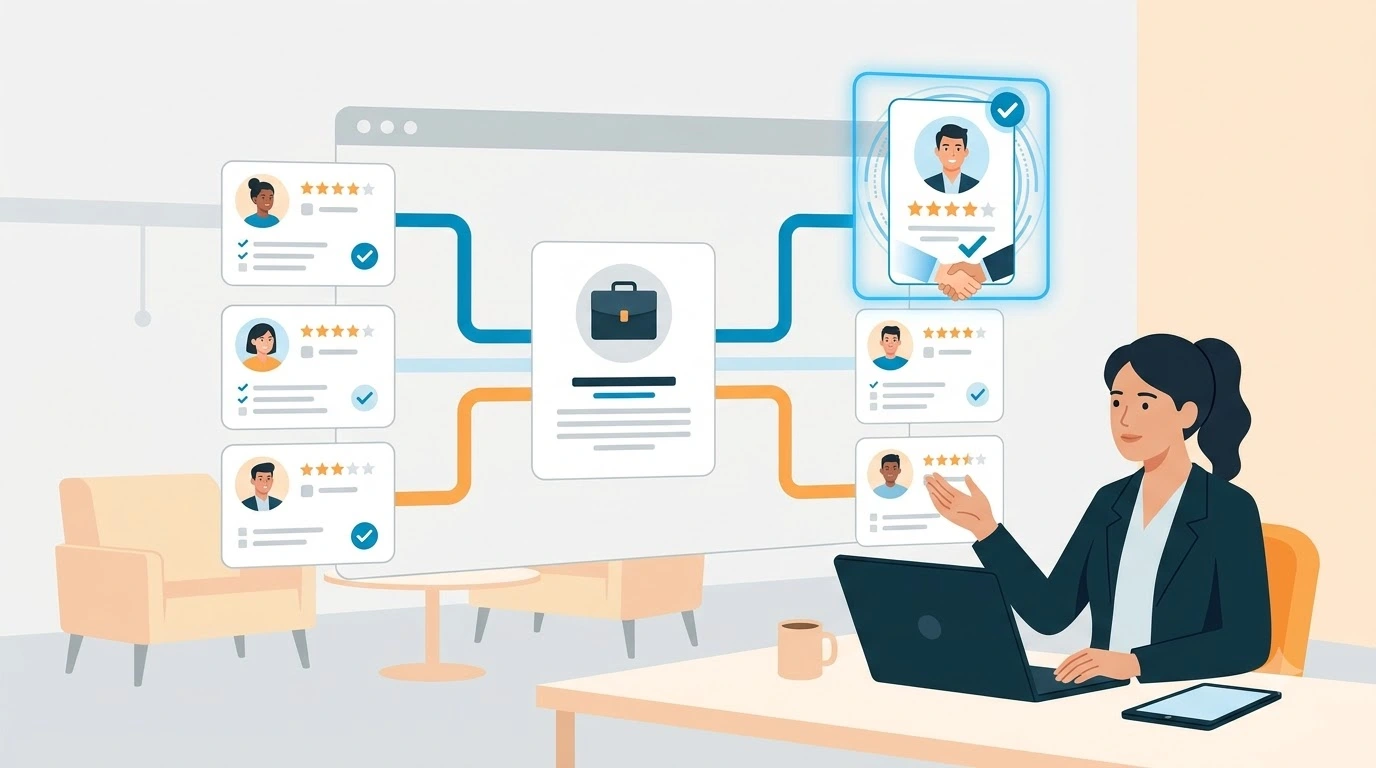
Recruiters often manage candidate information across spreadsheets, email inboxes, job boards and separate recruitment systems. As candidate pipelines grow, this fragmented approach makes it harder to maintain accurate records, follow up on time and build lasting relationships with potential hires.
Recruiting CRM challenges usually involve manual work, poor data quality, disconnected tools, inconsistent candidate engagement and difficulties adopting new software. The right approach combines suitable technology with clear processes, reliable data and consistent team training.
This guide explains the common challenges recruiters face, how a recruiting CRM can help solve them, and what recruitment teams should consider when implementing one.
TL;DR
-
Manual administration slows recruitment. Workflow automation can reduce repetitive data entry, follow-ups and reporting.
-
Inaccurate or duplicated candidate records make sourcing less efficient and can lead to irrelevant communication.
-
Disconnected recruitment tools create data silos. Appropriate CRM and ATS integrations can improve information sharing.
-
Candidate sourcing and engagement improve when recruiters maintain organised talent pools and communicate consistently.
-
Successful CRM implementation requires clean data, realistic workflows, team training and clear ownership.
-
Measuring adoption, data quality and recruitment outcomes helps teams understand whether their CRM is delivering value.
What Are Recruiting CRM Challenges?
Recruiting CRM challenges are the problems recruiters encounter when managing candidate relationships, recruitment workflows and candidate information. These challenges can arise from manual processes, unsuitable software, poor data quality, disconnected systems or ineffective implementation.
A recruiting CRM helps teams organise candidate profiles, maintain interaction histories, build talent pools and manage follow-ups. Depending on the product, it may also support workflow automation, integrations, reporting and candidate engagement campaigns.
However, introducing software does not automatically resolve every recruitment problem. Teams need accurate data, well-defined processes and consistent adoption to get meaningful value from a CRM.
Time and Process Inefficiencies: Recruiting Crm Challenges
Manual recruitment processes can consume time that recruiters could otherwise spend evaluating candidates, building relationships and advising hiring managers. Repetitive tasks become particularly difficult to manage when a team handles multiple roles or large candidate pipelines.
What manual tasks are slowing down the hiring process?
Common time-consuming tasks include updating candidate records, copying information between systems, sending routine follow-ups, coordinating interviews and preparing recruitment reports.
When these activities depend on manual effort, recruiters may forget follow-ups, maintain inconsistent records or spend too much time searching for information. The result can be slower workflows and an inconsistent candidate experience.
For example, a recruiter managing several vacancies might update a candidate's status in a spreadsheet, record the interview in a calendar and send feedback through email. If these records are not connected, another recruiter may work from outdated information.
Recruitment teams can address these issues by documenting repetitive tasks, identifying where errors occur and deciding which activities can be automated safely.

How Does CRM Automation Reduce Manual Work?
Recruiting CRM automation can help manage repetitive activities such as follow-up reminders, communication sequences, task assignments and routine status updates. Available capabilities depend on the software and its configuration.
A practical approach is to begin with tasks that have clear rules and predictable outcomes.
For example, a team could configure a reminder when a recruiter has not followed up with a prospective candidate within the agreed period. The recruiter can then review the candidate's history and decide on the appropriate next step.
Automation should support recruiter judgement rather than replace it. Candidate evaluation, sensitive communication and important hiring decisions still require appropriate human oversight.
How can recruiting CRM help reduce paperwork and admin load?
Administrative workload in traditional recruitment slows progress. A recruiting CRM secures documents electronically and removes the need for paper. Candidates complete forms online, and data flows directly into shared records.
A recruiting CRM can help centralise relevant candidate information and reduce repeated data entry. Depending on the system and connected tools, online forms, document workflows and shared records may also reduce administrative effort.
Recruitment teams should consider:
-
Centralising candidate profiles and interaction histories.
-
Establishing consistent fields and naming conventions.
-
Using reminders for outstanding tasks and follow-ups.
-
Defining who is responsible for updating each record.
-
Reviewing document access and retention requirements.
-
Checking whether document collection and onboarding tasks belong in the CRM, ATS or a separate HR system.
Reducing administrative work is not simply about digitising paperwork. It also involves removing unnecessary steps and making information easier to find.
How Can Recruiters Improve Candidate Data Accuracy? - challenges of recruiters
Candidate data is only useful when it is accurate, relevant and maintained appropriately. Outdated contact details, duplicate profiles and missing skills information can make sourcing slower and lead to unsuitable outreach.
Problems with outdated or duplicate data
Nearly 30% of candidate data can become outdated within a year. Outdated contact details, expired certifications and duplicate profiles make searches slower and reduce matching accuracy. As a result, recruiters waste time chasing invalid leads, and duplicate entries cause confusion.
Poor candidate data can create several operational problems:
-
Recruiters waste time contacting people using outdated details.
-
Duplicate profiles make it difficult to identify the latest candidate information.
-
Missing skills or employment details weaken search and matching quality.
-
Inconsistent records make recruitment reporting less reliable.
-
Unclear data ownership means errors may remain uncorrected.
This disorganisation reduces the speed and accuracy of hiring, and it frustrates recruiters dealing with repeated manual clean-up tasks.
Real-time updates and centralised records
A recruitment CRM centralises candidate information in one accessible place. Instead of toggling between spreadsheets and websites, recruiters use the CRM as a single source of truth for all candidate data.
To maintain reliable records, recruitment teams should establish a clear process for identifying duplicates, updating contact details and correcting incomplete profiles.
Useful practices include assigning ownership for data quality, defining required fields and reviewing records regularly. Teams should also check how their CRM handles duplicate detection, data imports and synchronisation with connected tools.
Centralisation alone does not guarantee accuracy. Information still needs to be checked, updated and managed according to agreed rules.
Improving candidate experience with accurate data
Accurate data improves the candidate experience by avoiding irrelevant outreach and enabling personalised communication. Better data leads to faster, more accurate matching and higher engagement throughout the recruitment process.
Real-time dashboards show live pipeline status, candidate progress and open role metrics, giving every team member the same accurate picture of hiring activity without requiring manual reporting cycles. Centralised records reduce duplicate outreach, eliminate the confusion of multiple versions of the same candidate profile, and maintain the data accuracy that effective matching and personalised communication both depend on.
QX Global Group research highlights that legacy data problems create hidden costs and operational drag for recruiting teams.
How Do Disconnected Recruitment Systems Create Problems?
Recruitment teams often rely on several tools to source candidates, manage applications, communicate with prospects, schedule interviews, and prepare reports. When these systems do not share information effectively, recruiters may have to repeat tasks or switch between multiple sources to understand a candidate's status.
The issue with non-integrated platforms
Most recruitment teams use multiple specialist tools across different stages of their hiring process a job board subscription here, an email marketing tool there, a separate ATS for applications, a spreadsheet for pipeline tracking and a calendar tool for scheduling.
Disconnected systems can create several difficulties:
-
Candidate details must be entered in more than one place.
-
Email conversations and recruitment records become separated.
-
Recruiters may work from outdated pipeline information.
-
Reporting requires manual consolidation from multiple sources.
-
Team members may miss updates or duplicate outreach.
Consider a recruitment agency where candidate sourcing happens in one tool, relationship notes are kept in spreadsheets and active applications are tracked in an ATS. Without a reliable handover process, a candidate's history may not follow them through the recruitment workflow.
The solution is not necessarily to replace every existing tool. It is to establish which system owns each type of information and how that information should move between systems.
CRM integrations with ATS, HR, and email tools
Modern recruiting CRMs address fragmentation through deep, pre-built integrations that connect the tools recruiters already use into a coherent, unified workflow. Understanding the distinction between recruiting CRM and ATS functionality and how the two work together is fundamental to configuring an effective stack.
Key integrations that deliver the highest operational impact include:
-
Applicant Tracking Systems - enabling seamless candidate handover from CRM-managed sourcing and nurturing into the formal ATS application workflow, so no candidate relationship data is lost at the transition between pipeline stages. For a guide to the leading Applicant Tracking System platforms in 2026, the comparison covers both standalone and CRM-integrated options.
-
Email platforms - synchronising Google Workspace, Outlook, Zoho Mail and other email clients with the CRM so that all candidate correspondence is automatically logged against the relevant record without manual copying.
-
LinkedIn Recruiter - enabling direct profile export and candidate data import from LinkedIn into the CRM, with visibility into connection history and profile updates.
- Communication and collaboration tools - integrations with Slack, Microsoft Teams and calendar platforms keep the wider hiring team aligned on candidate progress, interview scheduling and feedback collection without requiring separate status update processes.
Integrations with workplace tools like Slack and Teams also improve collaboration between recruiters and hiring managers.

Streamlining workflows through system sync
When systems are properly integrated, the operational benefit extends beyond eliminating individual manual tasks; it fundamentally changes how the recruitment team operates. Email correspondence is logged automatically, interview feedback is captured in structured formats within the CRM, and updates made in one system propagate to all connected platforms in real time. The whole team works from the same information, at the same level of recency, without manual synchronisation.
The key features of recruiting CRM pipeline management, communication logging, workflow automation and reporting only deliver their full value when connected to the surrounding technology stack rather than operating as a standalone database.
How Can a Recruiting CRM Improve Candidate Sourcing and Engagement?
Recruiters can struggle to find suitable candidates when every vacancy triggers a new sourcing exercise. Without organised talent pools and reliable records, teams may overlook people they have already contacted or assessed.
What are the limitations of manual candidate sourcing?
Manual sourcing often involves repeating searches across job boards, professional networks, spreadsheets and previous applications. This can make it difficult to identify existing candidates who may be suitable for a new role.
Other limitations include inconsistent search criteria, incomplete profiles, missed follow-ups and limited visibility into previous candidate interactions.
A more structured approach starts with maintaining searchable candidate records, recording relevant skills and experience, and using consistent criteria to identify potential matches.
CRM features for auto-matching and job board integration
Recruitment teams should assess sourcing and matching capabilities according to their needs. Depending on the product, relevant features may include:
-
AI-powered matching that ranks candidates by fit
-
Job board integration that posts to multiple sites in one action
-
Automated resume screening to shortlist qualified candidates
AI-powered matching can help recruiters identify potentially relevant profiles, but its usefulness depends on data quality, suitable criteria and appropriate human review. A matching score should not be treated as a complete assessment of a candidate's suitability.
Likewise, job board posting, resume screening and sourcing integrations are not standard capabilities of every recruiting CRM. Verify these requirements before choosing a product.
Personalised communication and engagement tracking
Candidate engagement requires timely communication that reflects each person's circumstances and interests. A recruiting CRM can help recruiters record previous conversations, schedule follow-ups and organise outreach.
When supported by the system, engagement reporting can help teams understand which communication activities receive responses. Recruiters should use those signals as one input for prioritising follow-ups, rather than assuming that an email open or click proves genuine interest.
To improve candidate communication:
-
Segment talent pools by relevant skills, experience or role interests.
-
Personalise messages using accurate, relevant information.
-
Set appropriate follow-up reminders.
-
Record candidate responses and preferences.
-
Avoid unnecessary or excessive outreach.
-
Review communication permissions and applicable privacy requirements.
These practices help recruitment teams maintain relationships without treating every candidate as an interchangeable contact.
How does Recruiting CRM help reduce time-to-hire?
A recruiting CRM can support more efficient hiring by making previously identified candidates easier to find and re-engage. When a new role opens, recruiters can review existing talent pools before starting a completely new sourcing exercise.
The impact depends on how well the database is maintained, how relevant the talent pools are and how quickly recruiters can assess candidate suitability.
To evaluate whether the approach is working, track time-to-hire alongside pipeline conversion, candidate response rates and the proportion of suitable candidates sourced from existing talent pools. Compare equivalent roles or hiring periods where possible.
Avoid attributing every improvement to the CRM alone. Changes in vacancy complexity, hiring-manager responsiveness, labour-market conditions and recruitment volume can also influence hiring outcomes.
How Do You Overcome Recruiting CRM Implementation Challenges?
A recruiting CRM implementation can fail to deliver value when teams choose a system without understanding their workflows, migrate poor-quality data or provide insufficient training.
The following steps help recruitment agencies and talent acquisition teams manage implementation more systematically.
1. Define Requirements Before Choosing a CRM
Document the main problems the team needs to solve. These might include candidate pipeline visibility, relationship management, manual follow-ups, duplicate records or limited reporting.
Prioritise requirements according to their operational importance. Distinguish essential capabilities from features that would simply be convenient.
Involve recruiters and relevant managers in the assessment so that the selected system reflects real working practices.
2. Clean and Prepare Candidate Data
Review the existing database before migration. Identify duplicate records, incomplete fields, outdated information and inconsistent formats.
Decide which records should be migrated, which fields are essential and how the team will handle records that cannot be verified.
Keep a migration backup and test a representative sample before transferring the full dataset. After migration, check record counts, key fields, duplicate handling and access permissions.
3. Plan Integrations and Workflow Ownership
List the systems that need to connect to the CRM and document the information that should pass between them.
Assign responsibility for maintaining candidate records, resolving integration errors and updating workflow rules. Test important scenarios before launch, including candidate imports, record updates and movement between CRM and ATS stages.
4. Address Recruiter Adoption and Team Resistance
Recruiters may resist a new CRM if they believe it adds administrative work, duplicates existing tools or disrupts established routines.
Explain why the system is being introduced and demonstrate how it addresses the team's actual problems. Involve recruiters in workflow design, provide role-specific training and make it easy to report issues.
A phased rollout can help teams learn the system before it becomes central to daily operations. Track meaningful adoption indicators, such as whether recruiters maintain records, complete follow-ups and use the agreed workflows.
Avoid measuring success only by login frequency. Regular use is useful, but the quality of the work performed in the CRM matters more.
5. Review Performance and Improve the Setup
Once the system is in use, review whether the original problems are improving. Ask recruiters where workflows remain cumbersome, investigate data-quality issues and adjust configurations where necessary.
Schedule periodic reviews of integrations, permissions, automation rules and reporting requirements. CRM implementation should be treated as an ongoing operational process rather than a one-time software installation.
How Should Recruitment Teams Measure CRM Effectiveness?
Recruitment teams need clear measures to understand whether their CRM is helping them work more effectively. Establish a baseline before rollout and compare results after the team has had sufficient time to adopt the system.
Useful measures include:
Recruiter adoption: Check whether team members use the agreed workflows and maintain the records required for their roles.
Data quality: Monitor duplicate records, missing fields, outdated contact information and the time needed to correct errors.
Follow-up consistency: Measure whether planned candidate follow-ups are completed within the team's agreed timeframes.
Pipeline conversion: Review how candidates progress through relevant stages and where delays or drop-offs occur.
Candidate engagement: Monitor relevant responses and follow-up outcomes, interpreting email engagement signals cautiously.
Time-to-hire: Compare equivalent roles or hiring periods and account for differences in vacancy complexity and external conditions.
Operational effort: Review the time spent on repetitive administration, reporting and manual data reconciliation.
Do not rely on a single metric. Faster hiring may not indicate better outcomes if candidate suitability or experience declines. Similarly, more recorded activity does not necessarily mean the recruitment process has improved.
Use the results to identify specific changes, assign owners and review progress over time.
Conclusion
Recruiting CRM challenges usually arise from a combination of manual processes, inconsistent data, disconnected systems and difficulties adopting new workflows. A CRM can help address these problems, but results depend on choosing suitable capabilities and implementing them carefully.
Recruitment teams should start by identifying their main operational obstacles, cleaning existing data, checking integration requirements and involving recruiters in the rollout. Clear ownership, practical training and ongoing measurement help ensure that the system supports daily recruitment work.
For agencies and talent acquisition teams evaluating their options, iSmartRecruit's recruiting CRM is a relevant starting point for reviewing candidate relationship management capabilities. Compare the available features with your requirements and verify the workflows that matter most to your team.

Frequently Asked Questions (FAQs)
1. What are the most common recruiting CRM challenges?
Common recruiting CRM challenges include poor candidate data quality, duplicate records, manual administration, disconnected systems, inconsistent candidate follow-ups and low team adoption. The appropriate solution depends on the cause of the problem.
2. How can recruitment teams overcome CRM implementation challenges?
Start by defining requirements, cleaning existing data, planning integrations and assigning workflow ownership. Provide practical training, test the system before rollout and measure adoption and operational performance after implementation.
3. What problems occur when recruiters track candidate pipelines without a CRM?
Tracking candidates across spreadsheets, email and separate tools can lead to inconsistent statuses, missed follow-ups, duplicate records and limited reporting visibility. A well-maintained shared system can make candidate history and pipeline ownership easier to manage.
4. How can recruiters improve candidate data accuracy in a CRM?
Recruiters can improve data accuracy by identifying duplicates, standardising required fields, assigning record ownership and reviewing outdated information. Data validation and carefully tested integrations can also reduce avoidable errors.
5. How does a recruiting CRM differ from an ATS?
A recruiting CRM generally focuses on candidate relationships, talent pools and engagement, while an ATS primarily manages applicants and their progress through recruitment stages. Some recruitment systems combine both types of functionality.
6. Can a recruiting CRM reduce manual recruitment work?
Yes, a recruiting CRM can reduce repetitive work through capabilities such as follow-up reminders, communication workflows, shared candidate records and reporting. The available automation depends on the system and how it is configured.
About the Author