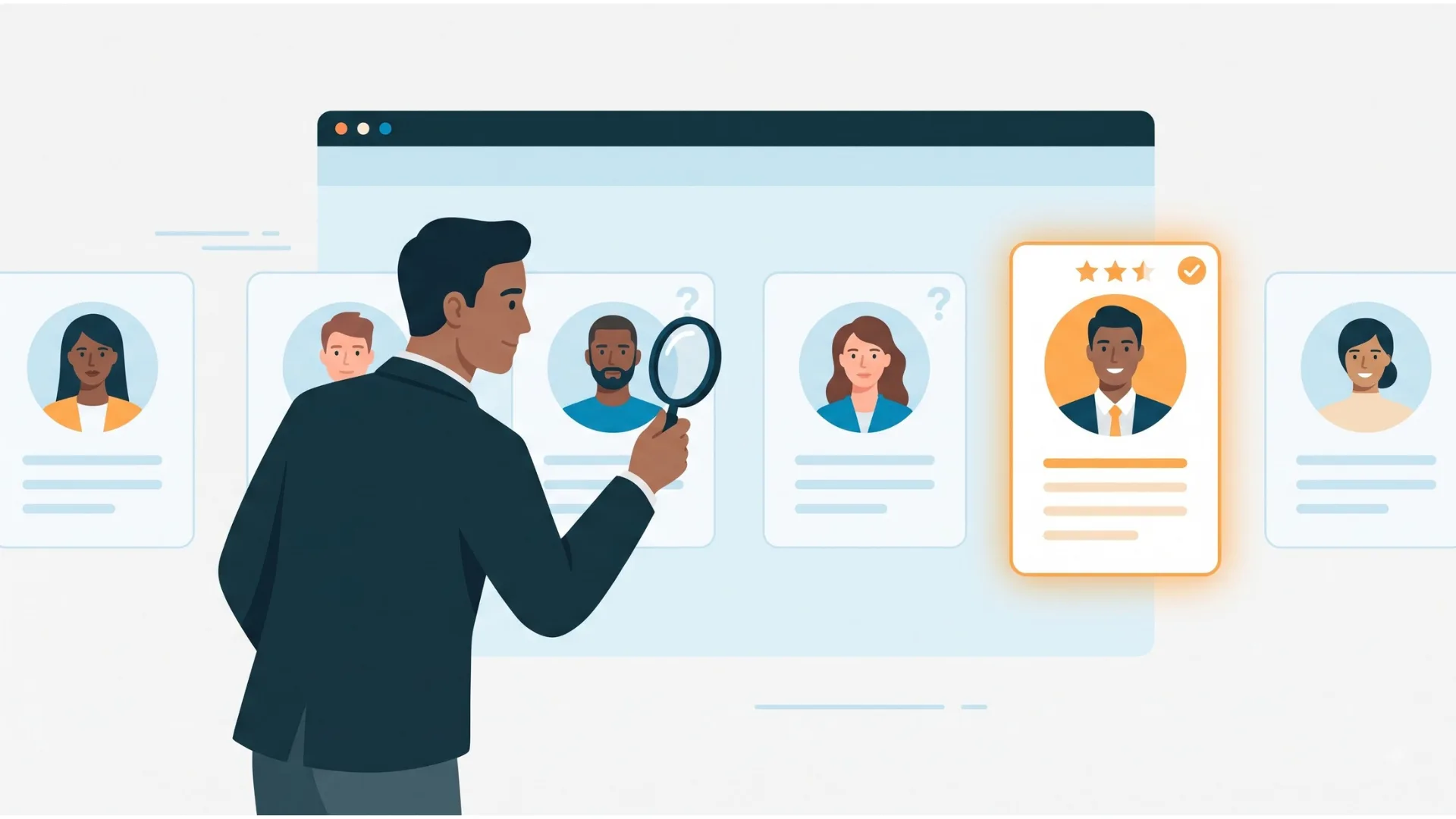
CRM originally stood for customer relationship management. In recruiting, the same idea is applied to candidates, clients and talent pools, which is why you will also see it called candidate relationship management, or a recruitment CRM in agency settings.
Instead of scattered emails, spreadsheets, and manual follow-ups, your team gets one centralised hub for candidate history, client interactions, and communication. Modern recruiting CRM tools automate follow-ups, support interview scheduling, improve candidate engagement, and track hiring metrics such as time-to-fill and placement rate.
Unlike an applicant tracking system (ATS), which manages people who have already applied, a recruiting CRM also nurtures passive talent and past applicants. This guide covers its key features, benefits, and how to choose the right system.
TL;DR
- A recruiting CRM centralises candidate and client interactions, streamlining recruitment processes.
- Modern CRMs use AI for candidate matching, automate communication workflows, and provide valuable analytics.
- Recruiting CRM differs from ATS by focusing on relationship building and managing both active and passive candidates.
- Key benefits include saving time, reducing manual work, improving candidate experience, and enhancing recruitment metrics.
- Choosing the right CRM means considering integration, scalability, pricing, and customer support.
- Integration with existing tools improves KPIs such as time-to-hire, quality of hire, and source of hire.
- Measure a baseline before rollout, then compare time-to-fill, recruiter productivity and how often you place candidates from your existing database.
What is a Recruiting CRM and Why It Matters in 2026?
A common weakness in recruiting is that good candidates are found once and then forgotten. A recruiting CRM exists to fix that. It keeps a searchable record of every candidate, client and conversation, so a placement you could not make this quarter gives you a head start on the next one.
Definition and Core Functions of Recruiting CRM
A recruiting CRM works as a centralised database to help you identify, contact, and assess candidates while keeping connections, whatever the hiring outcomes. The primary functions include:
- Building and segmenting talent pools
- Logging emails, calls and notes against each candidate and client
- Automating follow-ups, reminders and notifications
- Sending personalised emails and campaigns
- Tracking client contacts and opportunities
- Reporting on pipeline, engagement and placement performance
- Connecting with email, calendars, job boards and your ATS
Today’s recruiting CRM automates tedious tasks like data entry and assignment sharing. This substantially reduces manual errors. It helps your team to focus on meaningful candidate interactions instead of administrative busywork.
Recruiting CRM is a sophisticated software system that streamlines your recruitment operations by effectively managing candidate relationships. This essential component of your recruiting tech stack helps organise candidate data, facilitate personalised outreach, and utilise advanced analytics to enhance your hiring strategies.
Recruiting CRM vs ATS: Key Differences
The difference between a basic applicant tracking system and a comprehensive recruiting CRM lies in its relationship-building capabilities. According to the saying, "The 'relationship' component indicates that recruiting people who share the company's vision, values, and culture is more important than just filling a position".
An applicant tracking system (ATS) is built around the job. It collects applications, moves applicants through stages and keeps a record of who was considered and why. A recruiting CRM is built around the person. It tracks every interaction with candidates and clients over time, whether or not a vacancy exists, so you can reach a past applicant or passive candidate the moment a fitting role opens.
| Types | ATS | Recruiting CRM |
| Core question | Who applied, and where are they in the process? | Who should we be talking to, and when did we last speak? |
| People it manages | Applicants for open roles | Active, passive and past candidates, plus clients and contacts |
| Starts when | A candidate applies | First contact or sourcing, no vacancy needed |
| Typical work | Job posting, screening, stage tracking, compliance records | Talent pools, outreach, follow-ups, interaction history |
| Best suited to | Managing applications at volume | Sourcing, repeat hiring, agency business development |
Many teams need both. Some platforms, including iSmartRecruit, combine ATS and CRM in one system, which avoids re-keying candidate data between tools. For a fuller breakdown, read our recruiting CRM vs ATS comparison.
Because a CRM lets you build talent pools before a role opens, it also gives you time to reach groups that rarely apply directly. See our guide to diversity hiring goals for more.
How Recruiting CRM Has Evolved by 2026
Recruiting CRMs started as little more than shared contact lists. Today, most add automation for follow-ups, AI-assisted candidate matching and reporting dashboards. iSmartRecruit, for example, offers [AI-based candidate matching] alongside its recruiting CRM, so recruiters can shortlist from their own database faster.
Cutting-edge Recruiting CRM like iSmartRecruit now uses advanced AI algorithms for candidate matching, predictive analytics, and customised communications. They serve as detailed platforms that offer end-to-end functionality to drive smarter, analytical decision-making.
The biggest change between 2025 and 2026 has been the rise of detailed talent intelligence platforms. These sophisticated systems analyse large amounts of data from multiple sources. They create a holistic view of the talent landscape and enable more informed decisions.
Benefits of a Recruiting CRM
The benefits of a recruiting CRM come down to three things: less time spent on admin, fewer candidates lost between conversations, and clearer numbers on what is working.
- One record per person: Calls, emails, interview feedback and preferences sit in one profile, so nobody has to ask a colleague what was said last month. With iSmartRecruit Recruiting CRM, the whole team can view a candidate’s history.
- Reuse of your existing database: Past applicants and near-miss candidates become the first place to look for a new role, instead of starting every search from scratch.
- Consistent follow-up: Reminders and automated emails keep candidates and clients warm without relying on someone remembering.
- A better candidate experience: Timely updates and relevant messages replace silence.
- Visibility for managers: Pipeline, activity and placement reporting live in one place.
- Less duplicate work: Information is captured once instead of across inboxes and spreadsheets.
For more detail, see the benefits of a recruiting CRM for agencies and the recruitment challenges a CRM helps solve.

Recruiting CRM for Agencies and In-House Teams
The core idea is the same, but the priorities differ.
Recruitment and staffing agencies manage two sets of relationships at once: candidates and client companies. Business development, client contacts, job orders and candidate submissions need to sit in one place, so the team can see who owns each account and when it was last contacted. Executive search firms work in a similar way, usually over longer relationship cycles. See our executive search software for that use case.
In-house talent acquisition teams focus on candidates and internal stakeholders. They use a recruiting CRM to build talent communities, keep past applicants warm and give hiring managers visibility of pipelines.
If you are an agency, prioritise client and contact management, interaction tracking and reporting by account. If you are in-house, prioritise talent pool segmentation, ATS integration and candidate communication.
How to Select the Right Recruiting CRM for Your Needs?
Start with your own workflow, not a feature list. A ten-person agency focused on client business development has different needs from an in-house team nurturing a talent community. Work through these questions before booking demos:
Do you need an ATS as well?
If you already have one, check how the CRM connects. If not, consider a platform that combines both.
Who will use it?
Recruiters, account managers, hiring managers and clients need different views.
How is interaction data captured?
Look for email and calendar sync, so activity is logged without manual effort.
Can it scale?
Check limits on users, records and automation as your database grows.
How will your data move in?
Ask how existing candidate records and notes are migrated and how duplicates are handled.
How does it handle consent and data protection?
This matters especially for candidates in the UK and EU.
What will it really cost?
Compare pricing models, not only the per-user price.
What support and onboarding are included?
Ask for a demo or trial based on your own scenarios.
For a longer breakdown, see the factors that affect your choice of recruiting CRM.
Essential Features of Modern Recruiting CRM Software
Features vary between platforms, but these make the daily difference for most recruiting teams:
- Candidate and client database: searchable profiles with documents, tags and notes.
- Interaction tracking: emails, calls, meetings and notes logged against the right person.
- Talent pools: groups of candidates segmented by skill, location or engagement.
- Automatic notifications and reminders: alerts when a candidate replies, a follow-up is due or a stage changes.
- Email templates and campaigns: personalised outreach at scale.
- AI-assisted matching: shortlisting from your own database.
- Reporting: pipeline, response rates, time-to-fill and placements.
- Integrations: email, calendar, job boards, video meetings and your ATS.
An SHRM survey found that 64﹪ of HR professionals utilise AI or automation to analyse or screen resumes and 69﹪ to communicate with applicants throughout the interview process. Features like AI-based Talent Matching and Intelligent Candidate Engagement Chatbot make it happen while using the system.

Some platforms also add job portals for recruitment marketing, client-facing dashboards and asynchronous video interviews (confirm which apply to iSmartRecruit). Browse the full features of a recruiting CRM for more.
AI is now common in recruiting. SHRM’s 2025 research reports that 51﹪ of organisations use AI to support recruiting, with screening resumes (44﹪) and communicating with applicants (29﹪) among the most common uses. Confirm the figure on SHRM’s main US site before publishing, because I only saw the MENA region version.
Talent Pools and Segmentation
Organising candidates into specific talent pools helps teams quickly identify qualified people for current and future openings. Segmenting by skills, experience and engagement level lets you tailor outreach.
For example, an agency might keep one pool for contract developers in a single city and another for senior finance candidates open to a move within a year, each with its own follow-up rhythm.
Leveraging Recruiting CRM Analytics for Better Hiring
Reporting is where a recruiting CRM pays you back. Typical views include pipeline by stage, candidate response rates, time-to-fill, placements per recruiter and which sources produce the most hires. Reviewed monthly, these show which talent pools and channels deserve more effort. Our guide to recruiting CRM analytics covers the metrics in more detail.
Automated Communication Workflows
Workflow automation is one of the most valuable time-saving features of modern CRM for recruitment. It helps you set up automated email templates and drip campaigns that inform candidates during each recruitment stage.
Recruiting CRM triggers actions when a candidate reaches a specific stage. In practice, for example, a workflow might send an acknowledgement when someone joins a pool, set a reminder for the recruiter three months later, and send a check-in email if there has been no contact since. Interview scheduling and stage updates can be handled the same way.
Integration With Existing Tools
Most teams already use email, a calendar, job boards and often an ATS. A recruiting CRM should connect with these, so nobody copies data between tools. Typical integrations cover email and calendar Outlook, Google, video meetings Zoom, Google Meet and team chat Slack. Confirm the exact native integrations against the integrations page. See also our guide to top integrations. Check which connections are native and which need a workflow automation tool.
Connected data also makes your hiring metrics more reliable:
- Time-to-hire: the time from job opening to offer acceptance, which helps you spot pipeline bottlenecks.
- Source of hire: which channels produce hires, so you can direct your sourcing spend.
- Quality of hire: there is no single formula. A common approach is to track retention and hiring manager feedback at six or twelve months.
A recruiting CRM can integrate with multi-purpose systems like Google Meet or Outlook Calendar to help you find the best talent for your firm or agency during your hiring journey.

What Is the ROI of a Recruiting CRM?
The return on a recruiting CRM shows up in a few numbers you can measure before and after rollout. Take a baseline for three months, then compare:
- Time-to-fill
- Recruiter productivity, such as submissions or placements per recruiter
- Database reuse: the share of shortlists or placements that come from candidates already in your system
- Response rates to candidate and client outreach
A simple calculation is ROI = benefit minus cost ÷ cost × 100. For agencies, benefit is additional placement fees. For in-house teams, it is agency fees avoided and recruiter hours saved.
Adoption matters too. A CRM that recruiters update inconsistently will report poorly, so track usage alongside outcomes. See our strategies to improve recruiting CRM ROI.
Best Recruiting CRM Available in the Market
There is no single best recruiting CRM, because the right choice depends on whether you are an agency or in-house team, whether you also need an ATS and how much automation you want. Use the checklist above to shortlist two or three options, then test each against a real workflow.
iSmartRecruit combines ATS and recruiting CRM in one platform recruiting CRM software. For comparisons, see our guides to the best recruiting CRM software, recruiting CRM in the USA and recruiting CRM in Europe. You can see how iSmartRecruit works in a demo
Conclusion
Recruiting CRMs have become a standard part of the talent acquisition stack because they solve a simple problem: good candidates and clients are easy to lose between conversations. A CRM gives your team a shared record, consistent follow-up and numbers to judge what works.
Choose based on your workflow, test with real scenarios and measure results against a baseline. If your team still relies on email threads and spreadsheets, a recruiting CRM is a sensible first system to evaluate.

Frequently Asked Questions (FAQs)
1. What does CRM mean in recruiting?
CRM stands for customer relationship management. In recruiting it usually means managing relationships with candidates, clients and talent pools, which is why it is also called candidate relationship management.
2. Is a recruiting CRM the same as a candidate relationship management system?
In practice, yes. The terms describe the same category. Agencies often use “recruitment CRM” to include client management as well as candidates.
3. Do I need both an ATS and a recruiting CRM?
Not always. An ATS manages applicants for open roles and keeps compliance records. A CRM manages relationships before and after applications. Some platforms combine both, which avoids duplicate data entry. Check what your current tools already cover before buying a second one.
4. How much does a recruiting CRM cost?
Pricing varies by vendor, number of users, features and contract. Most platforms charge per user per month, and CRM pricing generally follows the same per-user model as ATS platforms. Compare total cost, including onboarding and data migration. See our.
5. When does a recruitment team need a CRM as well as an ATS?
A recruitment team may benefit from both when it needs to manage active applications and maintain relationships with candidates who have not applied or may be suitable for future roles. Some platforms combine CRM and ATS capabilities, while others connect through integrations. The right setup depends on the team's sourcing needs, existing systems, and hiring workflow.
About the Author