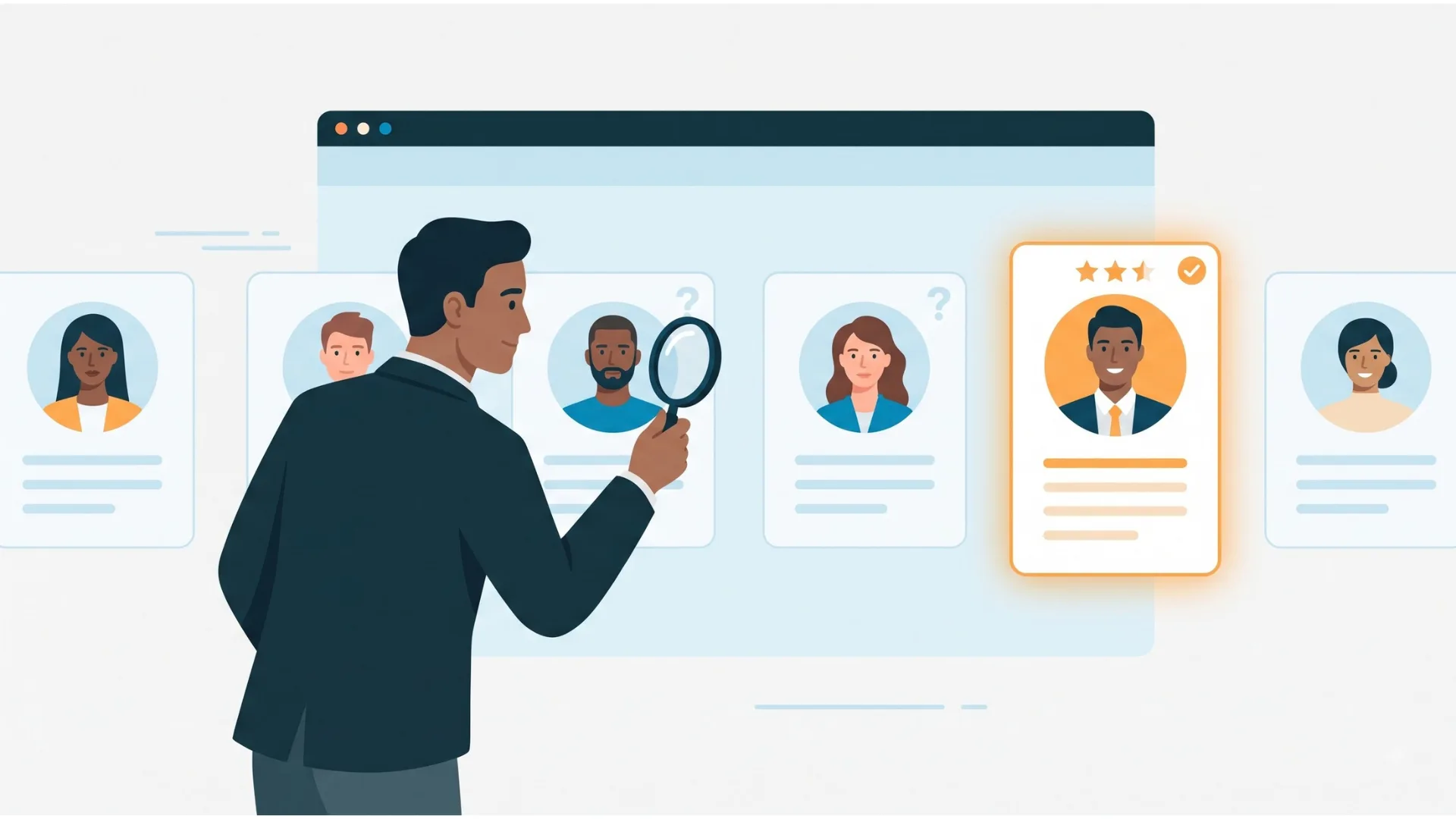


Recruiting CRM integrations connect your recruitment software with tools for candidate sourcing, communication, interview scheduling, assessments, job distribution and reporting. They help recruiters move relevant information between systems, reduce duplicate data entry and manage candidate relationships more consistently.
The right integrations depend on your recruitment workflow. A staffing agency may prioritise sourcing, job distribution and candidate contact management, while an in-house talent acquisition team may focus on career sites, interview scheduling, assessments and onboarding.
This guide explains the main types of recruiting CRM integrations, the tools recruiters commonly evaluate, and how to choose and implement connections that fit your hiring needs.
TL;DR
-
Recruiting CRM integrations connect candidate relationship management software with other recruitment and business tools.
-
Common integration categories include sourcing, email, calendars, interview scheduling, assessments, document management, analytics and job distribution.
-
Integration availability and functionality vary by CRM, vendor, subscription and configuration.
-
Before connecting a tool, assess compatibility, data synchronisation, security, cost and ongoing maintenance.
-
Start with integrations that solve a clear recruitment problem, then monitor their reliability and usefulness.
What Is a Recruiting CRM Integration?
A recruiting CRM integration is a connection between candidate relationship management software and another application that allows relevant information or actions to move between systems.
For example, a calendar integration may let recruiters schedule interviews using their existing calendar. An email integration may associate candidate correspondence with a recruitment record, depending on the functionality supported.
Integrations can work in different ways. Some are built directly into the recruitment software, while others use an API, a third-party connector or a customised connection.
The exact capabilities matter. A tool may support candidate export without supporting two-way synchronisation, or it may exchange contact details without transferring interview notes or pipeline stages.
Why Do Recruiting CRM Integrations Matter?
Recruiters often work across several applications during a single hiring process. Without suitable integrations, they may need to copy candidate information manually, switch between systems to find conversations, or update the same record more than once.
Well-configured integrations can help recruitment teams:
-
Reduce repetitive data entry: Transfer supported candidate details and hiring updates between connected systems.
-
Improve collaboration: Give authorised team members access to relevant recruitment information.
-
Support timely communication: Coordinate emails, messages and interview scheduling through connected workflows.
-
Improve reporting: Bring together relevant information about sourcing channels, candidate progress and recruitment activity.
-
Maintain more consistent records: Reduce duplicate entries and minimise discrepancies between systems.
-
Create a smoother candidate journey: Help recruiters coordinate follow-ups, interviews and hiring updates.
Integrations do not automatically eliminate manual work or guarantee better recruitment outcomes. Their value depends on how well the connected systems support the team's actual workflow.
You can check out our recruiting CRM resource hub if you're at the initial stage, and for a complete breakdown.
Top Integrations for Recruiting CRM
1. Sourcing and Talent Acquisition
Recruitment CRM tools with integrations for sourcing candidates are essential for finding and attracting top talent. These tools automatically gather candidate profiles from social media, job sites, recommendations, events, and your website. This saves time by avoiding manual data entry, so recruiters can concentrate on choosing the right candidates. By putting all candidate information in one place, these recruitment integrations help recruiters find a more extensive and varied group of people, which is important for successful hiring.
Examples to evaluate:
-
LinkedIn Recruiter: LinkedIn offers specific ATS and CRM integration capabilities, including candidate export and access to relevant candidate information. Available features depend on the connected system and licence.
-
SeekOut: A talent discovery and sourcing option to evaluate for candidate research workflows.
-
AngelList: A potential sourcing channel for startup-focused hiring, subject to current product availability and the connection method supported by your CRM.
What to check: Verify whether the integration supports profile export, contact details, duplicate detection, consent requirements and updates to existing candidate records. Do not assume that every sourcing tool offers direct synchronisation with every CRM.
2. Communication Tools
In today's competitive job market, talking to potential candidates is crucial for finding and retaining the best people and making good hiring decisions. Almost all candidates (81%) want employers to keep them updated on the status of their applications. How well you speak to your candidates determines whether they accept your offer or seek another job.
To give candidates a great experience they will remember, recruiters need to understand their path and provide smooth, well-planned candidate communication at every step of the hiring process.
Examples to evaluate:
-
WhatsApp Business: Relevant where business messaging is appropriate and supported by the recruitment workflow.
-
Slack: Useful for internal recruitment team communication and coordination.
-
Zoom: Supports video meetings and candidate conversations when connected through a compatible workflow.
Other email and messaging tools may be suitable depending on the team's existing technology stack.
What to check: Confirm whether messages are logged automatically, which communication channels are supported, whether replies are synchronised and how access to candidate conversations is controlled.
Candidate communication should also respect consent, contact preferences and applicable privacy requirements.
3. Interview Scheduling and Calendar Integrations
Scheduling interviews is often a slow and frustrating part of hiring. It takes a lot of time to check everyone's availability and arrange a time that works for both the interviewers and the candidate. This often involves many phone calls or emails. Automated interview scheduling can help by connecting efficiently with the hiring team's calendars, like Google Calendar or Outlook. This makes sure everyone's free time matches up and suggests good times for the candidate. Handling interview times and dealing with missed appointments can be difficult. These integrations for recruiting CRM simplify scheduling and ensure smooth interview management.
Examples to evaluate:
-
Calendly: A scheduling option for coordinating meetings through booking links and availability rules.
-
Google Calendar: Relevant for calendar availability and meeting coordination where supported.
-
Microsoft Outlook Calendar: Useful for teams that organise interviews through Microsoft 365.
Other interview management tools may provide additional features such as reminders, candidate self-scheduling or structured interview workflows.
What to check: Confirm whether calendar availability syncs in both directions, how rescheduling works, which time zone is used and whether meeting invitations reach all required participants.
4. Candidate Assessment Integrations
Assessing candidate skills is a critical part of recruitment. According to the U.S. Department of Labour, the average cost of a bad hire is up to 30% of the employee’s first-year earnings. Integrating candidate assessments (whether for technical skills or general abilities) in your hiring process helps you choose better candidates. This way, you can go beyond looking at resumes and phone interviews and focus on tests that make it easier to find qualified people. By integrating assessment tools with your Recruiting CRM, recruiters can evaluate candidates directly on the platform, saving time and ensuring everyone is judged fairly.
Examples to evaluate:
-
Codility: Technical skills assessment workflows.
-
HackerRank: Coding assessments and technical evaluation.
-
Pymetrics: An assessment option to investigate for the relevant hiring use case and current product offering.
What to check: Determine whether invitations, completion status and results can be transferred to the CRM. Review permissions, candidate experience, accessibility and the validity of assessments for the role.
An integration alone does not establish that an assessment is fair, job-related or compliant.
5. Document Management and Electronic Signatures
Managing candidate documents can be cumbersome without proper tools. Employee documents and complex workflows, such as onboarding and offboarding, can be improved using a robust and customisable document management system as a document store and process automation tool.
Manually managing and tracking documents can lead to errors. Hence, integrating document management software with Recruiting CRM ensures that all contracts, resumes and other documents are stored securely and can be accessed instantly.
Examples to evaluate:
-
DocuSign: Electronic signature workflows.
-
DocuWare: Document management and document workflow capabilities.
-
Dropbox: File storage and sharing workflows, subject to the organisation's permissions and policies.
What to check: Confirm which documents can be attached to candidate records, who can access them, how long they are retained and whether signatures or status updates are reflected in the CRM.
Avoid storing sensitive documents in shared locations without appropriate access controls.
6. Recruitment Analytics and Reporting
Analytics integrations help teams bring recruitment information together to understand pipeline activity, sourcing performance and operational trends.
Useful metrics may include:
-
Candidate conversion between recruitment stages.
-
Source of candidates and applications.
-
Interview scheduling and completion.
-
Time spent at different stages of the process.
-
Candidate communication and response activity.
-
Recruiter workload and placement performance, where relevant.
Examples to evaluate:
-
Tableau: Business intelligence and data visualisation.
-
Starred: Candidate experience measurement and feedback, subject to current availability and compatibility.
-
Lattice: A people management and performance platform to evaluate where relevant to the organisation's broader HR data workflow.
These products serve different purposes, so they should not be treated as interchangeable recruitment analytics tools.
What to check: Establish which system is the source of truth for each metric, how frequently data refreshes and whether the reporting definitions are consistent across systems.
7. Background Screening Integrations
Background checks are a significant part of hiring someone new. They help us learn about a person's work experience, skills, and education before we invite them for an interview. Staffing agencies and hiring professionals have the right to know more about applicants as they hope to create a safe, productive workplace for current and potential employees.
Using these checks with the Recruiting CRM tool makes the process faster and more complete, which helps us hire people sooner and follow the rules.
Examples to evaluate:
-
Checkr: Background screening workflows.
-
HireRight: Background screening services.
-
GoodHire: A screening option whose current availability and product status should be confirmed before selection.
What to check: Verify country coverage, permitted checks, turnaround expectations, candidate consent requirements, data access and how screening results are represented in the CRM.
Screening requirements differ by jurisdiction and role. An integration does not itself guarantee compliance.
8. Video Interviewing
Online hiring is very popular, so having good tools for video interviews is essential. A study by Lighthouse Research & Advisory found that 49% of candidates believe a video interview can make them stand out during the hiring process. Integration of video interviewing seamlessly into your recruitment workflow is crucial to meeting the demands of today’s candidate-driven market.
Organisations now use a standard method to screen or conduct first-round interviews and ensure a fair, efficient, and structured process. Integrating these tools with Recruiting CRM enhances scheduling and recording capabilities for more structured evaluations. Scheduling conflicts and location constraints are resolved, ensuring smoother interview processes.
Examples to evaluate:
-
Microsoft Teams: Virtual meetings and workplace collaboration.
-
Zoom: Video meetings and interviews.
-
VidCruiter: Structured video interviewing and recruitment assessment workflows.
What to check: Review scheduling support, meeting access, recording permissions, candidate consent, retention settings and whether interview feedback can be linked to the correct candidate record.
9. Voice and Telephony Integrations
Voice communication is still a staple in recruitment. The ultimate aim of any recruiter is to find prospective candidates, move them through the hiring cycle, and land them on a perfect job opening. Integrating voice call software with Recruiting CRM allows recruiters to make and log calls directly, improving outreach efficiency.
It helps increase the productivity of your recruitment team, enhance the candidate experience, save time, and allow recruiters to have more personalised conversations with every candidate. The need to switch between platforms for calls is eliminated, which will enhance recruiter productivity.
Examples to evaluate:
-
RingCentral: Business communications and telephony.
-
Aircall: Cloud-based business calling workflows.
-
Dialpad: Business communications and voice capabilities.
What to check: Verify call logging, contact matching, recording controls, regional availability and the rules governing access to call data.
Call recording and monitoring must follow applicable consent and privacy requirements.
10. AI for Recruiters
AI can help with every part of the hiring process, making recruiters' jobs easier and more efficient. AI tools can do things like read resumes, predict who might be a good fit, screen candidates, match them to jobs, and keep them interested. By using these integration tools with Recruiting CRM software, recruiters can make quicker and better decisions about who to hire.
Examples to evaluate:
-
Lusha: Business contact data enrichment, subject to the applicable product and permitted use.
-
Tombo AI: Verify the current product offering and supported recruitment workflow before including it in a technology stack.
-
Popp AI: Confirm the current product, its capabilities and any supported integration before implementation.
These examples should not be treated as confirmed native integrations with every recruiting CRM.
What to check: Review data provenance, accuracy, permitted use, privacy obligations, duplicate handling and whether AI-generated recommendations require human review.
AI should support recruiter judgement rather than replace appropriate assessment and decision-making.
11. Onboarding Integrations
Onboarding is a critical stage in the recruitment process. Onboarding software can bring many advantages to your recruiting process, such as saving time and money, improving compliance and security, enhancing employee experience, boosting retention and performance, and increasing visibility and accountability.
Integrating onboarding tools with Recruiting CRM ensures a seamless transition for new hires, improving their knowledge and reducing drop-offs. Onboarding integrations can also handle tasks like new employee paperwork, training, and other processes inside the CRM.
Examples to evaluate:
-
Click Boarding: Onboarding workflows, subject to current product availability.
-
Sapling: Verify the current product offering and ownership or integration status before evaluating it.
-
Enboarder: Employee onboarding and experience workflows.
What to check: Establish which candidate fields transfer, whether employee records are created automatically, who approves the handover and how access changes after hiring.
Recruitment records and employee records may have different retention, access and compliance requirements.
12. Job Distribution and Career Site Integrations
Posting jobs across multiple platforms is time-consuming. Stop wasting time posting to tens of job boards manually; instantly advertise your vacancies to various job boards, social media, and your website. Integrating job distribution tools with Recruiting CRM automates postings and tracks performance metrics, increasing job visibility and efficiency.
Examples to evaluate:
-
Indeed: Job advertising and candidate application channels.
-
Appcast: Recruitment advertising and candidate acquisition solutions.
-
Broadbean: Job distribution and recruitment advertising workflows.
What to check: Confirm which job boards are supported, whether postings can be updated or withdrawn centrally, how applications return to the CRM and whether source tracking is preserved.
Do not assume that every job board offers the same application synchronisation or reporting features.
13. Employee Referral Integrations
Employee referrals are a great way to find new workers. Using referral tools with a Recruiting CRM makes this process easier and helps you see how well your referral programs are doing. Share job openings on social media with a simple platform, which allows more people to see them and makes your referral efforts more successful. Check your referral program's progress with a clear dashboard that shows real-time information and results. Referral tools help you keep track of and manage employee referrals, often resulting in better hires.
Examples to evaluate:
-
RolePoint: Verify current availability and referral workflow support.
-
Teamable: Confirm the current product offering and integration options.
-
Zalp: Verify current product status and supported referral functionality before inclusion.
What to check: Assess referral attribution, duplicate candidate handling, employee access, status notifications and reporting on referral outcomes.
Referral integrations are most useful when they fit the organisation's existing employee communication and recruitment processes.

How to Choose the Right Recruiting CRM Integrations
The best integration strategy starts with recruitment problems, not the number of available connections. Use the following comparison to prioritise what your team needs.
| Integration category | Main purpose | Questions to ask before implementation |
| Sourcing | Discover and manage potential candidates | Can profiles be transferred accurately? |
| Email and messaging | Coordinate candidate communication | Are messages logged and preferences respected? |
| Scheduling | Arrange interviews and manage availability | Are calendar updates and time zones handled correctly? |
| Assessments | Coordinate skills evaluations | Can results be associated with the correct candidate? |
| Documents and signatures | Manage candidate paperwork | Are permissions, retention and signatures supported? |
| Analytics | Understand recruitment performance | Are data definitions consistent across systems? |
| Background screening | Coordinate screening workflows | Are checks permitted and supported in the relevant region? |
| Video and voice | Manage interviews and calls | Are meeting details and call activity captured appropriately? |
| AI and enrichment | Support research and data quality | Is the data reliable, permitted and reviewable? |
| Onboarding | Transfer approved information to HR | Is the handover controlled and accurate? |
| Job distribution | Publish vacancies and track applications | Are postings, applications and source data synchronised? |
| Referrals | Track employee-recommended candidates | Is referral attribution preserved? |
Before committing to an integration, assess these six factors:
-
Workflow fit: Identify the manual task or information gap the connection should solve.
-
Compatibility: Confirm that the CRM, third-party tool, licence and required features are supported.
-
Data synchronisation: Establish which fields move between systems, in which direction and how often.
-
Security and permissions: Review access, data retention, privacy obligations and audit requirements.
-
Total cost: Include subscription fees, connector charges, implementation, support and maintenance.
-
Reliability and ownership: Define who monitors failures, resolves duplicates and manages changes.
A native integration may be easier to maintain, but an API or third-party connector can be appropriate when it meets the required security, reliability and cost criteria.
How to Implement a Recruiting CRM Integration
A structured rollout helps teams identify issues before an integration becomes part of everyday recruitment work.
Step 1: Map the current recruitment workflow
Document where candidate data originates, which systems recruiters use and where manual copying occurs. Identify the information that needs to be shared.
Step 2: Define the required data and actions
List the fields and events that must be transferred, such as candidate contact details, interview dates, communication activity or application status.
Decide which system is authoritative for each field to avoid conflicting updates.
Step 3: Confirm technical and commercial requirements
Check native integration availability, API access, subscription restrictions, implementation fees, data permissions and support responsibilities.
Step 4: Configure and test the connection
Test with a limited group of records before rolling it out across the team. Check duplicate handling, missing fields, failed updates, permissions and synchronisation delays.
Step 5: Train users and document ownership
Explain the new workflow to recruiters and hiring managers. Make clear which actions happen automatically, which require manual approval and who should report issues.
Step 6: Monitor performance and maintain the integration
Review error logs, data quality, user feedback and workflow outcomes. Reassess the connection when a vendor changes its API, product features or access rules.
Common Recruiting CRM Integration Problems to Avoid
Even a supported integration can create problems when it is poorly configured or not monitored.
-
Duplicate candidate records: Establish matching rules and test how existing profiles are identified.
-
Incomplete synchronisation: Confirm which fields transfer and whether updates work in both directions.
-
Conflicting information: Assign an authoritative source for each field.
-
Unclear permissions: Restrict candidate information to authorised users and applications.
-
Unexpected costs: Check API limits, third-party connector charges and ongoing maintenance.
-
Unmonitored failures: Assign an owner to review errors and resolve failed transfers.
-
Unnecessary integrations: Avoid adding connections that do not solve a defined recruitment problem.
Recruitment teams should also review privacy and retention requirements before transferring
Best in Class Integration with iSmartRecruit Recruiting CRM
iSmartRecruit is known for its strong ability to connect with other tools, which helps make hiring easier and more efficient. It can find candidates on platforms like LinkedIn and schedule interviews using tools like Calendly. By linking with top solutions in the industry, iSmartRecruit provides a smooth hiring process.
Discover all the ways it can improve your hiring. Check out the Integration Page to see how iSmartRecruit works with other tools and helps your team hire better and quicker.
Conclusion
Recruiting CRM integrations help connect candidate sourcing, communication, scheduling, assessments, job distribution and other recruitment activities. The right combination can reduce repetitive work, improve information consistency and make candidate management easier.
Start by identifying the biggest gaps in your current recruitment workflow. Then check compatibility, data synchronisation, security, cost and ongoing maintenance before implementing each connection.
A smaller set of reliable integrations that solve real problems is often more useful than a large collection of poorly maintained connections. Review the results regularly and adjust your integration strategy as your recruitment needs change.
Frequently Asked Questions (FAQs)
1. What is recruiting CRM integration and why is it important?
Recruiting CRM integration connects your recruiting CRM with tools for sourcing, communication, scheduling, job posting, and candidate engagement. It helps recruiters reduce manual work, sync candidate data, improve collaboration, and create a smoother hiring experience.
2. Which tools commonly integrate with iSmartRecruit?
iSmartRecruit integrates with tools such as LinkedIn, Slack, Calendly, Zoom, job boards, email platforms, and assessment tools. These recruitment integrations help recruiters source candidates, schedule interviews, communicate faster, and manage hiring workflows efficiently.
3. How do integrations improve candidate engagement?
Candidate engagement integrations help recruiters communicate with candidates through email, SMS, WhatsApp, and other preferred channels. This keeps candidates updated, improves response rates, and creates a more personalised recruitment experience.
4. Can recruiting CRM integrations save recruiters time?
Yes. Recruiting CRM integrations automate repetitive tasks such as interview scheduling, document management, background checks, job distribution, and candidate updates. This saves time and allows recruiters to focus on building relationships and hiring the right talent.
5. Can recruiting CRM integrations synchronise candidate data automatically?
Yes, some integrations support automatic synchronisation, but the available fields, direction and frequency vary. Confirm whether the connection supports one-way or two-way updates, how duplicates are handled and what happens when synchronisation fails.
About the Author