Recruiting CRM pricing depends on factors such as the number of users, required features, automation needs, integrations, support level, and deployment type. Most plans range from affordable per-user subscriptions for small teams to custom enterprise pricing for larger recruitment agencies and staffing firms.
This guide breaks down the eight common recruiting CRM pricing models from per-user subscriptions and flat-rate plans to tiered, usage-based, feature-based, freemium, custom enterprise and on-premise options.
You’ll learn how to compare pricing structures, uncover additional costs for implementation, integrations and support, and calculate the total cost of ownership. Most importantly, you’ll discover how to choose a plan that aligns with your recruitment team’s size, hiring volume, budget and long-term growth goals.
TL;DR
- Recruiting CRM pricing varies widely, from about $15 per user per month for entry-level plans to custom quotes for enterprise teams.
- Common models include per-user, flat-rate, tiered, usage-based, pay-per-feature, custom, freemium and on-premises pricing.
- Hidden costs such as implementation, add-ons, support, data migration, and overages can significantly change the total cost.
- Compare quotes on total cost over three years, not the headline price per user.
- Choose a model based on team size, needed features, growth plans, and data control requirements.
Why Recruiting CRM Pricing Models Matter
Selecting the appropriate pricing model for your recruiting CRM directly impacts your recruitment budget, scalability options, and ultimately, your hiring success. The pricing structure you choose determines not only your initial investment but also how costs will scale as your organisation grows.
Different recruiting CRM pricing models offer different levels of flexibility, predictability and value. Per-user pricing scales easily for growing teams, while flat-rate models give budget predictability for organisations with a stable headcount.
Your pricing model also shapes how your team works. Add-on pricing can discourage use of paid features, and per-user pricing can lead teams to limit access to a few licences. Choose a structure that supports how your recruiters actually work.
For more detail, read our recruiting CRM guide.
Recruiting CRM Pricing Models at a Glance
The leading recruiting CRM pricing models are per-user, flat-rate, tiered, usage-based, pay-per-feature, custom enterprise, freemium and on-premise.
| Model | How you pay | Best for | Watch for |
| Per-user | Fixed fee per user | Growing teams and agencies | Cost rises with headcount |
| Flat-rate | One fixed fee | Stable teams | Caps on jobs, records or users |
| Tiered | Packages by feature level | Most teams | Features gated to higher tiers |
| Usage-based | Metered use or credits | Variable volumes | Unpredictable bills |
| Pay-per-feature | Base plan plus add-ons | Teams needing few modules | Add-ons raise the total |
| Custom/enterprise | Negotiated quote | Large, complex teams | Opaque pricing |
| Freemium | Free plan, paid upgrades | Testing a system | Limits on jobs or users |
| On-premise | Licence plus maintenance | Strict data control | IT and upgrade costs |
Breakdown of Popular Recruiting CRM Pricing Models
Each recruiting CRM pricing model offers distinct advantages depending on your business size, hiring volume, and growth trajectory. Let's explore the most common structures to help you determine which aligns best with your recruitment needs.
1. Pay-Per-User Recruiting CRM Pricing
Per-user pricing remains the most prevalent model in the recruiting software market, particularly for cloud-based solutions. Under this structure, you pay a fixed monthly or annual fee for each team member requiring system access.
The primary advantage lies in its straightforward scalability. You only pay for what you use. Consequently, smaller recruitment teams or agencies can precisely control costs by limiting access to essential staff.
2. Flat Monthly Fee Pricing
Unlike per-user pricing, flat fee structures charge a consistent amount regardless of how many team members access the system. This model provides exceptional budgeting predictability since costs remain stable even as your recruitment team grows within predetermined limits.
Flat-fee recruitment agencies typically offer packages with different options based on service levels rather than user counts.
3. Tiered Recruiting CRM Pricing Structure
Tiered pricing divides offerings into distinct packages. It will be commonly labelled as Essential/Basic, Advanced/Professional, and Expert/Enterprise, with each providing progressively more sophisticated features.
Most recruiting CRM providers structure their tiers around the following:
- Feature availability (AI capabilities, analytics depth, automation tools)
- Integration options (Job boards, calendars, communication platforms)
- Support levels (standard vs. dedicated account management)
- Security and compliance features
For instance, Zoho Recruit offers free, standard, professional and enterprise tiers with increasingly advanced features like AI candidate matching, client portals, and custom functions at higher levels.
4. Usage-Based Recruiting CRM Pricing
According to Stripe, usage-based (or consumption-based) pricing has gained significant traction, with nearly 30% of SaaS companies preferring this model in 2023. Rather than charging for user seats, this approach bills based on actual system utilisation, such as active jobs posted, candidates contacted, or storage consumed.
Usage-based pricing bills for actual consumption instead of user seats, for example active jobs, records, emails sent or credits used. In recruiting software, it often appears as a hybrid: a per-user plan plus credits for items such as job multiposting, data enrichment or workflow tasks. Recruit CRM, for example, lists add-ons with monthly credit allowances alongside its per-user plans. AI features are also increasingly sold on credits. This can keep entry costs low, but bills are harder to forecast, so ask for usage caps and overage rates.
5. Custom/Enterprise pricing
For larger organisations with complex requirements, custom pricing provides tailored solutions based on specific needs. This approach typically involves direct negotiation with vendors and includes bespoke features like:
- Dedicated account management
- Custom SLAs and support packages
- Specialised security protocols
- Dedicated servers
- White-labelled solution
Many vendors do not publish enterprise prices. Tracker, for example, publishes UK pricing but provides US pricing through custom quotes. Ask for a written, itemised quote and compare vendors against the same scope
Vincere exemplifies this approach with "bespoke pricing plans tailored to fit the size and unique needs of your recruitment agency," ensuring clients never pay for unnecessary extras.

6. Freemium Recruiting CRM Models
Freemium models combine a free basic plan with paid upgrades. Zoho Recruit, for instance, offers a free tier limited to one user and one active job. Use a free tier to test usability, but check what happens to your data and workflows when you outgrow it.
7. Recruiting CRM On-Premise Pricing
While cloud-based recruiting CRMs dominate the market due to their flexibility and ease of deployment, on-premise solutions remain a viable and sometimes preferred choice for organisations with strict data control, security, or compliance requirements. In this model, the recruiting software is installed and run on your own servers and infrastructure, offering full ownership over your data and system configuration.
On-premise recruitment CRM typically involves a one-time licensing fee, often depending on the size of the organisation, number of users, and required customisations. In addition to the upfront cost, businesses must budget for ongoing IT maintenance, updates, and support, which may either be handled internally or through a vendor’s extended service contract.
Key benefits of on-premise deployment include:
- Data sovereignty: Full control over sensitive candidate and client data, often essential for organisations operating in regulated industries.
- Customisation: Greater flexibility in tailoring the software to fit unique workflows, integrations, or security protocols.
- Offline accessibility: Continued access to critical data and features even when internet connectivity is limited.
- Network control: The system runs in your own environment, so access can be limited to your internal network or VPN. Availability still depends on your IT setup.
Cloud plans are usually a recurring fee. On-premise is typically a licence, either one-time or annual, plus IT costs for servers, backups, security patches and upgrades. For example, iSmartRecruit’s plan details list on-premise options priced per enterprise per year, or as a lifetime licence, for up to 10 users.
Confirm current terms on its pricing page, and compare over at least three years, including hardware, hosting, staff time and upgrade fees. See our page on on-premise ATS and CRM software for more.
8. Pay-Per-Feature
Pay-per-feature pricing sells a base plan and charges extra for specific modules. In recruiting CRMs, add-ons commonly include job multiposting, workflow automation, data enrichment, advanced analytics, video interviews and extra client-portal users.
Recruit CRM, for example, lists add-ons such as workflow automation, job multiposting, data enrichment and advanced analytics, and two of them are billed per user across the whole account. Zoho Recruit prices items such as video interviews separately.
Cost Ranges by Business Size
The cost of recruiting CRM software varies dramatically based on your organisation's size and requirements. Pricing typically follows a tiered structure that scales with business complexity and feature needs.
Small Business Recruiting CRM Cost: $15–$75/User/Month
Small businesses and startups generally encounter recruiting CRM costs somewhere between $15 and $75 monthly. These entry-level plans provide core functionality, including basic candidate tracking, limited job postings, and simple reporting capabilities. For companies requiring minimal features and just a few users, these affordable options offer sufficient tools to manage recruitment processes effectively.
Features at this tier generally include:
- Basic candidate tracking and management
- Job posting to the standard boards
- Resume keyword scanning
- Simple email integration
- Limited reporting functionality
Mid-Sized Business Cost: $100–$200/User/Month
For mid-sized organisations, recruiting CRM costs typically range from $100 to $200 per user monthly or $300 to $600 for flat-fee arrangements. At this level, software packages include more advanced capabilities beyond basic tracking.
Medium business plans often offer deeper analytics, broader integration capabilities, and automated workflows that enhance recruitment efficiency.
Enterprise Recruiting CRM Cost: $200–$1,000+/User/Month
Enterprise pricing is usually quoted individually and depends on user numbers, modules, integrations, security requirements and support level. There is no reliable public benchmark, so request itemised quotes and compare them like for like.
Enterprise-level recruiting CRM pricing starts at approximately $200 and can exceed $1000 per user monthly, depending on implementation complexity.
These high-tier solutions incorporate advanced features like:
- AI-driven analytics and candidate matching
- Extensive integration capabilities
- Comprehensive reporting suites
- Customisation options for complex workflows
- Dedicated account management
- Custom SLAs and security protocols

Flat-Rate Recruiting CRM Cost by Company Size
Flat-rate and headcount-based plans charge by company size or package, not by recruiter seat. Workable, an ATS, is a published example: its Standard plan starts at $299 per month on annual billing for companies with 1 to 20 employees, and prices rise with headcount.
Its older Starter and pay-per-job options are closed to new customers, so older price points online can be out of date. Compare what each package includes, such as active jobs, users and records.
Beyond per-user pricing, flat-rate models offer predictable costs regardless of user count, though often with limits on active job postings or candidates.
Notable flat-rate examples include:
- Workable: £78.62 monthly for one active job
- SmartRecruiters: Starting at £7,941.60 annually
- Greenhouse: Enterprise-focused with undisclosed pricing typically exceeding £7,940 annually
- Jobvite: Ranging from approximately £3,176.64 yearly (26-50 employees) to £79,416.01 yearly (2,501-5,000 employees)
Flat-fee vendors typically offer packages based on service levels or usage limits, such as active jobs or records, rather than user counts.
Hidden Recruiting CRM Costs to Consider
Beyond the shown subscription prices, recruiting CRM solutions often comes with additional expenses that can significantly impact your total investment. Understanding these hidden costs upfront allows for more accurate budgeting and prevents unpleasant financial surprises.
Implementation and Onboarding Fees
The transition to a new recruiting CRM typically involves one-time setup costs. Implementation fees can range from hundreds to thousands of pounds, depending on complexity. For example, TrackerRMS charges setup fees for additional features implementation like “Job+” that cover initial training and implementation along with their base subscription. Meanwhile, iSmartRecruit has no setup costs or activation costs, and all you need is just the subscription price of your package.
Some vendors charge one-time fees for setup, configuration and training, while others include them in the subscription. Ask for a written statement of what onboarding includes, how long it takes, who does the work, and whether fees apply when you add features later.
Customization and Integration Costs
Custom fields, workflows and integrations with job boards, email, calendars or payroll can add cost through paid add-ons, professional services or API access on higher tiers. List the integrations you need, and ask which are included, which cost extra and whether sync is two-way.
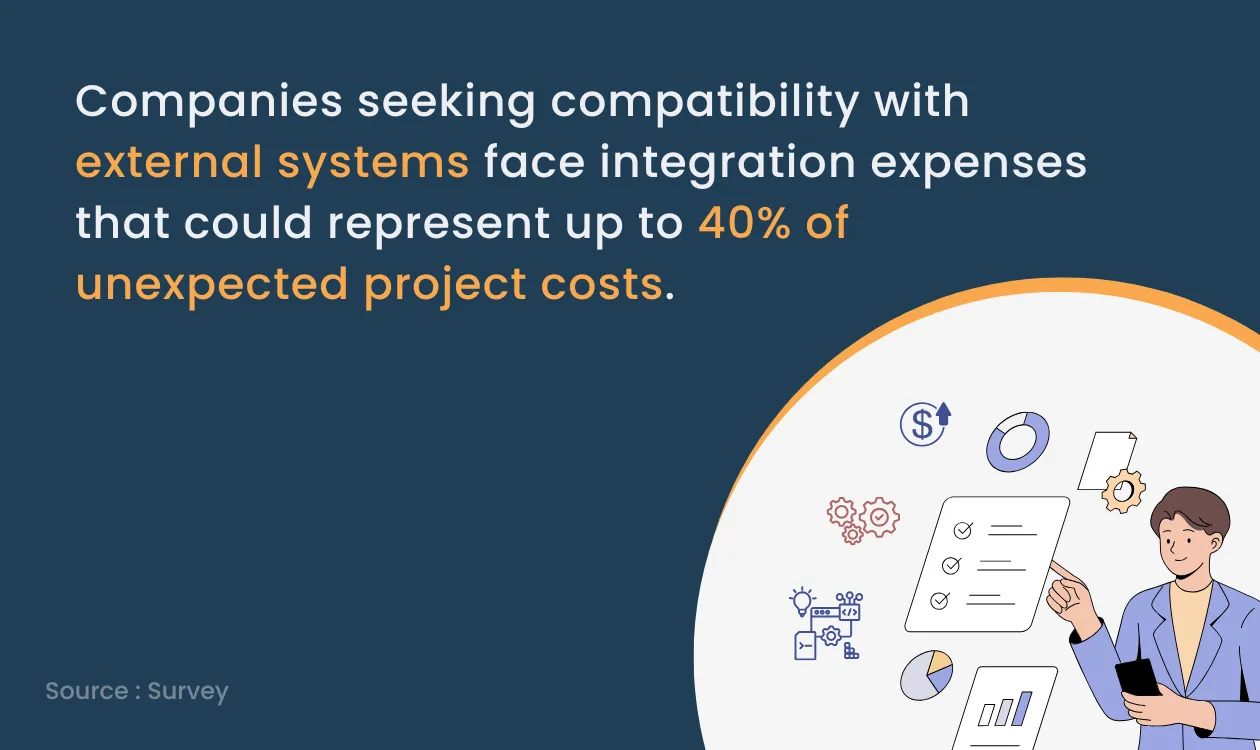
Tailoring your CRM to specific workflows or connecting it with existing systems often incurs additional charges. Companies seeking compatibility with external systems face integration expenses that could represent up to 40% of unexpected project costs.
Support and Maintenance Costs
On cloud plans, maintenance and updates are usually included, while support levels vary. Standard support may be included, and priority or 24/7 support may cost extra. For on-premise systems, budget separately for maintenance, upgrades and IT time.
Data Storage and Migration Costs
Moving data from spreadsheets or an old system takes time and sometimes paid services. Ask what the vendor does for data migration, how duplicates and CV files are handled, and whether storage limits apply. Also check whether your current supplier charges to export your data.
Training and User Adoption Costs
Comprehensive training ensures effective system utilisation but adds to overall expenses. Without proper adoption strategies, these costs multiply as teams struggle with the new system.
Overages and Third-Party Service Fees
Exceeding package limits incur additional fees. Common overages include surpassing user counts, job postings, or storage allocation. Third-party services like background checks, candidate assessments, and job board integrations also add supplementary costs, potentially ranging from $30 to $100 monthly, depending on integration complexity.
How to Choose the Right Recruiting CRM Pricing Model
Choosing the right recruitment software and maximising the return on your recruiting CRM investment requires a systematic approach that begins well before purchase. By following these proven steps, you can ensure your system delivers real value while avoiding costly implementation mistakes.
Define Your Hiring Challenges
Start by thoroughly documenting your current recruitment bottlenecks and pain points. Review your entire recruiting workflow, noting activities recruiters must perform daily and where automation could help. Identify specific issues causing wasted time, poor candidate experiences, or missed opportunities. Subsequently, determine what business outcomes you hope to achieve with recruiting CRM; it can be anything like reducing time-to-fill, improving candidate quality, etc.
Compare Features, Budget, and Pricing Structure
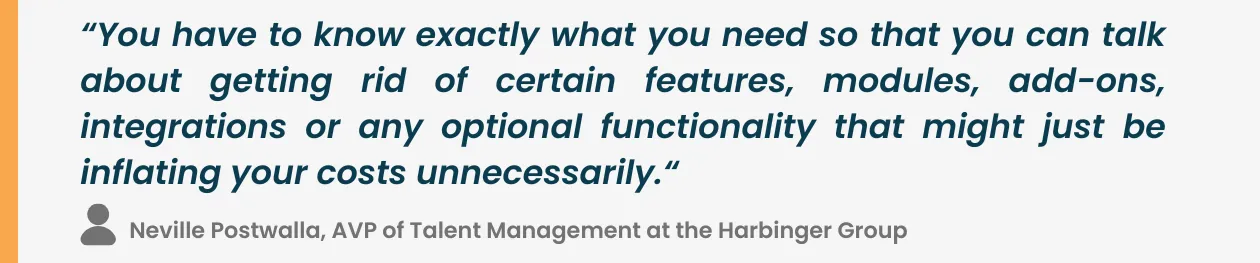
Create a wishlist of essential capabilities that will address your specific challenges. Evaluate which key features are "must-haves" versus "nice-to-haves" to streamline your selection process. Afterwards, establish a realistic budget that accounts for both initial implementation costs and ongoing fees.
Request Demos, Trials, and Custom Quotes
You can book a demo with your shortlisted providers to see their platforms in action. Many vendors offer free online demos crafted to your specific requirements. Alternatively, select providers like iSmartRecruit that offer free trials that allow hands-on testing. During demos, involve at least one recruiter who will use the system daily to gather practical feedback.
Track Recruitment ROI After Implementation
Measure success with key performance indicators (KPIs) such as time to fill, cost per hire, response rates and placements per recruiter. Set a baseline before launch and review after one quarter, so you can compare what the CRM costs with the time and revenue it helps you save.
Conclusion
The right recruiting CRM pricing model depends on your team size, features, growth plans and data control needs. Per-user and tiered plans suit most teams, flat-rate plans help with predictable budgets, and on-premise licences suit organisations that need strict control over their data.
Compare vendors on total cost over several years, not the headline price. Ask for itemised quotes, check add-ons and renewal terms, and measure results against a baseline
The most sophisticated system delivers little value without thorough training and consistent usage. Make sure to regularly track recruitment metrics against your initial goals to quantify the actual value your CRM provides. You should explore platforms like iSmartRecruit to see how its transparent pricing structure offers a balance of features and affordability that meets your recruitment operation's needs.
Frequently Asked Questions (FAQs)
1. What factors affect recruiting CRM pricing?
Recruiting CRM pricing depends on the number of users, included features, data and communication limits, integrations, support, implementation requirements, and deployment model. Contract length and billing frequency can also affect the total cost.
2. What is the difference between per-user and flat-rate recruiting CRM pricing?
Per-user pricing charges according to the number of licensed users, while flat-rate pricing charges a fixed subscription fee for a defined package or usage allowance. Compare seat requirements, feature limits, and overage charges before choosing either model.
3. Are there hidden costs beyond a recruiting CRM subscription?
Additional costs may include implementation, data migration, custom integrations, training, premium support, usage-based services, and paid feature modules. Ask providers for an itemised quote that includes all mandatory and expected charges.
4. How can I compare recruiting CRM pricing plans fairly?
Request quotes using the same number of users, required features, expected usage, and contract period. Compare first-year and recurring costs, including implementation, add-ons, integrations, support, renewal terms, and any usage limits.
5. Is a free recruiting CRM suitable for a recruitment agency?
A free plan may be suitable for a small agency with basic requirements, provided its user limits, record capacity, features, and support meet the team's needs. Check the cost and restrictions of upgrading before relying on a free plan as the agency grows.
6. How much does recruiting CRM software cost?
There is no universal price because vendors use different pricing models and include different capabilities. The most useful estimate comes from comparing current vendor quotes for the required number of users, features, usage, implementation, and contract terms.
7. How do I calculate the total cost of a recruiting CRM?
Add the subscription fees, implementation, data migration, integrations, training, paid add-ons, and other required services. For ongoing costs, include recurring fees, renewals, support, and usage charges. Compare the result against your budget and expected business outcomes.
About the Author