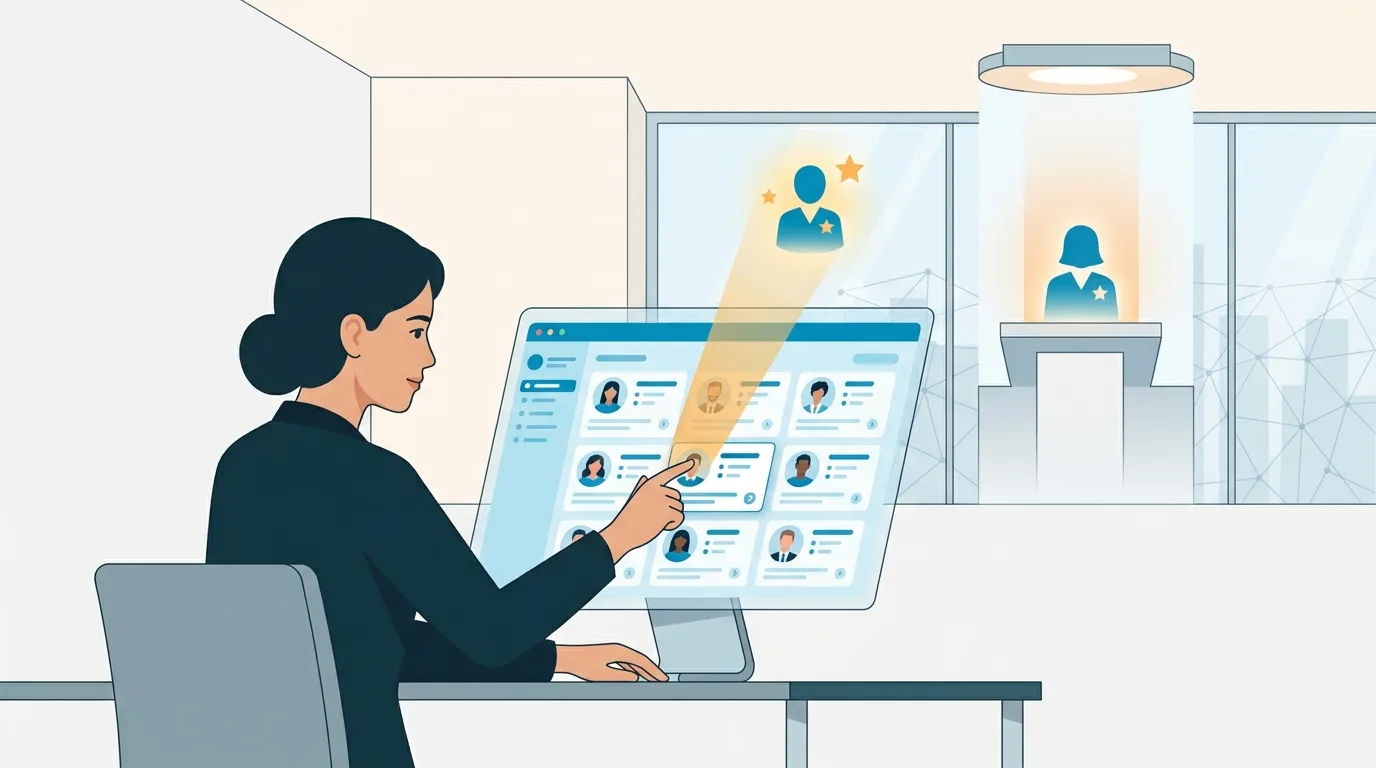


Managing a large number of candidates is difficult, right?
That difficulty compounds quickly without the right tools. Resumes arrive across multiple channels, interview feedback lives in different inboxes, follow-ups slip through the cracks, and strong candidates from three months ago are long forgotten by the time a relevant role opens up. The result is slower hiring, inconsistent candidate experiences, and a very real risk that your best pipeline talent quietly moves on while your team is still catching up on admin.
A candidate management system changes that entirely. It gives recruiters and HR teams a single, centralised place to store candidate data, track every application through the hiring pipeline, automate communications, and make decisions based on clear, up-to-date information rather than memory and spreadsheets. In 2026, with competition for top talent fiercer than ever, the right platform isn't a luxury. It's how the best hiring teams operate.
This guide gives you a straightforward, practical comparison of the five best candidate management systems on the market in 2026 including features, pricing and what each platform does particularly well so you can choose the right one with confidence.
TL;DR
- Candidate management systems automate and streamline recruitment tasks, improving efficiency across the entire hiring lifecycle.
- These systems centralise candidate data, track application progress, and significantly enhance the candidate experience at every touchpoint.
- Top systems in 2026 include iSmartRecruit, Jobylon, Zoho Recruit, GoHire, and Team Engine each with different strengths, pricing and target use cases.
- iSmartRecruit stands out for its AI capabilities, highly customisable workflows, multilingual support and comprehensive analytics, making it the strongest all-round option for agencies and growing teams.
- Choosing the right system depends on your hiring volume, organisation size, budget, integration needs and desired features.
- Implementing the right platform saves significant time, reduces manual errors, and enables more consistent and professional candidate communication.
- In 2026, a candidate management system is no longer optional it is foundational to a modern, competitive recruitment process.
Because it comes with a lot of tasks, when you have a lot on your plate, you can't provide the best experience to candidates.
Which is the most underrated but most important thing in recruitment.
Now the question is, what can you do so that your repetitive task can be automated?
The answer is the "Candidate management system".
This software helps you to easily hire, manage and track applications, resumes, and candidate profiles in a centralised database. It eliminates the need for manual tracking and reduces the risk of losing important information.
But when there are so many options in the market, you might get overwhelmed by them, which might lead you to make the wrong choice.
So, to make sure you choose the right and best software according to your needs, here’s the list of top candidate management systems. Check their features and pricing and review and find the best fit for your organisation.
Let’s dive in!
What is a Candidate Management System?
A Candidate Management System is a tool used by companies to manage the whole recruitment life cycle of new employees. It helps organise and track all the information related to job applicants. This includes storing resumes, keeping notes from interviews, and tracking the progress of each candidate through different stages of the hiring process.
With this, you can easily see which positions are open, which candidates have applied, and where each candidate is in the hiring process. A Candidate management system can also help in scheduling interviews, sending automated emails to candidates, and collaborating with other team members involved in hiring.
By using a Candidate management system, you can save time, reduce manual paperwork, and ensure that no candidate falls through the cracks. It makes the recruitment process more efficient. Also helps in finding the best talent faster and provides the best candidate experience. Overall, it's a valuable tool for managing the complexities of hiring new employees.
How Does a Candidate Management System Work?
A candidate management system generally supports the following activities:
-
Candidate collection: Import applications and candidate information from job boards, career pages, referrals and other sourcing channels.
-
Profile management: Store CVs, contact information, employment history, skills and other relevant candidate details.
-
Application tracking: Organise applicants according to their recruitment stages and associated vacancies.
-
Candidate screening: Review applications, filter profiles and assess candidates against job requirements.
-
Communication: Manage candidate interactions, send updates and coordinate interview activities.
-
Talent pool management: Categorise and maintain candidate profiles for future opportunities.
-
Reporting: Review recruitment activity and monitor relevant hiring metrics.
The available capabilities vary by provider, so it is important to check which activities are supported by each product.
Best Candidate Management System List in 2026
Want to hire the best candidates in the highly competitive market? Did you say ‘YES’?
Then, you have to utilise the top candidate management system.
Explore the best candidate tracking system list to transform your recruitment this year! Dive into this list to find the perfect match for your business needs and streamline your recruitment process like never before.
1. iSmartRecruit
Do you want to easily manage your entire recruitment and provide a positive hiring experience to your clients and candidates?
Then look no further,
iSmartRecruit is specifically built to streamline and enhance your recruitment process. Think of our software as the perfect assistant that never sleeps, always ensuring you find the best talent.
Our system streamlines the entire candidate lifecycle, from initial contact to final hiring, making recruitment efficient and hassle-free. With features like automated communication, advanced search filters, and comprehensive analytics, you can effortlessly manage candidate relationships and make informed decisions.
Whether you're a small business or a large enterprise, iSmartRecruit adapts to your needs, saving you time and enhancing your hiring process. Experience seamless candidate management with iSmartRecruit, your trusted recruitment partner.
Key Features:
-
AI Recruitment Agents: Use specialised AI agents for candidate sourcing, executive research, headhunting, company insights and recruitment workflows.
-
AI Candidate Matching: Identify suitable candidates using AI-powered skills analysis, contextual intelligence and job-candidate matching.
-
Generative AI: Generate job descriptions, candidate summaries, recruiter notes, interview feedback and personalised recruitment emails.
-
Conversational AI: Engage candidates through AI-powered chatbots and voice agents for candidate queries, screening and interview scheduling.
-
MCP Connector: Connect recruitment data with ChatGPT and Claude to search, compare and analyse candidate profiles using natural language.
-
Applicant Tracking System (ATS): Manage job openings, candidate applications, recruitment pipelines, interview processes and hiring stages.
-
Recruiting CRM: Manage candidate and client relationships, maintain talent pools, track interactions and nurture recruitment leads.
-
AI-Powered Candidate Sourcing: Discover potential candidates, automate talent research and build targeted candidate pipelines.
-
Recruitment Automation: Automate resume parsing, candidate screening, follow-ups, interview scheduling, task management and recruitment workflows.
- Executive Research and Market Mapping: Research companies, identify executive talent, analyse leadership structures and build market maps.
Best suited for: Recruitment agencies, staffing companies, executive search firms and growing internal recruitment teams
Pricing: iSmartRecruit uses a customised pricing model that scales with team size and feature requirements - making it genuinely accessible for small agencies while remaining fully capable for enterprise-level deployment. Contact the sales team at [email protected] for a tailored quote.
Capterra Review: 4.6
2. Jobylon

Streamline your hiring process with Jobylon, a platform that simplifies candidate management and enhances collaboration.
Imagine having a bird's-eye view of your recruitment landscape, effortlessly navigating through candidate profiles and tasks. It saves you up to seven hours a week by automating repetitive tasks, allowing teams to focus on personalised candidate experiences.
With seamless email and calendar integration, scheduling interviews becomes as smooth as a well-rehearsed dance, eliminating unnecessary back-and-forth. Plus, Jobylon ensures unbiased hiring by anonymising candidate information, helping you focus on skills and competencies that truly matter.
Experience efficient, intuitive, and transparent recruitment with Jobylon, where every team member plays their part harmoniously.
Key features to evaluate:
- Candidate profile management.
- Recruitment team collaboration.
- Candidate overviews.
- Email and calendar integration.
- Interview coordination.
- Recruitment workflow management.
Best suited for: Organisations evaluating collaborative recruitment and candidate engagement workflows.
Pricing: Contact the Jobylon sales team for a quote - pricing is tailored to team size and hiring volume.
Capterra Review: 4.1
3. Zoho Recruit

Zoho Recruit is your trusted companion in the journey of candidate management, acting as a bridge between potential talent and your organisation. It streamlines the recruitment process.
This all-in-one candidate management system allows you to efficiently move candidates through the hiring pipeline, just like a chess player strategising their moves.
With rich candidate profiles, automated workflows, and robust assessment tools, Zoho Recruit ensures no detail is overlooked, much like a hawk-eyed observer.
It also facilitates collaboration background checks and offers an e-sign feature for offer letters, making it a comprehensive solution for your recruitment needs. With Zoho Recruit, you're not just managing candidates; you're building relationships and enhancing your employer brand.
Key features:
- Candidate profile management.
- Applicant tracking.
- Recruitment workflow automation.
- Resume management.
- Interview coordination.
- Candidate communication.
- Recruitment reporting.
- Integration with other business applications.
Best suited for: Recruitment agencies, staffing businesses and internal HR teams.
Pricing:
- Standard - ₹1,250 /user/month billed annually
- Professional - ₹2,500 /user/month billed annually
- Enterprise- ₹3,750 /user/month billed annually
Capterra Review: 4.4
4. GoHire

Looking to streamline your hiring process and grow your team efficiently?
GoHire offers the ultimate solution candidate management system. Imagine having a central hub where every aspect of your recruitment journey - from applicant profiles and interview scheduling to seamless communication and feedback - is effortlessly organised like a well-curated library.
It synchronises all hiring efforts, ensuring no talent slips through the cracks, with user-friendly dashboards, affordable pricing, and advanced features like automated messaging and self-scheduling interviews.
Simplify your recruitment journey today and start hiring the best-fit candidates effortlessly with GoHire.
Key features to evaluate:
- Centralised candidate profiles.
- Candidate pool management.
- Recruitment workflow automation.
- Job posting capabilities.
- Interview scheduling.
- Candidate communication.
Best suited for: Small businesses and growing teams looking for straightforward recruitment workflows.
Pricing:
- Starter: £69/ mo billed monthly
- Growth: £99/ mo billed monthly
- Pro: £199/ mo billed monthly
Capterra Review: 4.5
5. Team Engine

Team Engine is your ultimate partner in winning the war for talent. Like a well-oiled machine, it streamlines your hiring process, automating redundant tasks. So you can focus on what actually matters - finding and hiring the best candidates.
But it doesn't stop there.
It's also your secret weapon in retaining employees, fostering engagement, and improving communication. It's like a bridge connecting your company and creating efficient processes. It also nurtures a culture of growth and development.
With Team Engine, you're not just hiring employees; you're building a dedicated, long-term workforce.
Key features to evaluate:
- Applicant tracking.
- Job posting and distribution.
- Candidate management.
- Recruitment workflow management.
- Team collaboration.
- Interview evaluation and scorecards.
- Recruitment reporting.
- Integration capabilities.
Best suited for: Hiring teams looking for an applicant tracking system with collaborative recruitment workflows
Pricing:
- Core Pricing: starts at $495/mo
- Enterprise Pricing: Contact the Sales Team
Capterra Review: 5
What Features Should Candidate Management Software Include?
The right candidate management solution should support your recruitment process from the initial application through candidate selection and future talent engagement.
Here are the important features to evaluate.
1. Centralised Candidate Database
A centralised candidate database stores candidate information in one organised location.
Recruiters can access CVs, contact details, work experience, qualifications, communication history and application information without searching through multiple files.
It is particularly useful for agencies and staffing firms that manage large candidate databases across different clients and vacancies.
2. Applicant Tracking
Applicant tracking helps recruiters monitor candidate progress throughout different recruitment stages.
For example, candidates may move through stages such as:
- Applied.
- Screening.
- Shortlisted.
- Interview.
- Assessment.
- Selected.
- Offer.
- Hired.
A clear recruitment pipeline helps teams understand which candidates require attention and where delays are occurring.
3. Resume Parsing
Resume parsing extracts relevant information from CVs and converts it into structured candidate profiles.
Instead of manually entering candidate details, recruiters can use resume parsing to organise information such as employment history, education, skills and contact details.
Check whether the system supports the CV formats and languages commonly used by your organisation.
4. Candidate Search and Matching
Candidate search and matching capabilities help recruiters identify relevant profiles based on job requirements.
Useful capabilities may include:
- Keyword search.
- Boolean search.
- Skills-based filtering.
- Experience and location filters.
- AI-assisted candidate matching.
- Search across existing talent pools.
These capabilities can be particularly valuable when recruiters need to identify suitable candidates from an existing database.
5. Candidate Relationship Management
Candidate relationship management helps recruiters maintain communication and engagement with candidates beyond a single job application.
Features may include candidate segmentation, talent pools, communication history and follow-up activities.
This is important for recruitment agencies and teams that regularly engage with passive candidates or revisit previously identified talent.
6. Recruitment Workflow Automation
Workflow automation reduces repetitive administrative activities.
Depending on the platform, automation may support:
- Candidate status updates.
- Interview scheduling.
- Email notifications.
- Follow-up reminders.
- Task assignments.
- Recruitment pipeline updates.
Recruiters should check whether automation rules can be customised to match their actual processes.
7. Interview Scheduling and Evaluation
Interview management tools help recruiters coordinate interview availability and collect feedback.
Look for calendar integrations, interview scheduling, evaluation forms, scorecards and centralised feedback.
These capabilities help hiring teams maintain consistent evaluation processes and reduce communication gaps.
8. Reporting and Recruitment Analytics
Recruitment analytics provides visibility into hiring activity and performance.
Depending on the system, useful metrics may include:
- Time-to-hire.
- Time-to-fill.
- Candidate source.
- Application conversion rates.
- Recruitment pipeline status.
- Interview-to-offer conversion.
- Vacancy progress.
Check whether the reporting functionality allows your team to create useful reports and access the information needed for recruitment decisions.
How to Choose the Right Candidate Management Software
Selecting software based only on its advertised features can lead to unnecessary costs and implementation difficulties.
Use the following considerations to evaluate whether a platform fits your organisation.
1. Identify Your Recruitment Requirements
Start by understanding how your team currently manages candidates.
Consider:
- How many vacancies do you manage?
- How many candidates enter your recruitment pipeline?
- Do you recruit for multiple clients?
- Do you maintain talent pools for future hiring?
- Do hiring managers need access to candidate information?
- Which recruitment tasks require automation?
Your answers will help identify the capabilities you actually need.
2. Evaluate Features Against Your Workflow
Create a list of essential and optional features.
For example, recruitment agencies may prioritise candidate databases, client management, sourcing and talent pools.
Internal HR teams may focus more on applicant tracking, interview coordination, hiring manager collaboration and reporting.
Compare platforms using the same requirements rather than relying on different feature lists.
3. Check Integration Capabilities
Candidate management software should work with the tools your team already uses.
Check whether the platform supports integrations with:
- Job boards.
- Email applications.
- Calendar tools.
- Video interviewing software.
- Assessment platforms.
- HR management systems.
- Recruitment communication tools.
Also confirm whether integrations are included in your selected plan or require additional subscriptions.
4. Consider Usability and Customisation
Recruiters should be able to access candidate information and complete everyday activities without unnecessary complexity.
Evaluate the interface, search functionality, workflow customisation and reporting options.
Request a demonstration and test the software using a realistic recruitment scenario.
5. Review Pricing and Total Cost
Do not compare platforms using their advertised starting prices alone.
Consider:
- Number of users included.
- Candidate or job limits.
- Monthly and annual billing.
- Additional feature costs.
- Integration charges.
- Data migration costs.
- Training and implementation expenses.
- Support arrangements.
A platform with a lower subscription price may not necessarily have the lowest overall cost.
6. Check Data Security and Privacy
Candidate records contain personal information, so data protection should be an important part of the selection process.
Review:
- Access permissions and user roles.
- Data storage and security practices.
- Data retention settings.
- Candidate consent management.
- Data export and deletion procedures.
- Audit logs.
- Applicable privacy requirements, including GDPR where relevant.
Ask vendors how their systems support your organisation's legal and operational responsibilities.
7. Evaluate Scalability and Support
Choose software that can accommodate changes in hiring volume and recruitment requirements.
Consider whether you can add users, manage additional vacancies, customise workflows and integrate new tools as your organisation grows.
Also evaluate customer support availability, onboarding assistance, training resources and data migration support.
How to Implement Candidate Management Software
Successful implementation involves more than creating user accounts and importing candidate information.
A structured approach can help your team adopt the software and maintain accurate recruitment records.
-
Review existing candidate data: Identify where candidate information is stored and remove unnecessary duplicate records where appropriate.
-
Plan data migration: Confirm which candidate details, CVs, notes and historical records need to be transferred.
-
Configure recruitment workflows: Set up recruitment stages, permissions, notifications and responsibilities.
-
Connect essential tools: Configure relevant job boards, email, calendar and other integrations.
-
Train recruiters and hiring managers: Explain how to access profiles, update candidate statuses and manage recruitment activities.
-
Test the workflow: Run a sample vacancy through the complete recruitment process and identify any configuration problems.
-
Monitor adoption: Review usage, data quality and recruiter feedback after implementation.
Implementation time varies depending on the platform, data volume, integrations and level of customisation. Ask the vendor for a project-specific timeline rather than relying on a general estimate.
Why should you Opt For iSmartRecruit’s Candidate Management System ?
Where every field embraces AI & automation, why shouldn't you? When it comes to automation, the first thought comes in recruiting is that it’ll affect the candidate experience. Right?
But it’s the opposite of that once you look from a different perspective. So, the candidate management system will do repetitive tasks that you are not meant to do. So, you can only focus on building good relationships with candidates and give the best candidate experience.
You also don’t want to compromise accuracy, so you should choose iSmartRecruit’s candidate management system.
iSmartRecruit's Candidate Management System is not just an option but a necessary tool for streamlining your recruitment process.
By opting for iSmartRecruit, you are choosing efficiency, accuracy, and a seamless recruitment experience.
So, why continue with traditional, time-consuming methods when you can embrace the future of recruitment? Why not make your hiring process smarter, faster, and more effective?
The answer is clear: iSmartRecruit's Candidate Management System is the way forward. Make the smart choice today, book a demo, and transform your recruitment process for the better.
Conclusion
Choosing the right candidate management system is one of the most impactful decisions a recruitment team can make. The right platform doesn't just organise your hiring process it speeds up every stage of it, reduces the risk of losing strong candidates to slow follow-up, and gives your team the data and visibility to make consistently better decisions.
The five platforms compared in this guide each serve different needs. GoHire and Team Engine are strong options for smaller teams or specific industry contexts. Jobylon and Zoho Recruit offer solid mid-market functionality with clean interfaces and useful integrations. But for recruitment agencies, staffing firms and corporate HR teams that want a genuinely comprehensive, AI-powered system that scales with them iSmartRecruit is the strongest all-round choice in 2026, combining the breadth of an enterprise platform with the flexibility and pricing that works for teams of all sizes.
Whatever platform you choose, the key is to stop evaluating and start testing. Map your current process, identify the biggest friction points, and run a live demo against a real open role. The right candidate management system will be immediately obvious not because of a feature list, but because it makes your day-to-day hiring work feel noticeably easier from the first hour.

FAQs - Candidate Management System
1. Why is the candidate management system important in 2026?
A candidate management system is essential in 2026 because it streamlines the hiring process, saving time and reducing errors. It helps recruiters track and manage applicants efficiently, ensuring the best candidates are identified quickly. It also enhances the candidate experience, making it easier for them to apply and stay informed throughout the hiring process.
2. What features should I look for in a candidate management system?
When you’re choosing a candidate management system, look for features like Applicant Tracking, Resume Parsing, Communication Tools, Customisable Workflows, Analytics and Reporting, Integration Capabilities, and User-friendly Interface. These features are a must.
3. How do I choose the right candidate management system for my business?
To choose the right candidate management system for your business, identify your specific needs and budget. Check for features that can easily integrate with your current systems, a user-friendly interface, and strong customer support. Check reviews and request demos to ensure they fit your workflow.
4. What are the benefits of using a candidate management system?
The candidate management system streamlines the hiring process by organising candidate information, automating communication, and simplifying resume screening. It saves your time, improves efficiency of process, and enhances the candidate experience by keeping everything in one place.
5. Is a candidate management system the same as an ATS?
They overlap significantly, but aren't identical. An ATS focuses on tracking active applicants through open roles, while a candidate management system also covers passive talent nurturing, talent pools and long-term relationship management. Most modern platforms combine both in one.
6. How long does it take to implement a candidate management system?
Most teams are up and running within one to two weeks for a basic setup. A full implementation with custom workflows, integrations and data migration typically takes two to four weeks depending on the platform and team size.
About the Author