


Recruitment automation software helps hiring teams reduce repetitive work, organise candidate information and manage recruitment workflows more consistently. The right tool can automate tasks such as resume parsing, candidate communication, interview scheduling and application tracking, allowing recruiters to spend more time evaluating candidates and building relationships.
However, not every recruitment automation tool serves the same purpose. Some combine applicant tracking and recruiting CRM capabilities, while others focus on candidate sourcing, skills assessments or enterprise hiring workflows.
This comparison covers 12 recruitment automation software options for 2026, including their key capabilities, intended users and pricing considerations. It also explains what to evaluate before choosing a solution for your recruitment process.
TL;DR
- Recruitment automation software streamlines hiring by automating tasks such as candidate sourcing, resume screening, and interview scheduling.
- The blog lists the 12 best recruitment automation software for 2026, including iSmartRecruit, Qureos, Manatal, and SmartRecruiters, highlighting their key features and pricing.
- iSmartRecruit stands out with AI-driven features, extensive automation capabilities, flexible pricing, and a strong user base of over 10,000 recruiters.
- Case studies show significant improvements in hiring efficiency, cost reduction, and candidate quality using iSmartRecruit.
Recruiters, have you ever felt that you are doing hard work but not getting that desired result (TOP TALENT)?
As a Software vendor, we can feel your hiring frustration.
Doing tedious tasks, such as going through piles of resumes, takes too much time but does not yield productive results. Correct?
Let’s end these obstacles right now. Be worry-free because we have your back.
To solve your problems, we curated a list of recruitment automation software that makes hiring faster and smoother.
This blog provides you with the 12 best recruitment automation software lists and their key features to help you end your desperate search for this tool. It also provides a few data points, so based on that, you can make up your mind and find the best fit for you and your budget.
So, why wait? Let's get started!
What is Recruitment Automation Software?
Recruitment automation software uses technology to perform or support repetitive activities throughout the hiring process. Depending on the product, these activities can include collecting applications, parsing resumes, screening candidates against defined criteria, sending follow-up messages, scheduling interviews and updating recruitment records.
Recruitment automation can be part of an applicant tracking system (ATS), recruiting CRM or wider talent acquisition platform. Some organisations use one system for most activities, while others connect specialised tools to their existing recruitment software.
For example, when a candidate submits an application, an automated workflow could extract relevant resume information, create a candidate record, apply predefined screening questions and notify the recruiter when the application needs review.
Automation does not eliminate the need for recruiter judgement. Hiring teams should retain appropriate human oversight of candidate evaluation, particularly when AI supports screening or matching decisions.
12 Best Recruitment Automation Software List for Successful 2026
Together, let's discover the list of 12 best recruitment automation software solutions designed to streamline your hiring processes and drive success in 2026.
From AI-powered applicant tracking to seamless candidate communication, these platforms offer the tools you need to stay ahead in today's competitive hiring landscape.
Let’s dive in!
1. iSmartRecruit
Here's the million-dollar question: Do you want to be a top 1% recruiter in the recruitment world?
Then, you've hit the jackpot by landing here.
iSmartrecruit is a top-tier, cloud-based, on-premise recruitment automation software developed to streamline and optimise your hiring process. It improves productivity by automating daily tasks, improving social reach, and centralising data storage for easy access.
iSmartRecruit empowers businesses to attract, engage, and select the best talent. Leveraging AI technology, it offers data-driven insights to refine hiring strategies and secure sensitive data, ensuring compliance.
Experience the future of recruitment with iSmartRecruit's self-service portal, delivering exceptional service to clients and candidates.
We provide you with key features and functionalities to help you make data-backed hiring decisions.
Key Features:
-
AI Candidate and Job Matching: Match candidates with suitable vacancies based on their skills, experience, and profile relevance.
-
AI Agents: Support candidate sourcing, executive research, headhunting, and recruitment automation to reduce manual effort.
-
Advanced Database Search: Discover relevant talent using Boolean search, semantic search, and other supported search capabilities.
-
Resume Parsing: Extract candidate information from resumes and organise it into structured profiles for easier searching.
-
Generative AI: Create and refine job descriptions, candidate summaries, recruiter emails, and recruitment notes.
-
MCP Connector: Access recruitment data through supported AI assistants, including ChatGPT and Claude, using natural-language requests.
-
Conversational AI: Help answer candidate questions, collect information, and support candidate engagement through available chatbot and voice capabilities.
-
Automated Interview Scheduling: Simplify interview coordination, calendar management, and online meeting invitations.
-
Recruiting CRM and ATS: Manage candidate relationships, client records, applications, and recruitment stages in one place.
-
Analytics and Reporting: Monitor recruitment activities, pipeline performance, and key hiring metrics.
-
Recruitment Marketing: Strengthen candidate engagement through targeted outreach and recruitment campaigns.
-
Customisable Workflows: Configure recruitment processes and settings to align with your team's specific requirements.
Best suited for: Recruitment agencies, staffing companies and in-house teams looking to connect applicant tracking, candidate relationships and routine recruitment tasks.
Pricing: iSmartRecruit offers flexible pricing options that are suitable for businesses of all sizes. To obtain customised pricing details, please contact us at [email protected].
Free Trial: Available on request
Capterra Review: 4.6
For more details, visit the iSmartRecruit recruitment automation feature page.
2. Qureos

Qureos is an AI-powered recruitment and talent intelligence platform that helps modern hiring teams find and engage top candidates faster. Instead of filling out endless forms, you simply describe the role, and Qureos instantly matches you with qualified candidates who fit both the job and your company culture.
Its AI assistant, Iris, enriches and screens your existing candidate lists, posts jobs to 100+ job boards like LinkedIn and Glassdoor, and sends personalised outreach messages aligned with your brand voice.
With Qureos, you can assess applicants through AI video interviews and get detailed reports on their skills and culture fit. The platform supports 20+ languages and integrates seamlessly with ATS, CRM, and ERP systems for effortless global hiring.
Key Features:
- Upload and screen your existing candidate database
- AI-powered candidate enrichment beyond resumes
- One-click job posting to 100+ job boards
- Automated, personalised candidate outreach
Best suited for: Hiring teams exploring AI-assisted sourcing, candidate screening and engagement.
Pricing: Custom pricing
Free Trial: Yes
Capterra Review: 4.4
3. Manatal
Want to transform the way you hire? Then you come to the right place.
Manatal is here to revolutionise your recruitment. It’s user-friendly AI-powered recruitment automation software designed to streamline and accelerate the hiring process for HR teams, recruitment agencies, and headhunters.
Best of all, it has a Kanban board in addition to an adjustable pipeline that you may modify to fit your needs. Posting job openings is possible on more than 2,500 free and premium channels.
Their AI-powered recommendations help you source and hire top talent faster. Manatal enriching candidate profiles with data from over 20 social and public platforms. It provides a mobile app for on-the-go recruiting.
Additionally, you can create or link your branded career page and manage the onboarding process for new hires. Manatal empowers you to recruit efficiently and effectively.
Key Features:
- AI-assisted candidate recommendations
- Candidate profile enrichment
- Resume parsing
- Recruitment pipeline management
- Workflow automation on eligible plans
Best suited for: Recruitment agencies and HR teams looking for candidate management and AI-assisted recruitment workflows.
Pricing:
- Professional Plan - $15/per user per month
- Enterprise Plan - $35/per user per month
- Custom Plan - For custom integrations on-demand
Free Trial: Yes
Capterra Review: 4.7
4. SmartRecruiters
Want to achieve limitless hiring? Want to remove your boundaries?
Then, Smartrecruiters is a platform that can help you achieve your hiring goals faster. It offers an innovative approach to hiring software, providing a seamless onboarding experience with its pre-integrated background checks and HRIS systems. This platform ensures a smooth transition for new hires.
Moreover, SmartRecruiters reduces duplicative entries and manual errors by integrating with your HRIS using easy-to-configure connectors.
This creates a single source of truth for all hiring data, ultimately saving time, reducing costs, and lessening the burden on your team.
Key Features:
- Applicant tracking
- Recruitment workflow management
- Hiring team collaboration
- Integrations with other business systems
- Support for structured hiring processes
Best suited for: Organisations evaluating recruitment software for coordinated or enterprise-scale hiring.
Pricing: Contact their sales for custom pricing details
Free Trial: No
Capterra Review: 4.2
5. Xobin

Still shortlisting candidates based on resume keywords and gut feel?
Then it's time to let skills do the talking.
Xobin is an AI-powered talent acquisition and assessment platform that automates the most time-consuming part of hiring: figuring out who can actually do the job. It's trusted by 5,000+ hiring teams across 60+ countries and brings skill tests, AI interviews, proctoring, and applicant tracking into one connected system.
Recruiters can choose from 3,400+ ready-made skill assessments and 2,500+ role-based tests. NURA, Xobin's AI recruiting agent, then runs structured interviews that adapt to every candidate. AI Evaluate scores responses automatically, and advanced AI proctoring with a lockdown browser keeps results trustworthy.
With Tracks, its built-in ATS, you can generate job descriptions, move candidates through your pipeline, and trigger automated hiring steps without manual follow-ups. Already using an ATS? Xobin plugs into Greenhouse, Lever, SmartRecruiters, Workable, and more. You can even run assessments straight from Claude or ChatGPT through its MCP connector.
Recognized in the Gartner® Market Guide, Xobin helps teams hire faster, more fairly, and with far more confidence.
Key Features:
- Agentic AI Interviews
- 3,400+ Skill & Role-Based Assessments
- Advanced AI Proctoring & Lockdown Browser
- Built-in ATS with Recruitment Automations (Tracks)
- ATS & MCP Integrations
Best suited for: Hiring teams that need structured skills assessments as part of their recruitment process.
Pricing: Modular, usage-based pricing, so you pay only for the modules you need. Contact sales for a custom quote.
Free Trial: Yes (14-day free trial, no credit card required)
Capterra Review: 4.5
6. TalentRecruit
ERIKA…..
No, no, it’s not the person’s name; it’s their AI Robotic recruiter.
Robotic recruiter? Yes, you heard that right.
TalentRecruit has this feature to make your hiring faster, like a flash.
TalentRecruit’s recruitment automation software seamlessly navigates the competitive job market with advanced sourcing capabilities, leveraging AI to pinpoint the perfect candidates for your roles, from personalised engagement to comprehensive assessment tools.
AI-driven sourcing and automated interview scheduling to streamline the recruitment process and find the right talent for each job.
This software also provides a smooth onboarding experience, a dedicated mobile app, and multiple communication channels to engage with candidates and enhance the employer brand.
Key Features:
- AI-assisted candidate sourcing
- Interview scheduling
- Recruiter dashboards
- Candidate engagement
- Mobile recruitment access
Best suited for: Recruitment teams looking to coordinate sourcing and routine hiring activities.
Pricing: Contact sales team
Free Trial: Available for Recruiter Lite
Capterra Review: 4.0
7. iCIMS

Recruiters, you are not supercharged, but your recruitment can be.
But how?
Here comes the power booster platform iCIMS to supercharge your hiring.
To Centralise your hiring process for all-size businesses, iCIMS has an all-in-one recruitment automation software.
It drives ROI at every stage of hiring, from attracting diverse, global talent to engaging and hiring at scale.
The platform features automated, multi-channel content, video testimonials, and conversational AI to showcase job opportunities and build deep, hire-ready talent pools.
iCIMS also simplifies the offer management process and provides collaborative onboarding software to improve the new hire experience and boost retention.
Key Features:
- Applicant tracking
- Candidate engagement tools
- Recruitment analytics and reporting
- Hiring workflow management
- Integration with wider talent acquisition processes
Best suited for: Organisations with complex or large-scale talent acquisition requirements.
Pricing: Available upon request.
Free Trial: Not available
Capterra Review: 4.3
8. Recruitee
Recruiters, do you believe in team efforts? Then you've landed in the right zone!
Transform your hiring process with Recruitee, the collaborative hiring automation software that empowers teams to build winning teams. Save valuable time by automating manual tasks, freeing up resources to focus on finding the best talent.
Elevate your employer branding with an intuitive career site editor, attracting top candidates effortlessly.
Boost your sourcing power with social sharing links, smart campaigns, and referrals, turning every team member into a recruiter.
Customisable reports and dashboards provide insights into recruitment performance, while integrations with popular apps enhance the platform's capabilities.
With over 120 integrations, Recruitee seamlessly connects with your favourite apps, powering up your recruitment process and driving success for your organisation.
Key Features:
- Collaborative recruitment workflows
- Career site customisation
- Candidate referrals and social sharing
- Recruitment reporting
- Third-party integrations
Best suited for: Teams that prioritise hiring collaboration and organised recruitment workflows.
Pricing:
- Starter - $199 / month
- Growth - $249 / month
- Optimize - Get a quote
Free Trial: Yes (Offers 13 days free trial)
Capterra Review: 4.4
9. JobDiva
Some formulas might not be proven, but one thing is proven, and that is JobDiva’s singular recruitment technology just for you.
JobDiva is an all-in-one recruiting automation software designed specifically for staffing businesses of all sizes and verticals.
JobDiva offers a comprehensive suite of staffing tools, including an award-winning Applicant Tracking System, Contact Relationship Management, Onboarding, DivaFinancials, VMS Synchronization, and Reports & Analytics.
JobDiva also integrates with major job boards and offers mobile apps for both recruiters and talent. Also, provide the white-label applicant and hiring apps for staffing on the go.
Key Features:
- Applicant tracking and candidate data management
- Resume parsing
- Interview scheduling
- Recruitment reporting
- Staffing-related workflow support
Best suited for: Staffing and recruitment businesses that need technology aligned with their placement processes.
Pricing: Contact sales.
Free Trial: No
Capterra Review: 4.5
10. Gohire

Small business owner, want to grow faster? Then, choose Gohire.
Don’t waste too much time and money hiring people; use Gohire recruitment automation software to blow up your hiring process. Simplify and streamline your entire hiring journey with a user-friendly platform.
With GoHire, you can attract and convert top candidates, promote your jobs with one click to millions of applicants on popular job sites, and manage your entire hiring process in one collaborative dashboard.
It helps you track the hiring pipeline, schedule interviews, and analyse data to make informed hiring decisions.
Say goodbye to disorganised spreadsheets and hello to a streamlined hiring strategy in the cloud with GoHire.
Key Features:
- Job promotion and candidate attraction
- Candidate pipeline management
- Interview scheduling
- Recruitment collaboration
- Hiring performance tracking
Best suited for: Businesses seeking a straightforward way to organise recruitment activities.
Pricing:
- Starter - $89 / month
- Growth - $150 / month
- Pro - $290 / month
Free Trial: Available
Capterra Review: 4.6
11. PCRecruiter

If you're looking for a recruitment platform that adapts to your organization's unique demands, consider PCRecruiter.
Widely recognized among recruitment professionals, this software provides a comprehensive set of tools to boost the efficiency and effectiveness of your recruitment processes.
PCRecruiter's user-friendly interface makes it easier to handle candidate data, job orders, and communications all in one scalable system.
It stands out for its customizable database capabilities, which can be tailored to your specific workflow needs. This feature is particularly useful for executive search firms and staffing agencies looking to streamline their operations.
Whether you’re managing multiple hiring pipelines or need a system that grows with your team, PCRecruiter offers the flexibility and tools necessary for modern recruitment challenges.
Key Features:
- Integrated & Automated Workflow
- Streamline Recruitment Operations
- Customizable Sequences
- Reporting & Compliance
Best suited for: Recruitment agencies, staffing firms and search firms that require configurable candidate management workflows.
Pricing: USD $85 Per Month, Per User
Free Trial: No
Capterra Review: 4.3
12. Greenhouse
We all know that we can’t solve the Greenhouse effect, and it’s getting out of hand every day.
However, one thing you can do is solve your hiring problem by using Greenhouse recruitment automation software.
Greenhouse is an all-in-one platform delivering comprehensive solutions from sourcing to onboarding. From seamless applications to structured interviews and transparent decision-making, Greenhouse facilitates an exceptional candidate experience.
Greenhouse streamlines hiring workflows with automated tasks, robust permissions, and best-in-class governance. Its structured interview experience helps teams make informed decisions and hire the best talent.
Greenhouse also provides onboarding tools to engage new hires as soon as an offer is accepted and quickly set them up for productivity.
Finally, the platform's reporting and insights give a holistic view of hiring efforts and provide data-driven recommendations for improvement.
Key Features:
- Structured interview kits and scorecards
- Recruitment workflow automation
- Scheduling
- Reporting and analytics
- Hiring team collaboration
Best suited for: Organisations prioritising structured hiring and consistent recruitment processes.
Pricing: Custom pricing
Free Trial: No
Capterra Review: 4.5
What Can Recruitment Automation Software Automate?
The level of automation varies by product. Common use cases include:
1. Candidate sourcing and database management
Recruitment systems can help organise candidate profiles, search existing databases and support sourcing activities. Some products also provide candidate enrichment or AI-assisted matching.
2. Resume parsing and application processing
Resume parsing extracts information from candidate documents and organises it into structured fields. This can reduce manual data entry, although recruiters should check that extracted information is accurate.
3. Initial screening
Rules-based workflows can filter applications using predefined questions or criteria. AI-assisted screening may provide additional recommendations, but hiring teams should review the criteria, monitor outcomes and retain appropriate human oversight.
4. Candidate communication
Automated emails, reminders and follow-ups can help teams keep candidates informed. Messages should remain relevant to each stage of the hiring process rather than becoming repetitive or impersonal.
5. Interview scheduling
Scheduling tools can coordinate calendars, send invitations and reduce the back-and-forth between candidates, recruiters and hiring managers.
6. Recruitment reporting
Reporting features can help teams monitor application volumes, recruitment stages, source performance and hiring timelines. The available metrics depend on the system and its configuration.
A Practical Automated Recruitment Workflow
Consider a recruitment team hiring for several roles at the same time. A connected workflow could look like this:
-
Application received: The system creates or updates the candidate record.
-
Candidate information organised: Resume parsing extracts relevant details for review.
-
Initial screening: Predefined questions or criteria identify applications requiring further assessment.
-
Recruiter review: The recruiter checks candidate information and decides which applicants should progress.
-
Interview scheduling: The system supports calendar coordination and sends interview invitations.
-
Candidate follow-up: Automated reminders help prevent missed communications.
-
Hiring team feedback: Recruiters and hiring managers record interview feedback and update candidate stages.
-
Reporting: The team reviews the pipeline to identify delays and opportunities to improve the process.
This workflow is an illustrative example. The steps that can be automated depend on the software, available integrations and the organisation's recruitment policies.
How to Choose Recruitment Automation Software
Choosing recruitment automation software requires more than comparing feature lists or subscription prices. The right system should fit your recruitment process and support the tasks that consume the most time.
1. Identify your recruitment requirements
List the activities you want to improve, such as candidate sourcing, application processing, communication, scheduling or reporting. Prioritise the tasks that create the greatest operational difficulty.
2. Check the automation capabilities
Confirm which tasks the product can automate, which require manual action and which depend on specific plans or integrations. Ask vendors to demonstrate your actual recruitment workflow.
3. Evaluate integrations
Check compatibility with your existing ATS, CRM, email, calendars, job boards, assessment tools and HR systems. Confirm whether integrations are native, require third-party tools or incur additional costs.
4. Assess usability and implementation
Consider training, data migration, configuration and the time required for recruiters to adopt the software. A feature-rich product may not deliver value if the team struggles to use it.
5. Review privacy, security and human oversight
Ask how candidate data is stored, accessed and retained. Review permissions, audit trails and applicable data protection obligations. For AI-supported decisions, understand how recommendations are generated and how recruiters can review or challenge them.
6. Compare total cost
Look beyond the advertised subscription price. Check user limits, vacancy limits, implementation costs, integrations, support, training and additional modules.
7. Test the product with a real workflow
Use a demo or trial, where available, to evaluate a realistic recruitment scenario. Check whether the software reduces unnecessary manual work without making the process harder for recruiters or candidates.
Questions to Ask Before Choosing a Tool
Before making a decision, ask each vendor:
-
Which recruitment tasks can be automated without manual intervention?
-
Which features are included in the quoted plan?
-
Can the software integrate with our current recruitment systems?
-
How is candidate information protected and managed?
-
Can recruiters review AI-generated recommendations?
-
What implementation, migration and training support is available?
-
How can we measure whether the software improves our workflow?
-
What additional costs should we expect?
The answers will help you compare products based on your actual requirements rather than marketing claims.
Recruitment Automation in Practice: Customer Case Studies
Customer case studies can illustrate how recruitment technology is used in real working environments. They should be read in context because outcomes depend on the organisation, its starting process, implementation and recruitment needs.
Elsner Technologies
Elsner Technologies used iSmartRecruit to address recruitment challenges involving candidate sourcing, manual screening, fragmented communication and workflow customisation.
The published case study reports a 20 to 30 per cent reduction in time-to-hire and a 40 per cent increase in recruitment team productivity. It also describes improvements in candidate information management and internal communication.
Read the Elsner Technologies case study for the company's challenges, implementation and reported results.
Systemart
Systemart adopted iSmartRecruit's ATS and CRM to improve candidate management, team collaboration, sourcing and recruitment reporting.
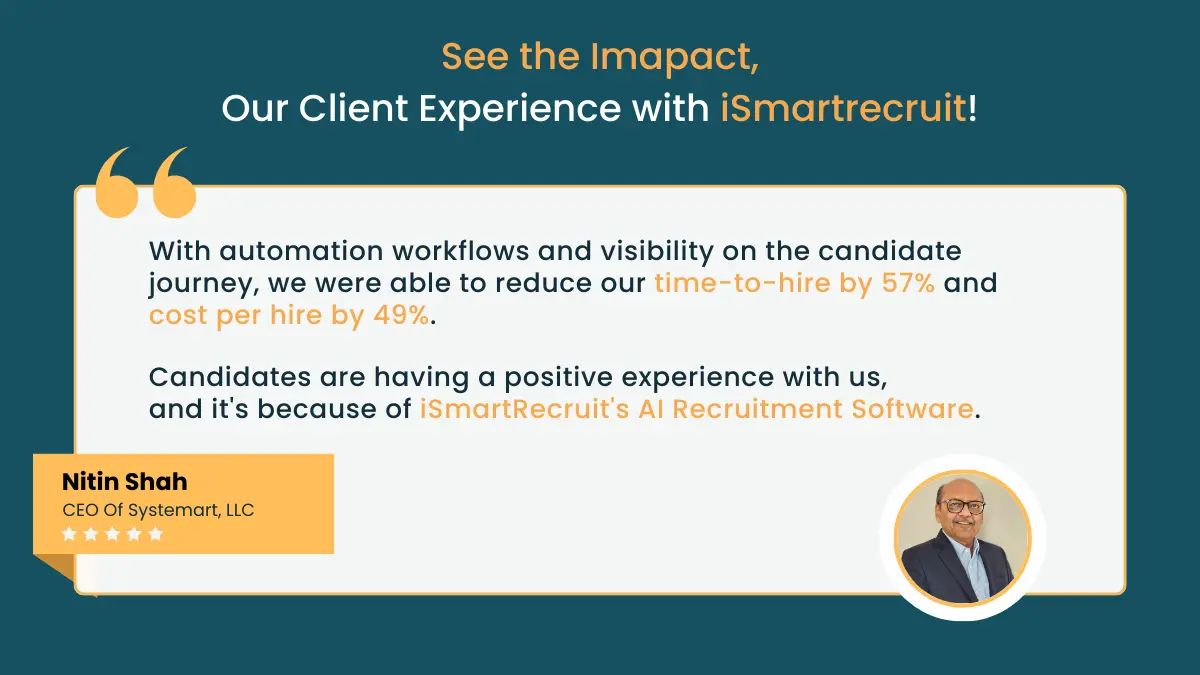
The published case study reports a 57 per cent reduction in time-to-hire, a 49 per cent reduction in cost-per-hire and $35,000 in recruiting labour cost savings. It also describes how the company used automated workflows and recruitment analytics.
Read the Systemart case study for more detail.
These examples demonstrate reported outcomes from two customer implementations. They should not be interpreted as guaranteed results for other organisations.
What Sets iSmartRecruit Apart from Other Recruitment Automation Software?
iSmartRecruit is trusted by over 10K+ recruiters, so choose what is trusted by others.
It is the best recruitment automation software to relieve you from heavy-lifting tasks.
While the recruitment software landscape offers numerous options, iSmartRecruit stands out through its comprehensive features and user-centric approach.
This top-tier recruitment software offers an extensive solution that goes beyond traditional applicant tracking systems.
It leverages AI to automate and streamline various aspects of the recruitment process, from Candidate sourcing and engagement to hiring and onboarding.
It also has Features like automated communication to ensure a positive candidate experience, which is crucial in today's competitive talent market.
iSmartRecruit serves companies of all sizes, offering customizable price plans and the flexibility to increase features as your needs change.
As we look to the future of recruitment, one thing is clear with iSmartRecruit: the possibilities are limitless, and the journey to finding the best talent has never been more exciting.
So, what are you waiting for? Get a FREE demo now and take the first step toward your recruitment success!
Conclusion: Choose Software That Fits Your Recruitment Workflow
Recruitment automation software can help hiring teams organise candidate information, reduce repetitive administration and coordinate recruitment activities. However, the right solution depends on your recruitment model, hiring volume, existing technology and the tasks you need to improve.
Compare products based on their automation capabilities, integration options, usability, reporting, security and total cost. Test the software against a realistic workflow and confirm current pricing and feature availability before making a decision.
For teams evaluating a connected applicant tracking, recruiting CRM and automation solution, iSmartRecruit is one option to assess against these requirements. Review its recruitment automation capabilities or request a demo to explore how the features align with your hiring process.

Frequently Asked Questions - FAQs
1. What is recruitment automation software?
Recruitment automation software helps hiring teams automate or streamline repetitive recruitment tasks, such as resume parsing, candidate communication, interview scheduling and recruitment workflow updates.
2. What is the difference between an ATS and recruitment automation software?
An applicant tracking system manages candidate applications and recruitment stages. Recruitment automation is a broader concept that includes automated activities across sourcing, screening, communication, scheduling and other hiring workflows. Many ATS products include automation features.
3. What tasks can recruitment automation tools automate?
Depending on the product, recruitment automation tools can support resume parsing, application processing, screening questions, candidate follow-ups, interview scheduling, task assignments and recruitment reporting.
4. Which recruitment automation software is suitable for small businesses?
The right option depends on hiring volume, budget, ease of use and required features. Small businesses should compare implementation effort, vacancy limits, integrations and the availability of essential automation features before selecting a tool.
5. How does AI differ from recruitment automation?
Recruitment automation uses technology to execute defined tasks or workflows. AI can support activities such as candidate matching, information extraction and generating summaries. AI is one way to support automation, but not every automated workflow requires AI.
6. Can recruitment automation software integrate with an existing ATS?
Yes, some recruitment automation tools integrate with existing ATS products, while others provide their own applicant tracking capabilities. Confirm supported integrations, data synchronisation, licensing requirements and any additional costs with the vendor.
About the Author