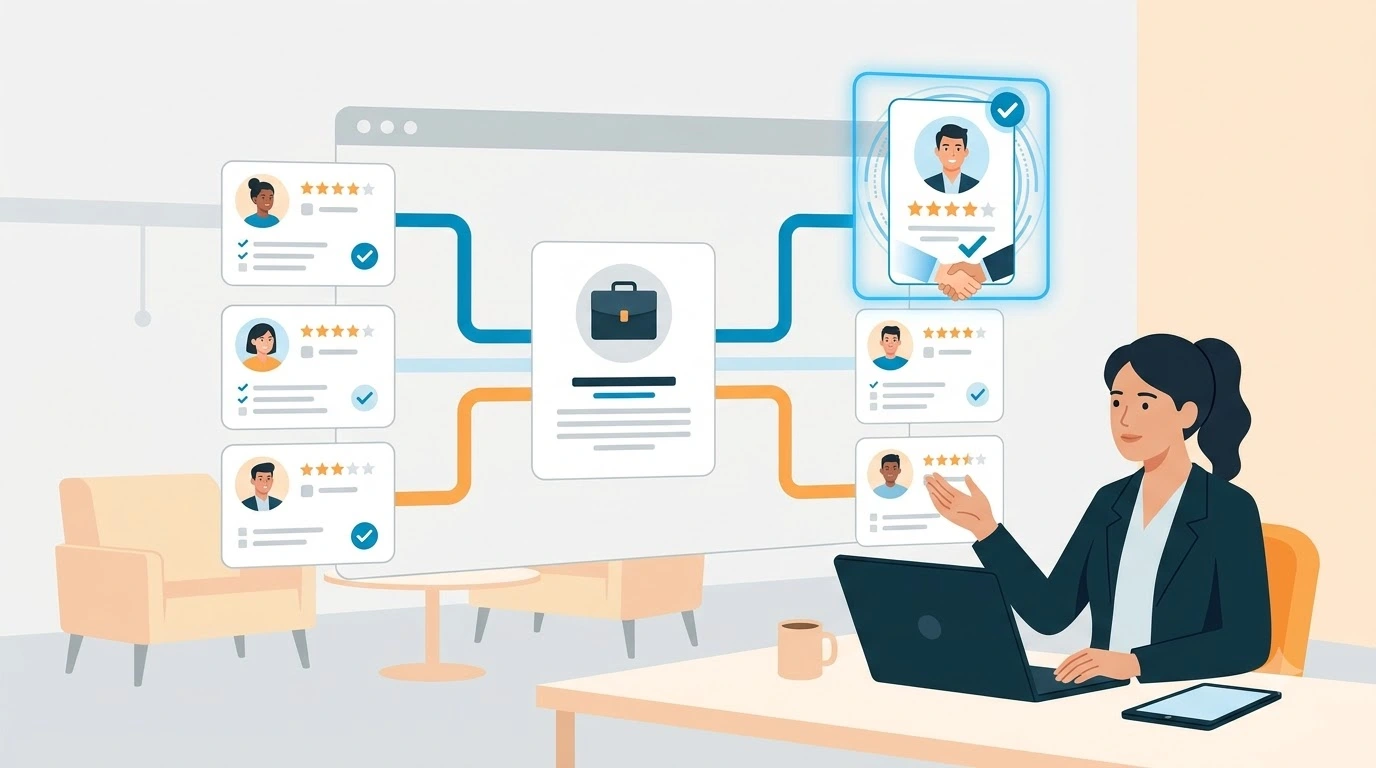
Recruitment automation uses software to handle repetitive hiring tasks such as resume parsing, candidate communication, interview scheduling, workflow updates, and recruitment reporting. A recruitment automation platform connects these activities into a more consistent process, helping recruiters reduce manual work while retaining control over hiring decisions.
For recruitment agencies, staffing companies, and in-house talent acquisition teams, the goal is not to automate every interaction. It is to identify time-consuming tasks that can be handled reliably by software, then give recruiters more time for candidate relationships, hiring manager collaboration, and informed decisions.
This article explains how recruitment automation works, which recruitment tasks you can automate, how to implement it, and what to consider when choosing a solution.
TL;DR
- Recruiting automation streamlines hiring by automating administrative tasks, saving time and costs.
- Automation covers resume screening, candidate sourcing, interview scheduling, assessments, onboarding, and reporting.
- Benefits include improved candidate quality, reduced bias, enhanced candidate experience, and data-driven recruitment insights.
- iSmartRecruit is an example of software that has helped companies significantly improve hiring efficiency and outcomes.
The job market is highly competitive, and there is cut-throat competition out there to hire top talent.
The skill shortage issue makes this scenario the worst, right?
So, one thing is clear: Your hiring process must be faster in order to acquire the best ones for your organisation.
But how can you do it?
Well, the answer is way too simple: Implementing recruiting automation.
By implementing automation in recruitment, you can streamline and speed up your hiring process.
As a result, you will save time and cost while finding the perfect candidate.
But how? – You must be wondering, right?
Let’s dive deep together into this recruiting automation guide and how it can upscale your talent acquisition efforts.
Whether you're a small business owner or a recruiter for a large corporation, this one-stop hiring automation guide will provide you with valuable insights to help you find and hire top talent.
So, let's jump in!
What is Recruiting Automation?
Recruiting automation is an innovative technology that has revolutionized the way companies recruit new talent.
With this technology, recruiters can streamline their hiring workflow and focus on closing deals with potential candidates rather than getting bogged down in administrative tasks.
One of the significant advantages of recruiting automation is that it saves recruiters a lot of time and boosts productivity.
The recruiting automation tools automate repetitive tasks such as candidate sourcing, communication, scheduling, and assessments, allowing recruiters to focus on more high-value activities.
This is particularly helpful for companies that need to scale their team quickly or have limited resources.
How Do You Automate Your Recruitment Process?
Recruitment automation is not an all-or-nothing decision. Most businesses start by automating the most time-intensive stages and expand from there. Here are the eight key areas where automation delivers the greatest impact.
Here are the key stages to automate the recruitment process.
1. Resume Screening & Application Management
The automation journey often begins with Applicant Tracking Systems (ATS).
Applicant tracking systems (ATS) can help organise applications, extract information from resumes, and apply predefined screening criteria. This reduces the need to manually review and categorise every application before beginning a more detailed assessment.
For example, an ATS may identify applicants who meet specified eligibility requirements and organise their profiles for recruiter review.
To use this effectively:
- Define job-related screening criteria before configuring the workflow.
- Check whether resume parsing captures information accurately.
- Review borderline applications instead of relying exclusively on automated filters.
- Monitor whether the process unintentionally excludes suitable candidates.
Automation should support an organised review process, not replace an assessment of relevant skills and experience.

2. Candidate Sourcing & Outreach
Candidate sourcing automation helps recruiters identify potential candidates, organise profiles, and manage outreach activities. Depending on the tools used, it may support database searches, candidate matching, contact management, and follow-up reminders.
AI-assisted matching can help identify profiles that appear relevant to a vacancy based on available candidate information and job requirements.
For example, a recruiter searching for a software engineer could use structured criteria to identify candidates with relevant technical experience, then review their profiles before initiating contact.
Useful practices include:
- Use clear, job-related search criteria.
- Check the relevance and accuracy of matched profiles.
- Personalise outreach rather than sending identical messages to every candidate.
- Respect applicable privacy requirements and candidate communication preferences.
- Review responses and update candidate records promptly.
- Automation can improve the organisation of sourcing activities, but recruiters remain responsible for evaluating context and building relationships.
3. Interview Scheduling
Coordinating interviews can be a strategic challenge.
Automated interview scheduling software can integrate with recruiters' calendars and candidate availability, send interview invitations and reminders, and ensure a smooth and efficient interview process.
For example, after a recruiter moves a candidate to the interview stage, the system can send a scheduling link and notify the relevant interviewer once a time is confirmed.
Before automating scheduling, establish clear rules for interviewer availability, time zones, interview duration, and rescheduling. Keep a process for handling exceptions, such as panel interviews or urgent changes.
4. Candidate Assessment
Assessment tools can help distribute tests, collect responses, organise results, and record feedback. Depending on the assessment type, software may also score responses against predefined criteria.
For example, a technical assessment workflow can send a test invitation after an application reaches the appropriate stage, remind the candidate before the deadline, and notify the recruiter when results are available.
To maintain a reliable process:
- Use assessments that relate to the role.
- Explain assessment requirements to candidates.
- Check whether scoring criteria are valid and consistently applied.
- Provide appropriate human review of results.
- Consider accessibility and reasonable adjustments.
Automated assessment scores should be interpreted in context rather than treated as a complete measure of a candidate's suitability.
5. Candidate Relationship Management (CRM)
Recruiting CRM systems can automate relationship management with potential clients and candidates by sending regular updates, feedback, and job alerts.
Recruitment automation within a CRM can trigger follow-up reminders, organise communication sequences, send relevant job alerts, and help recruiters reconnect with suitable candidates.
For example, a recruiter could create a talent pool for a particular skill set and schedule relevant updates for candidates who have expressed interest in future opportunities.
Useful practices include keeping candidate records current, segmenting talent pools by relevant criteria, personalising messages, and respecting communication preferences.
This approach can help recruiters maintain relationships between vacancies instead of rebuilding their candidate pipelines from scratch each time.
6. Background Checks & References
Automation simplifies the background check process by integrating with third-party verification services. Background checks and reference collection often involve several steps, documents, and follow-ups. Where supported by the relevant systems and permitted by applicable rules, automation can coordinate requests, track completion, and notify recruiters when information is ready for review.
For example, after the required approval, a workflow may initiate an authorised verification request and update the recruiter's task list when the process is complete.
Before implementing this type of automation, confirm the applicable consent, privacy, data retention, and verification requirements. Restrict access to sensitive information and provide a clear route for resolving discrepancies.
Automation should coordinate the process without removing the necessary checks and decisions.
7. Offer Letters & Onboarding
Automation can expedite the final stages of hiring by generating offer letters, contracts, and other documentation.
Employee onboarding software facilitates document submission, compliance checks, and online training modules for new hires.
For example, an approved offer may trigger document preparation, while a confirmed start date can create tasks for the hiring manager, HR team, and new employee.
The exact capabilities depend on the recruitment and HR systems being used.
To improve this workflow, establish who approves offers, which documents are required, who receives notifications, and what happens when information is missing. Check that sensitive documents are shared through appropriate channels.
A structured handover can help reduce administrative delays and give new employees clearer instructions.
8. Analytics & Reporting
Automated reporting tools provide valuable insights into recruitment metrics such as time-to-fill, cost-per-hire, and source effectiveness.
Data-driven analytics help organizations make informed decisions and continually improve their recruitment strategies.
For example, if candidates consistently wait several days for interview feedback, a recruitment report can help identify the stage that requires attention. The team can then review feedback reminders, interviewer availability, and approval processes.
Automating these stages of the recruitment process not only saves time and resources but also enhances the candidate experience, minimizes bias, and ensures a more consistent and efficient hiring process.
What are the Benefits of Recruiting Automation?
Automating manual and tedious workflow has helped recruiters and HRs a lot.
Here are a few advantages of incorporating recruiting automation into your HR and recruitment strategy.
Let's explore.
1. Improved Candidate Quality
Recruiting automation has been proven to improve candidate quality
by quickly sifting through resumes and applications to identify the most qualified candidates. This saves time and effort for hiring managers, allowing them to focus on the top candidates and make better hiring decisions.
2. Save Recruiter's Time
One of the primary advantages of recruiting automation is the significant time saved for both recruiters and candidates. Tasks like resume parsing, interview scheduling, and follow-up communications can be automated, freeing up valuable time for recruiters to focus on strategic aspects of talent acquisition.
3. Improve Accuracy in Hiring
Automation reduces the potential for human errors and biases in the recruitment process. It ensures that every candidate is evaluated consistently based on objective criteria, promoting fair and impartial decision-making.
4. Data-Driven Recruitment Insights
Recruitment automation software collects and analyses data throughout the recruitment process. This data can provide valuable insights into the effectiveness of different sourcing channels, candidate pipelines, and interview processes, helping recruiters make informed decisions to improve future hiring efforts.
5. Enhance Candidate Experience
Recruiting automation allows for the creation of a more engaging and informative candidate journey. By providing timely updates and personalized communications, candidates are more likely to have a positive experience with the company, regardless of the outcome.
6. Eliminate Hiring Bias
Many companies are committed to diversity hiring, yet bias remains a challenge in traditional recruitment methods. The presence of human interaction throughout the recruiting process makes it difficult to completely eradicate bias. However, automated recruiting can help by anonymizing profiles, fostering a more diverse candidate pool, alerting recruiters to unconscious biases, and mitigating bias to the greatest extent possible.
7. Opportunity for Personalisation in Talent Interaction
Recruiting automation can create opportunities for more personalised interactions.
By automating repetitive tasks, recruiters can invest more time in building meaningful relationships with candidates.
Also, they can tailor their approach to match individual needs and preferences.
Recruitment Automation Software: Vital Tool for Recruiters
Recently, Recruitment Automation Software has become an indispensable tool for recruitment professionals to automate and improve their end-to-end hiring workflow.
It offers many benefits that streamline the hiring process, improve candidate experience, and enhance the overall effectiveness of recruitment strategies.
Crucial Role of Recruitment Automation System in Hiring
Recruiting Automation Software greatly reduces hiring time and effort involved in repetitive and manual tasks such as reviewing and sorting through resumes, scheduling interviews, and sending out mass emails for communication purposes.
Recruitment automation tools offer advanced algorithms and recruitment data analytics to identify and attract potential candidates from various sources, including job boards, social media sites, and professional online communities and networks.
Artificial intelligence (AI) and machine learning (ML) technologies embedded in hiring automation software enable more efficient screening of applications by analysing resumes and assessing candidates' skills, experience, and cultural fit.
This way, it shortlists the most suitable applicants with higher precision.
Features like recruitment chatbots provide instant responses to candidates' questions, and automation helps in maintaining a positive and engaging candidate experience.
Recruitment automation tools are designed to integrate seamlessly with other HR systems, such as onboarding and candidate performance management.
How to Implement Recruitment Automation in 7 Steps
A phased approach helps teams test automation against real recruitment needs before expanding it across the organisation.
Step 1: Audit Your Current Workflow
Map the process from vacancy approval to offer acceptance and onboarding. Identify repeated data entry, delayed approvals, scheduling bottlenecks, and communication tasks that consume disproportionate time.
Step 2: Set Clear Objectives
Choose a small number of measurable goals, such as reducing manual scheduling effort, improving candidate response times, or reducing delays between interview stages. Record the current baseline before changing the process.
Step 3: Prioritise Suitable Tasks
Start with frequent, predictable tasks that have clear rules and manageable exceptions. Candidate acknowledgements, reminders, task assignments, and routine scheduling are possible starting points.
Avoid automating a poorly defined process simply because the software supports it.
Step 4: Choose the Appropriate Tools
Compare available tools against the problems identified in your workflow audit. Evaluate functionality, integrations, security, usability, costs, and reporting before making a decision.
Step 5: Configure and Test the Workflow
Define triggers, required information, approval steps, notifications, and exception handling. Test typical scenarios and edge cases before introducing the workflow to the whole team.
Step 6: Train Recruiters and Hiring Managers
Explain how the workflow operates, what users need to review, and when manual intervention is required. Collect feedback during the pilot and address confusion or unexpected behaviour.
Step 7: Measure and Improve
Compare results against your baseline. Review efficiency, candidate experience, data accuracy, and screening outcomes. Expand the workflow when it performs reliably and revise it when the evidence identifies problems.

Real-world Example of Recruiting Automation with iSmartRecruit
Case Study: How Systemart Achieved Success with iSmartRecruit's AI Recruitment Software?
Challenges
Recruiters at Systemart were not satisfied with several aspects of their recruitment process, such as manual and repetitive hiring tasks that slowed down their productivity and cost them extra money.
iSmartRecruit Solution
To achieve its business goals, Systemart required a change. So, they started exploring the most inventive solutions in today’s recruitment landscape and soon discovered iSmartRecruit's AI-powered platform. Here’s how they enhanced their hiring process with iSmartRecruit.
iSmartRecruit's Outstanding Impact
Systemart chose iSmartRecruit for its innovation, user-friendliness, and cost-effectiveness. Since implementing iSmartRecruit's ATS & CRM, they've achieved remarkable results.
- Doubled capacity for a quality candidate placement.
- Streamlined workflows and improved communication.
- Made 450+ hires in 180 days.
- Saved approximately $35K in recruiting labour costs.
- Reduced time-to-fill from 73 days to 45 days.
- Scaled hiring by 3X in 2.5 years, securing top talent for niche roles across multiple regions.

How to Measure Recruitment Automation Success
Measure whether automation improves the process you intended to change. Choose metrics that match your objective and record a baseline before implementation.
| Metric | What it helps you understand |
| Time-to-fill | Time taken to fill a vacancy, according to your chosen definition |
| Time-to-hire | Time taken across the candidate hiring journey, according to your chosen definition |
| Scheduling time | Time or effort spent coordinating interviews |
| Candidate response time | How quickly candidates receive relevant communications |
| Stage conversion rate | How candidates progress between recruitment stages |
| Cost per hire | Recruitment costs relative to the number of hires, using a consistent calculation |
| Candidate feedback | How candidates perceive communication and the hiring process |
| Data accuracy | How reliably candidate and workflow information is recorded |
Use consistent definitions when comparing periods. If scheduling time improves but candidate withdrawal rates increase, investigate the wider process rather than judging success using a single metric.
Also review whether automation creates additional work elsewhere, such as correcting inaccurate records or resolving unnecessary notifications.
How iSmartRecruit Can Automate Your Recruiting Process?
Recruiters and hiring managers, are you frustrated with manual and tedious hiring workflow?
Do you want to automate all of those repetitive tasks that consume your vital energy and time?
Do you wish to streamline your end-to-end hiring workflow effectively?
Do you want to achieve the same hiring success you just witnessed?
Yes!
Then, choose iSmartRecruit NOW, the best recruitment software with superior automation functionalities.
But why?
Here are the key reasons.
- Automatically publishes your jobs to multiple job boards and social media platforms.
- Use AI to source candidates from various databases.
- Parse and extract relevant information from resumes and create candidate profiles.
- Tracks each candidate’s progress.
- Send them an automatic status report.
- Automates interview scheduling.
- Sends automated emails and notifications to candidates and hiring teams.
- Generates real-time recruitment reports and analytics
- Maintain engagement smoothly with automated follow-ups and updates
- Automates your onboarding process with checklists and task assignments for new hires.
Do you still have doubts?
Then, connect with our product expert to discuss your hiring hurdles.
Based on your problems, you will get exclusive solution tips on using AI recruitment technology that can help you hire top talent faster than your competitors.
Conclusion
Recruitment automation helps teams reduce repetitive administrative work, coordinate hiring activities, and gain better visibility into recruitment workflows. Its value depends on choosing the right tasks, configuring reliable processes, and measuring outcomes against a clear baseline.
Start by identifying where your team loses time, then automate a manageable workflow and review the results. Maintain human oversight for candidate assessment, sensitive decisions, and relationship-building.
A thoughtful approach can help recruitment agencies, staffing companies, and in-house hiring teams create a more organised recruitment process without losing the human judgement that effective hiring requires.

Frequently Asked Questions (FAQs)
1. What Types of Tasks can be Automated with Recruitment Automation Software?
Recruitment automation software simplifies the hiring process by handling tasks such as posting jobs across multiple channels, screening resumes, and managing initial candidate communications through automated emails. It also aids in scheduling interviews and streamlining the onboarding process. Its features, like AI-driven candidate matching and automated workflows, make these tasks efficient and less time-consuming.
2. What Impact Does Recruiting Automation Have on Reducing Time-to-Hire?
Recruitment automation reduces time-to-hire by reducing repetitive tasks like screening resumes and coordinating interviews. This speeds up the communication flow with candidates and allows for quicker decision-making, helping you fill positions faster and more efficiently.
3. How Does Recruiting Automation Improve Collaboration among Hiring Teams?
With recruitment automation, your hiring team can access a unified platform where all candidate information, feedback, and communications are centralised. This keeps everyone in the loop and streamlines decision-making. Tools like shared candidate profiles and real-time alerts further enhance collaboration, making it easy for teams to work together effectively.
4. Is Recruitment Automation Suitable for Small Businesses?
Absolutely! Recruitment automation is a game-changer for small businesses. It automates crucial hiring tasks, freeing up your team to focus on personal interactions with candidates. With features tailored for ease of use, like customisable workflows and scalable solutions, it supports small businesses in growing efficiently without the overhead of a large HR department.
About the Author