Recruitment software helps organisations and recruitment agencies manage hiring activities in one place, from attracting candidates and tracking applications to coordinating interviews and evaluating recruitment performance. The right system can reduce repetitive administration, improve collaboration and help recruiters make more informed decisions.
However, recruitment software differs in its capabilities, pricing, integrations and suitability for different hiring needs. Before choosing a solution, it is important to understand the available features, compare relevant providers and identify the requirements your team needs the software to meet.
This guide explains what recruitment software is, its benefits, essential features, common implementation challenges and the questions to ask before selecting a provider.
TL;DR
- Recruitment software helps manage hiring workflows, candidate information, communication and recruitment reporting.
- An applicant tracking system (ATS) focuses on applications and hiring stages, while a recruiting CRM supports longer-term relationships with candidates and clients.
- Essential features may include job posting, candidate search, interview scheduling, automation, reporting and integrations.
- The right system depends on hiring volume, team structure, budget, existing tools, data protection requirements and implementation support.
- Recruitment agencies, small businesses and in-house HR teams may need different workflows and capabilities.
- AI features can support sourcing, screening and administrative tasks, but recruiters should retain appropriate human oversight.
- Compare vendors using practical requirements, a realistic workflow demonstration and the total cost of ownership.
Looking for an Online Recruitment Platform?
Online recruiting tools come with a myriad of benefits and is specially designed for recruitment agencies, recruiter, and human resource professionals. The online recruiting tools are capable of collecting deserving talent in the talent pool at a higher speed.
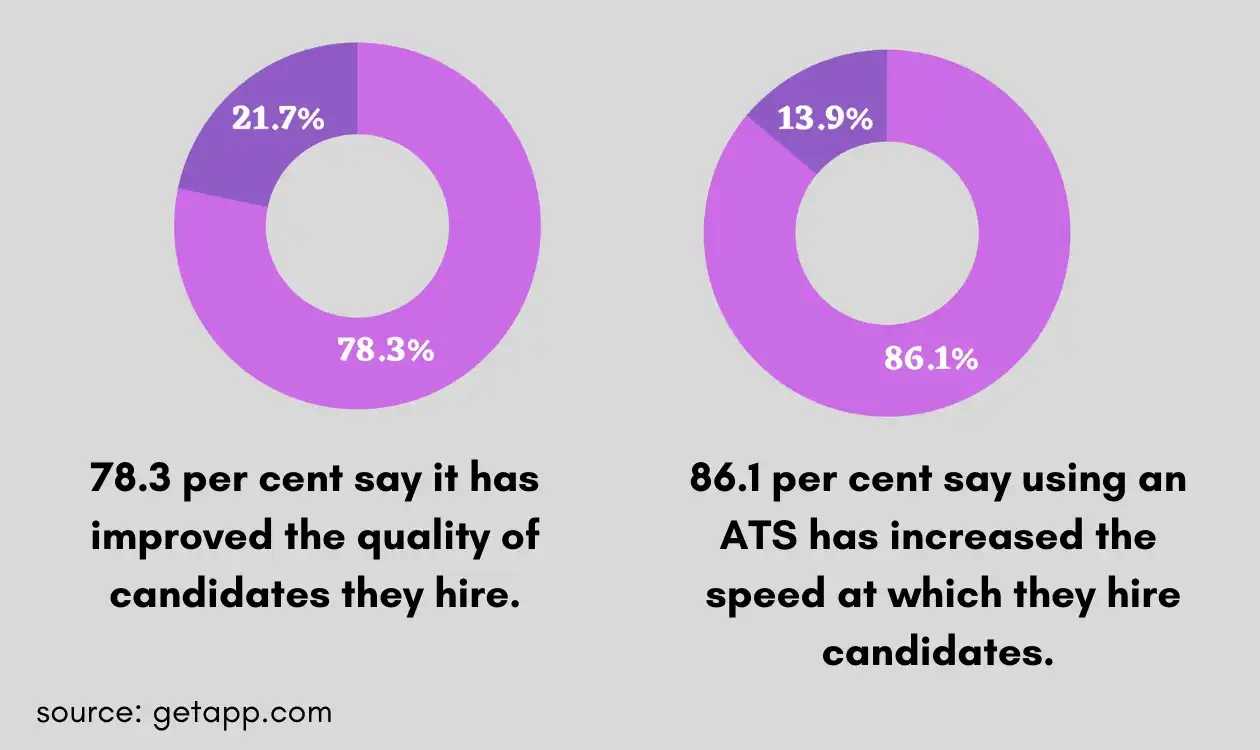
According to the survey, the following are the benefits of using recruitment software:
- 78.3% say it has improved the quality of candidates they hire.
- 86.1% say using an applicant tracking system has increased the speed at which they hire candidates.
So, let's start with the main objective of the blog!!!
What is Online Recruitment Software?
Recruitment software is used by organisations, companies, and recruitment agencies to handle and make the recruiting process easier and faster compared to the manual process of recruitment. It is also known as Recruitment Software in the recruitment landscape.
Through online recruitment software, good recruiters can perform a number of operations, like posting jobs, communicating with clients, interview scheduling, candidate status changes, etc., effortlessly.
Some cloud recruitment software uses artificial intelligence features, also known as AI recruitment software, which automates several of the operations of the workflow.
59% of professional experts believe that to improve the recruiting approach, employers and agencies have to invest in recruiting technology like ATS and Recruiting CRM Software.
What's the Difference Between Recruiting Software & Applicant Tracking System (ATS)?
Recruitment software is the software used by recruiters, but some recruiters have misinterpretations that Online Recruitment Software & ATS are the same. To some extent, it is the same but not exactly identical to each other.
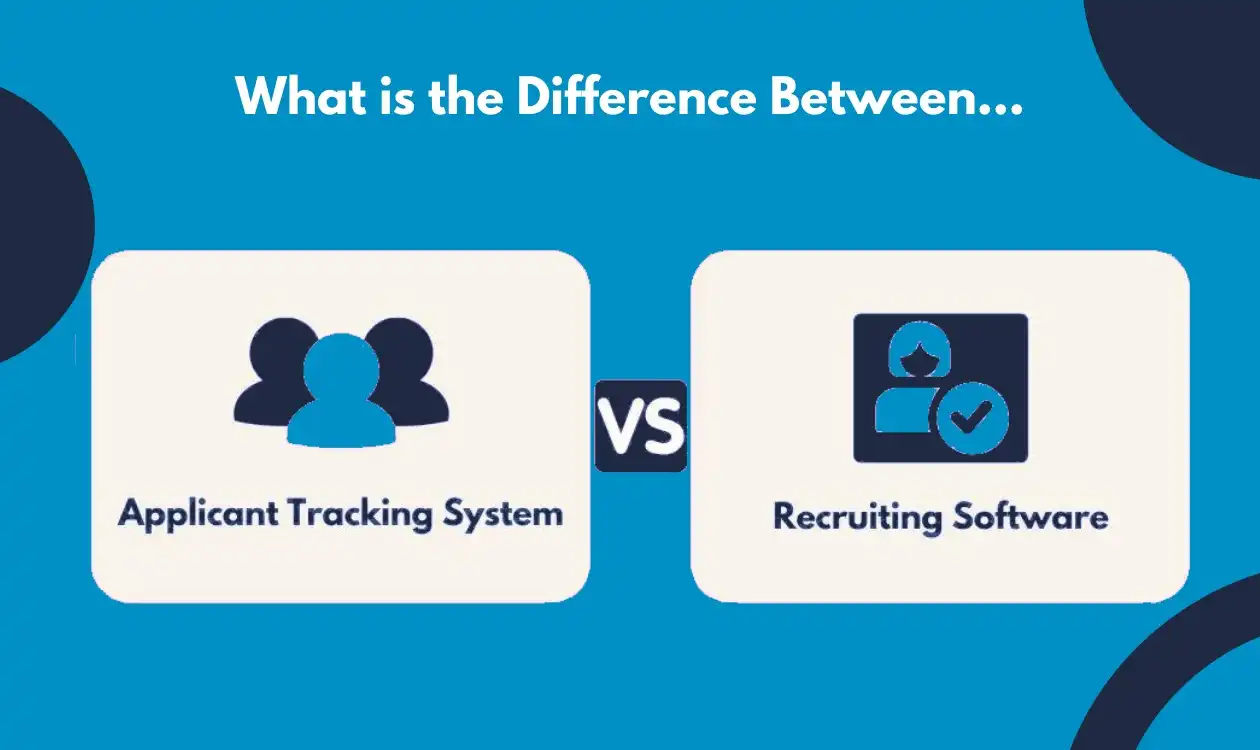
There are some differences; let us know those differences
- ATS: Focus on tracking application
- Recruitment Software: Helps to connect clients and candidates
- ATS: Is a tool for workflow and managing applicants
- Recruitment Software: Software with a pool of active and passive candidates
- ATS: Is not the complete hiring solution
- Recruitment Software: Software that is an end-to-end solution for all aspects of the hiring process.
What are the Benefits of Online Recruitment Software?
Recruitment platform is leading in each sector, and people have also started believing that technology brings a number of benefits with it.
Every software is made with some purpose and advantages that minimise human activity.
Here is the Online Recruitment Software, which also has multifarious benefits that help recruiters to manage their time. In the current competitive market situation, the recruiting process will not succeed until it will not include time-saving, cost-saving, and accuracy rate-type factors during the process.

According to the research, 94% of hiring professionals have stated that online recruitment software creates a positive impact on their business.
The organisation and the HR department are always looking forward to hiring new and qualified talent in the company. Recruitment software is accessible for small, mid, and large-scale enterprises that do work for recruiters easily through effective communication with candidates.
Here are the key benefits of online recruitment software:
-
Save time and money
-
Collects all important data
-
Improve communication
-
Increase your social reach and branding
-
Data security
-
Tracking job applicants
-
Improve client and candidate experience (Companies who invest in candidate experience and make their candidate experience strong to improve the quality of new hires by 70 percent)
-
Reduces your manual work
-
Availability 24*7
The recruiting process is an unavoidable process for each business. Online recruiting software allows you to track the applicants, grab the applications from various sources, job postings on different job boards, and website integration, store the data at a single spot and communicate and these all put the recruiting process at the next level. The recruiter software helps organisations to grow and to walk through the success ladder.
Because of these benefits, 86 per cent of recruiting professionals stated that online Recruitment Software helped them to hire faster and quicker.
"You cannot succeed in recruitment if you genuinely don't have an affinity and empathy for people." - Peter Murphy.
What Should You Consider While Selecting Online Recruitment Software?
There are numerous online recruitment software available in the market, and you have to choose only one out of all. Before selecting the best recruitment CRM, you need to verify all its aspects in detail. There are various points on which you need to focus; some of them are given below.
- An offering of features and functionalities
- Pricing
- Organisation size and software compatibility
- User training, onboarding, and customer support
- Software terms & conditions are suitable for the company or not
- Data security
- Data migration
- GDPR or local-low compliance
- Language options available (in case you are from Mexico or another native language-speaking country)
Businesses or recruiting agencies stand to gain a lot after using online Recruitment systems. The recruiter must find out from the list of software that is suitable for the organisation and that will streamline your recruitment process and improve the efficiency of hiring.
"You're not just recruiting employees, but are sowing the seeds of your reputation."
What Features Should You Look for in Online Recruitment Software?
Online Recruiting Software is the bundle of the features, features that make the hiring software distinct from others. But there are always some features that are commonly present in each executive online recruitment software and play a pivotal role in software.
Here is some important feature of Online Recruitment Software:
Feature 1: AI and Automation
Modern recruitment platforms use AI to automate the most time-consuming aspects of sourcing and screening, including:
- AI-powered candidate matching against job requirements
- Automated resume parsing and ranking
- Intelligent workflow automation
- Predictive analytics for hiring outcomes
- Automated personalised outreach sequences
Feature 2: Attract and spot the talent
Here is the set of features that might help recruiters find suitable talent for the open job and help to manage the talents.
Statistics:- 76 per cent of hiring staff stated that their biggest challenge is to attract quality candidates.
- Free and paid job board promotions
- Social media recruiting
- Referral management
- Boolean search and semantic search capability
- Organise candidates in different talent pools
- Video screening and questionnaire to pre-screen the candidates
Feature 3: Engage the candidate
Some important sets of features help recruiters to engage with more candidates and grab applications.
- Chatbot to attract more talent from your Facebook, website, or any other pages.
- Mobile-friendly career page
- Application forms can be customised
- Candidate onboarding
- Mass emailing
Feature 4: Reporting and analytics
Here is the set of features which will help recruiters to track and measure the recruiting process
- Time to hire
- Cost per hire
- Scheduled reports
- Offer acceptance rate
- Source of applicants
- GDPR Compliance
Any Business or Organisation can effectively and easily manage the recruitment process with the help of recruitment software features as mentioned above. Depending on a company's needs and requirements, they can use out-of-the-box solutions or turn to development companies to create custom recruitment software with minimised risks.
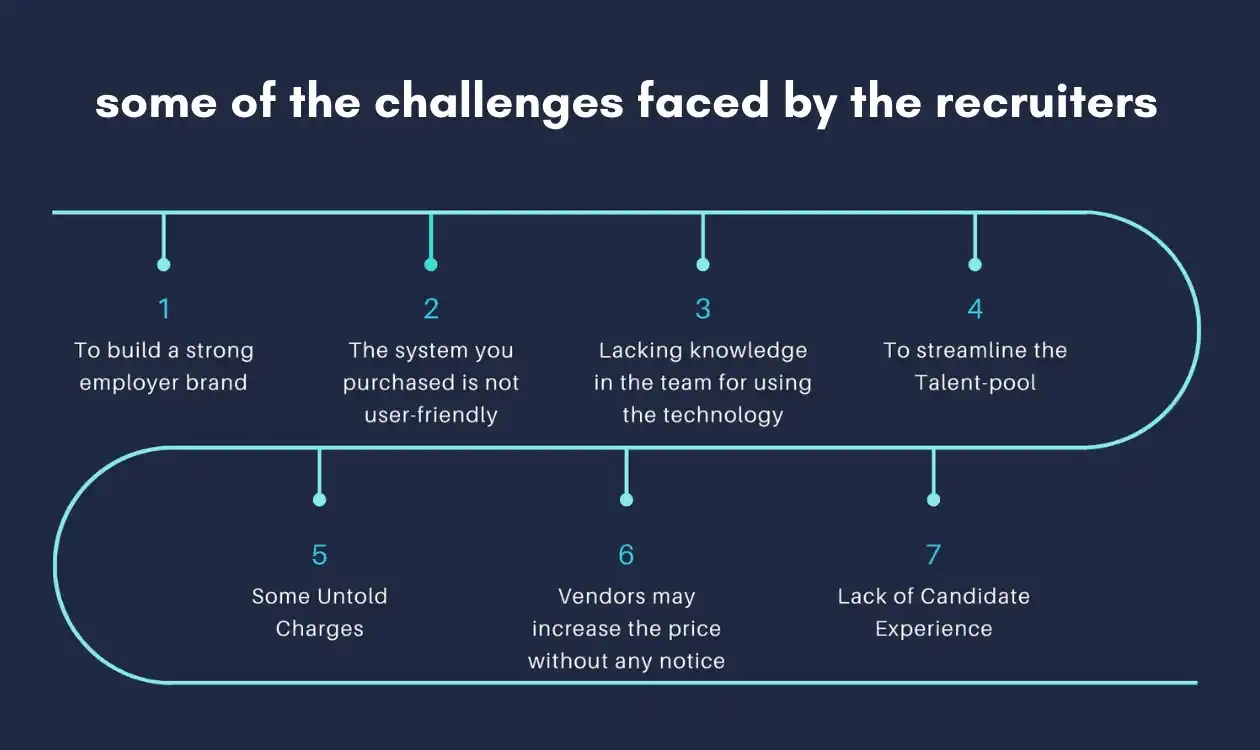
Common Recruitment Software Implementation Challenges
Introducing new recruitment software can improve workflows, but implementation requires planning.
1. Resistance to Change
Recruiters may be comfortable with existing spreadsheets, email routines or legacy systems.
Involve users early, explain the purpose of the change and provide practical training. Demonstrating how the new process addresses existing problems can help encourage adoption.
2. Poor Workflow Configuration
A system may become difficult to use if workflows contain unnecessary stages or do not reflect the organisation's recruitment process.
Map existing workflows before configuration. Simplify processes where appropriate and test the proposed setup with real hiring scenarios.
3. Data Migration Problems
Incomplete records, duplicate candidates and inconsistent field formats can create problems during migration.
Clean and review data before importing it. Validate a sample of records, check key fields and confirm that the migrated data can be used correctly.
4. Integration Difficulties
Disconnected tools can create duplicate work or inconsistent information.
List essential integrations before selecting a provider. Test important data flows and clarify who is responsible for troubleshooting integration issues.
5. Inadequate Training and Support
Users may struggle if they do not understand the system or cannot get help when problems occur.
Ask about training materials, implementation support, response times and the process for raising issues.
6. Unclear Success Measures
Without defined goals, it is difficult to know whether the new system is helping.
Establish a baseline before implementation and track suitable measures after launch. Combine quantitative metrics with user feedback to understand whether the software is improving the process.
"A modern recruiter is one who is targeted, builds relationships, and knows how to only find candidates but also get them to respond!" - Stacy Donovan Zapar
Questions to Ask a Recruitment Software Vendor Before Buying
Use these questions to compare shortlisted providers.
Features and workflow
- Does the system support our essential recruitment workflows?
- Can we customise hiring stages, permissions and reporting?
- Which features are included in the quoted plan?
Integrations and migration
- Which of our current tools can connect to the system?
- How will historical candidate data be migrated and validated?
- Can we export our data if we leave the service?
Security and privacy
- What access controls and security measures are available?
- How are candidate records retained and deleted?
- What information is processed by any AI features?
- Which privacy and contractual obligations does the service support?
Pricing and support
- What is the full cost, including implementation and optional modules?
- How do renewal and price-change terms work?
- What training and customer support are included?
- Can we test the system using our own recruitment scenarios?
Performance and implementation
- How long does a typical implementation take for a team with requirements like ours?
- What responsibilities will our team have during implementation?
- How are product updates communicated?
- What service commitments and support arrangements are documented in the contract?
The answers should be recorded against your requirements so that competing providers can be assessed consistently.
List of the Companies and Organisations Who Should Use the Recruitment Software
Here is the list of companies which can use Recruitment Software.
- Recruiting Companies
- Executive Search Companies
- HR Consulting Companies
- Startup Companies
- Corporate HR
- Freelancing Companies
List of Top 10 Recruitment Software & Applicant Tracking Systems for Agencies
Recruitment Software is the easiest and simple way to attract more candidates. Not only about candidates, but it also saves time and cost per hire and increases work efficiency.
Recruitment agencies are the ones who execute the same process number of times. Hence, recruitment software for agencies is a must to automate the hiring process. Recruiters can choose the ATS software according to the company size and fulfil business growth through its amazing features.
The following products are examples of recruitment software to investigate. They are not presented as a ranked list, and inclusion does not mean that every product has been independently tested or verified for every feature.
| Software | What to investigate | Potential evaluation focus |
| iSmartRecruit | ATS, recruiting CRM, automation and recruitment workflows | Agencies, staffing firms, executive search firms and in-house recruitment teams |
| Workable | Applicant tracking, sourcing, hiring collaboration and available integrations | Teams seeking a structured recruitment workflow |
| Bullhorn | Staffing-oriented workflows, candidate and client management | Recruitment and staffing agencies |
| Zoho Recruit | Applicant tracking, recruiter workflows and ecosystem integrations | Agencies and organisations evaluating flexible recruitment tools |
| Jobvite | Recruiting workflows, collaboration and analytics | Organisations with broader talent acquisition needs |
| JazzHR | Application tracking and hiring team workflows | Smaller organisations comparing focused recruitment systems |
| Recruitee | Hiring collaboration, workflow configuration and candidate experience | Teams comparing collaborative hiring tools |
| Breezy HR | Recruitment workflows, candidate communication and automation | Organisations seeking a straightforward hiring process |
| Greenhouse | Structured hiring, interview processes and reporting | Teams with formalised hiring processes |
| SmartRecruiters | Talent acquisition workflows and enterprise requirements | Organisations evaluating larger-scale recruitment needs |
Feature availability, integrations, deployment options, pricing and contractual terms can change. Verify them against current vendor documentation before making a shortlist.
How to Compare the Options Fairly
Create a simple scorecard using your requirements. For each vendor, record whether the feature is available, whether it requires an add-on, whether it meets your needs in practice and what evidence supports the assessment.
Consider using a weighted score for essential criteria such as workflow fit, usability, integration, security, support and total cost.
Do not select a vendor based on the number of features alone. A simpler system that supports your actual process may be more useful than a complex platform that requires extensive configuration.
AI Recruitment Software and the Future of Hiring
AI is becoming part of recruitment workflows, but its usefulness depends on how it is applied.
Depending on the product, AI-supported capabilities may include candidate search, profile matching, resume parsing, drafting recruitment communications and summarising information. These capabilities can help recruiters organise work, but they should be evaluated individually rather than treated as interchangeable.
Where AI Can Help
AI-assisted tools may help recruiters find relevant profiles, process candidate information, prepare communications and identify patterns in recruitment data.
For example, a recruiter handling a large number of applications might use search and matching tools to create an initial shortlist. The recruiter should then review the candidates against the role's actual requirements and check the accuracy of the information.
Risks and Limitations to Consider
AI outputs may be incomplete, inaccurate or influenced by unsuitable data. Automated screening can also create fairness and transparency concerns if its criteria are poorly designed or insufficiently reviewed.
Before adopting AI features, establish who is responsible for reviewing recommendations, how errors are reported, how candidate information is protected and whether the system can be evaluated for inappropriate outcomes.
AI should support recruitment decisions, not replace the professional judgement and accountability required for fair hiring.
iSmartRecruit: An All-in-One Recruitment Software Solution
iSmartRecruit streamlines every aspect of the recruitment process in an all-in-one recruitment software solution. It is specially designed for mass recruiters, HRs, hiring managers and recruitment and staffing agencies to manage and automate recruitment workflow effectively.
It enables HR corporates to achieve hiring excellence with AI-powered recruitment features.

iSmartRecruit is built for recruitment agencies, staffing firms, executive search organisations, and corporate HR teams that need a flexible, powerful, and easy-to-use platform to manage their full recruitment workflow.
- Online skills assessment tools
- Social recruiting and multi-platform job advertising
- AI-powered candidate matching and resume parsing
- Recruitment chatbot for 24/7 candidate support
- Video interview tools
- Candidate onboarding
- Recruitment analytics and reporting
- Mobile recruiting
- Employee referral management
Why recruitment teams choose iSmartRecruit:
- Highly customisable workflows
- Intuitive, easy-to-use interface
- AI-based profile matching
- Smooth data migration from existing systems
- Personalised onboarding support
- Self-hosted deployment option available
- Automated workflow creation
Ready to see it in action? Book a free demo and explore how iSmartRecruit can streamline your hiring process from end to end.

Conclusion
Choosing recruitment software involves more than comparing features or subscription prices. The right system should support your hiring process, fit the needs of your recruitment team, connect with your existing tools and provide suitable controls for candidate information.
Start by identifying your main recruitment challenges, separating essential features from optional ones and defining how success will be measured. Compare vendors against the same criteria, test representative workflows and confirm the total cost before committing.
A well-selected and properly implemented system can help recruitment teams organise their work and make more informed decisions. The best choice is the one that fits your requirements today while supporting your future hiring needs.
Frequently Asked Questions (FAQs)
1. What is online recruitment software and what is it used for?
It helps organisations manage the full hiring process from job posting to onboarding. It automates screening, scheduling, and communication, replacing slow manual workflows with a faster, centralised system.
2. What is the difference between recruitment software and an ATS?
An ATS only tracks and manages applications, while recruitment software is a broader end-to-end solution. It includes sourcing, candidate relationship management, marketing, and advanced analytics alongside ATS functionality.
3. What are the main benefits of using recruitment software?
Key benefits include faster time-to-hire, lower costs, better candidate quality, and reduced manual work. Research shows 94% of hiring professionals report a positive business impact after adopting it.
4. What features should I prioritise when choosing recruitment software?
Prioritise AI matching, multi-platform job posting, automated communication, interview scheduling, and reporting. Ease of use and quality of customer support are equally critical before committing.
5. How much does recruitment software typically cost?
Pricing depends on users, hiring volume, and features included. Most platforms offer tiered models, so always request a detailed quote and confirm what is included at each level.
6. What challenges should I expect when implementing recruitment software?
Common challenges include team resistance, knowledge gaps, and integration difficulties. Choosing a provider with strong onboarding support and responsive customer service reduces these risks considerably.
About the Author